First setup
Configure the essentials and test a complete customer workflow before your team relies on it.
Needs: Administration
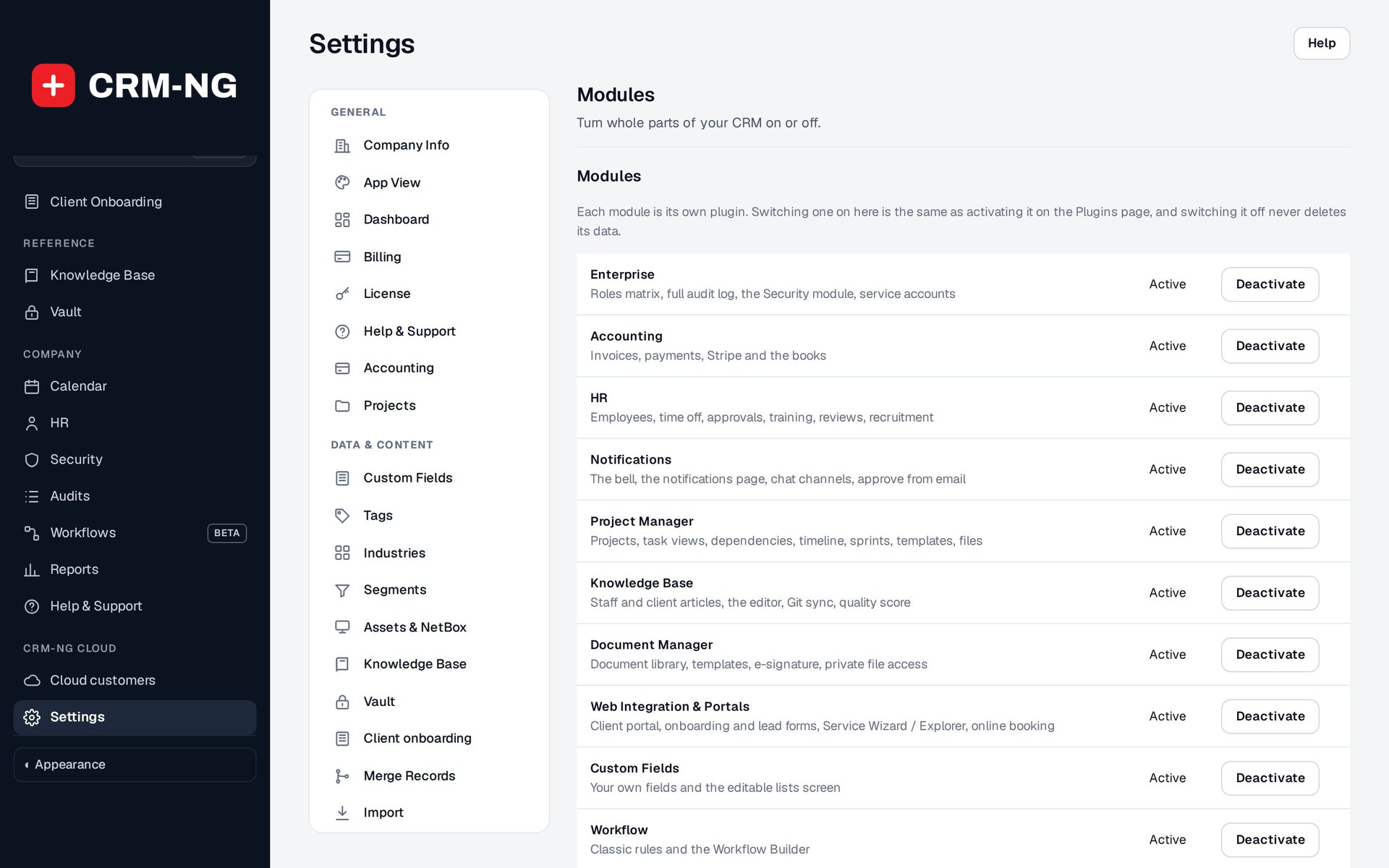
Settings → Modules is where administrators enable optional parts of CRM-NG and check their requirements.
On CRM-NG Cloud your workspace is ready when you sign up (see Sign up and sign in); start here. Hosting CRM-NG yourself? Install it first: see the self-hosted edition.
Configure the application
Work through these areas in order. They establish the defaults that later records will use.
- In Company Info, enter the organization name and contact information that should appear on customer documents.
- In App View and Dashboard, choose the layout defaults and check them with a normal staff account.
- In License and Modules, enable the features needed for your first workflow. See module requirements.
- In Access and Security, set staff permissions and the intended MFA policy. Make sure affected users can enroll and recover access before enforcing a stricter policy.
- Configure Billing, Plans and SLA before preparing invoices or promising response times. Check rates, currency, included hours, business hours and holidays.
- Set up Email and Notifications, then send a controlled test message. Use one outbound mail connection.
- Set up the pages for your portal and forms, using the relevant shortcodes. Check the content and access before publishing them.
- Complete the setup for HR, Projects and Accounting before importing their records.
Test the setup with a small example
Create a clearly named demonstration company and contact. Capture a lead, convert it when appropriate, create a deal and estimate, open a ticket, record time and prepare a draft invoice. If Accounting is enabled, inspect the posting after the invoice becomes eligible. Test the client and employee portals with separate ordinary accounts.
Also test a scheduled action. Campaigns, recurring bills, calendar sync and workflows with waits depend on scheduled jobs actually running. Check the result after the due time.
If you test on a copy that blocks email and payments, remember those safeguards limit what it can prove; check real integrations again when you go live.