Building your own reports
Pick what to report on, choose the columns, filter and group it, and save it next to the built-in reports.
Needs: Report Builder module
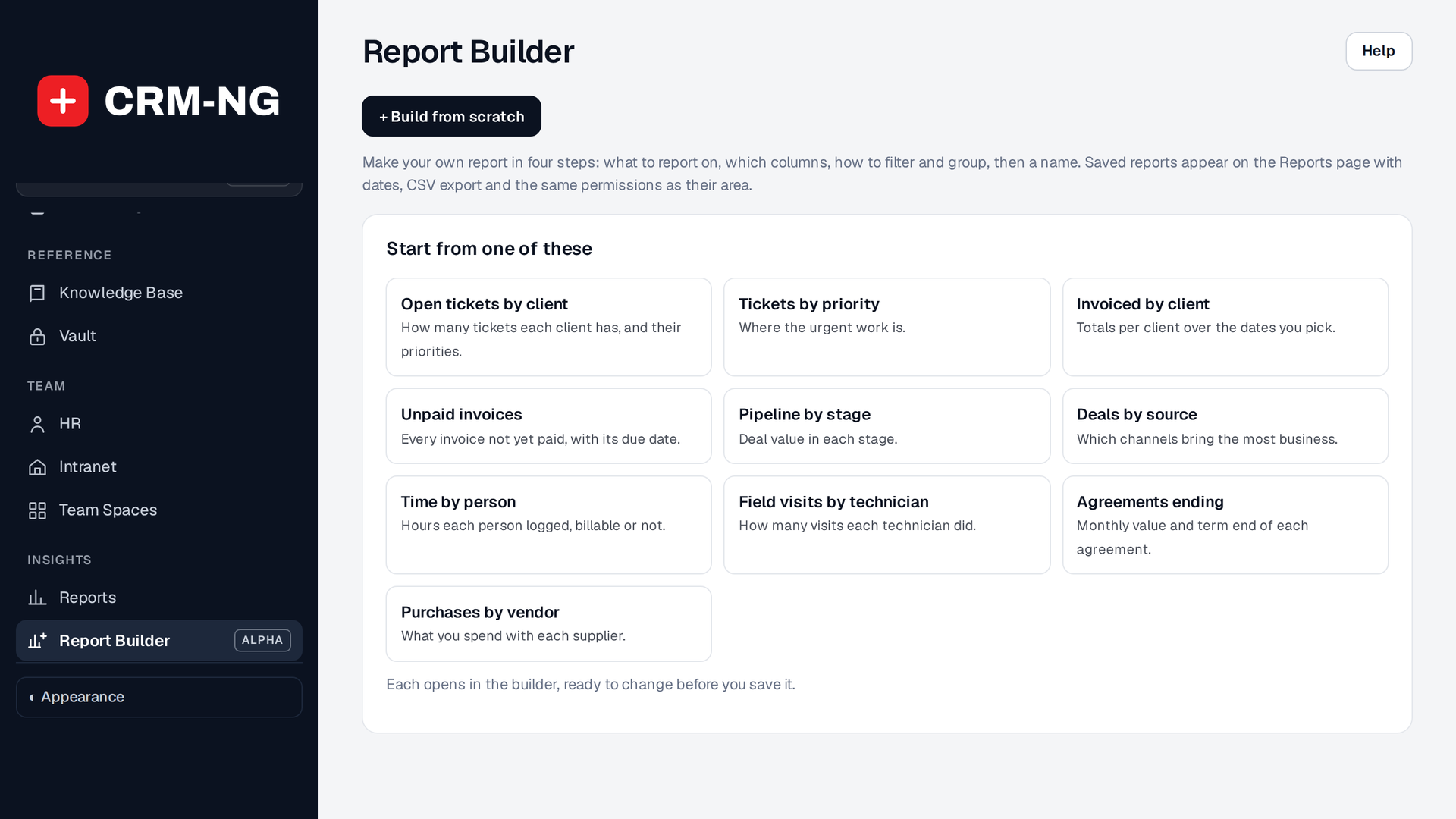
Report Builder: build from scratch or start from one of the ready-made reports.
The Report Builder page lists the reports you have saved (Run or edit each one), ten ready-made starting points, and Build from scratch. The starting points include open tickets by client, unpaid invoices, pipeline by stage and time by person.
Build a report
The builder walks through four steps, with a preview beside them that refreshes on every change:
- What to report on: choose a card, such as tickets, invoices, deals or time.
- Columns: tick the ones you want (All or None to start quickly).
- Filter and group: narrow it down and choose how rows are grouped and totalled.
- Name and save.
A report needs a name, and two reports can't share one. When you edit a saved report, Save changes updates it and Save as a new report keeps the original. If a save fails, the builder comes back with everything still filled in and says why.
Use your reports
Saved reports join the Reports page with its date ranges, CSV export and saved reports. On the phone, reports can be run with date presets.