Managing support tickets
Review incoming requests, assign responsibility and keep customers informed through resolution.
Needs: Client Portal module
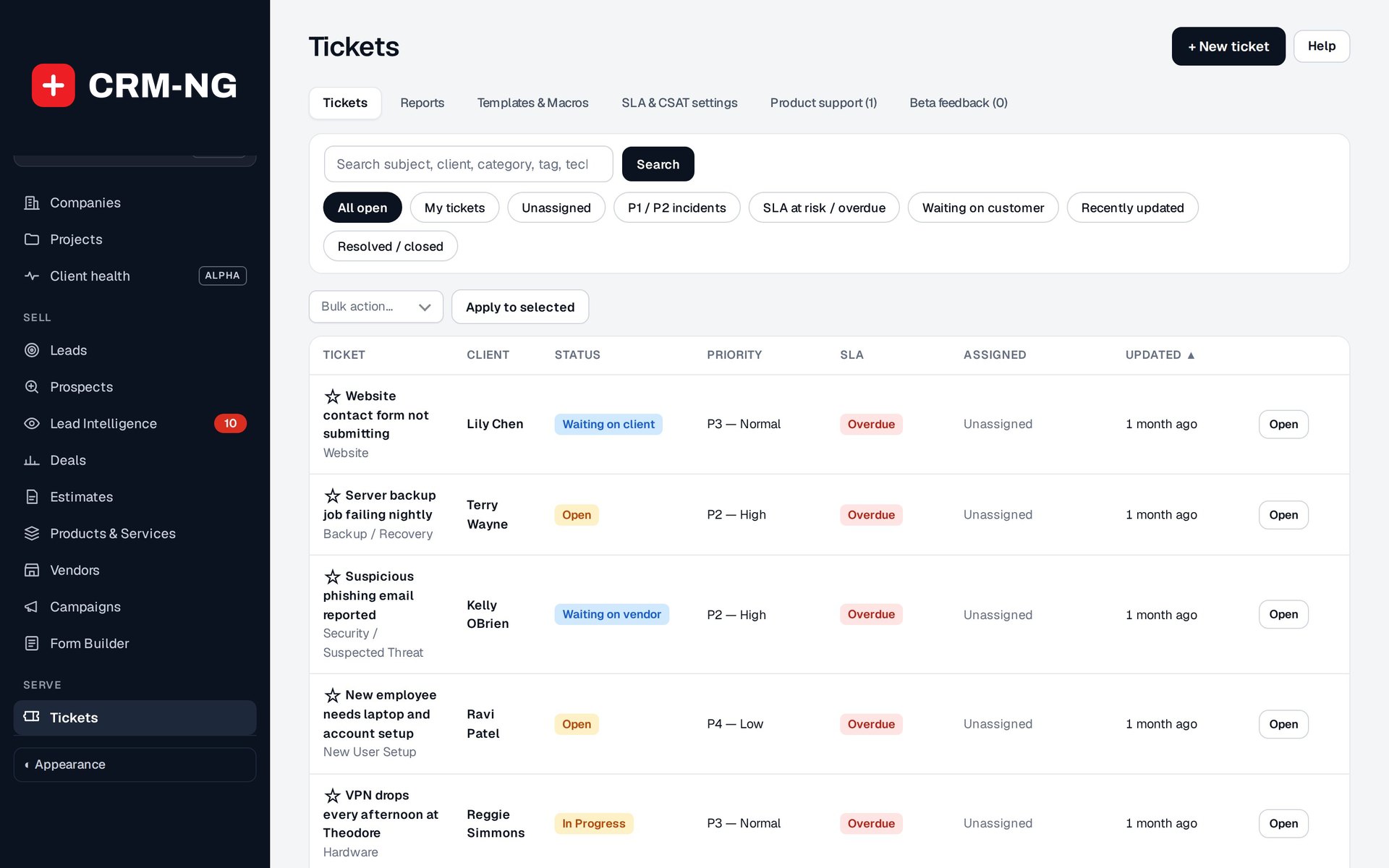
Ticket queues help staff find their assigned requests, unassigned work, urgent incidents and tickets at risk of missing an SLA target.
The ticket queue is where staff find support requests that need attention. Open a ticket to read the conversation, check its owner and deadline, and decide the next action.
Choose a queue
Available views include all open, mine, unassigned, P1/P2 incidents, SLA risk, waiting, recent and closed tickets. Begin with unassigned work or SLA risk when checking for requests that may have been missed. Use your own queue for work assigned to you.
Closed tickets remain in the history. If an older request seems missing, check the status filter before assuming it has been removed.
Review and assign a new request
- Confirm the client, company and subject, then read the description and any existing replies.
- Set the category, status, impact and urgency as appropriate. Priorities run from P1 to P4.
- Assign the responsible team and person, and add useful routing or reporting tags.
- Check the SLA deadline and any linked equipment.
- Reply with an acknowledgment or a request for the information needed to proceed.
- Record the next action. If progress depends on a customer or supplier, use the corresponding waiting status.
A customer's selected urgency can differ from the effective priority because their service plan may cap it. Check the actual ticket priority before promising a response time.
Continue work and resolve the request
Update the status as the work changes. Waiting-on-client and waiting-on-vendor states can pause eligible SLA clocks. Use Resolve when the request is complete and Reopen when it needs further attention.
Time, assets and invoice controls connect support work to billing. Review those records separately when resolving a ticket; resolution does not mean all time has been approved or invoiced.
See replies and notes, SLA calculations and related tickets for more detailed instructions.