Planning and completing sprints
Choose a period of work, agree on the goal and review what was finished.
Needs: Pro · Projects
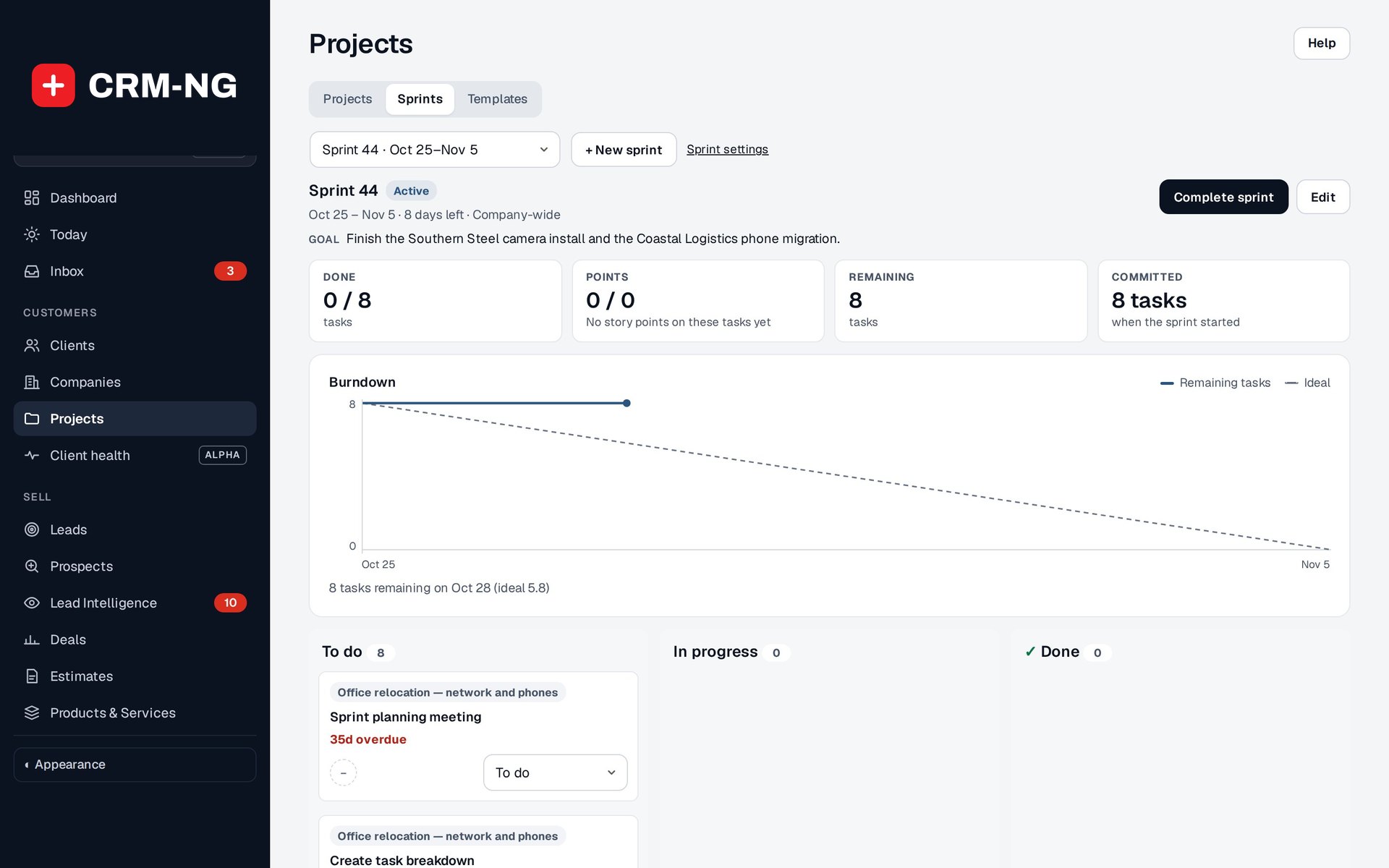
The active sprint shows its goal, done and remaining tasks, a burndown chart and the board of its tasks.
A sprint groups selected tasks into a planning period. It can cover the whole company or a department or team, and it can include tasks from several projects as well as eligible standalone backlog work.
Plan and start a sprint
- Open the sprint view and choose the company, department or team scope.
- Create a planned sprint with a goal, start date and end date.
- Select backlog tasks that contribute to the goal.
- Review assignees, dependencies and estimates before committing to the work.
- Start the sprint. CRM-NG records the starting commitment for later comparison.
Write a goal that explains what the team is trying to accomplish. Estimated points help discuss the size of the work; they are not automatically billable hours or a score for individual performance.
Review progress and finish
The burndown chart shows remaining work during the sprint. If it changes unexpectedly, check whether tasks were added or removed as well as whether work was completed. Velocity uses the last three completed sprints in the reviewed implementation, so its usefulness depends on consistent estimating.
When the sprint ends, review unfinished tasks and use the provided controls to move them to the next sprint or the backlog. Keep unfinished items open so the next plan reflects the work still needed.
Set the defaults
Project settings include sprint length, starting weekday, limits and naming patterns. Supported name tokens include {n}, {year}, {month}, {week}, {start}, {end} and {scope}. Preview the resulting name and dates before using a new pattern.
Epics are not available in the reviewed build, even if an older setting still mentions them. Use projects, tasks and sprint scope for the planning described here. The screenshot shows an unsaved sprint setup form; no production sprint was created for the guide.