Replies, internal notes and team updates
Choose the right audience for a message and keep the ticket history useful to the next person.
Needs: Client Portal module
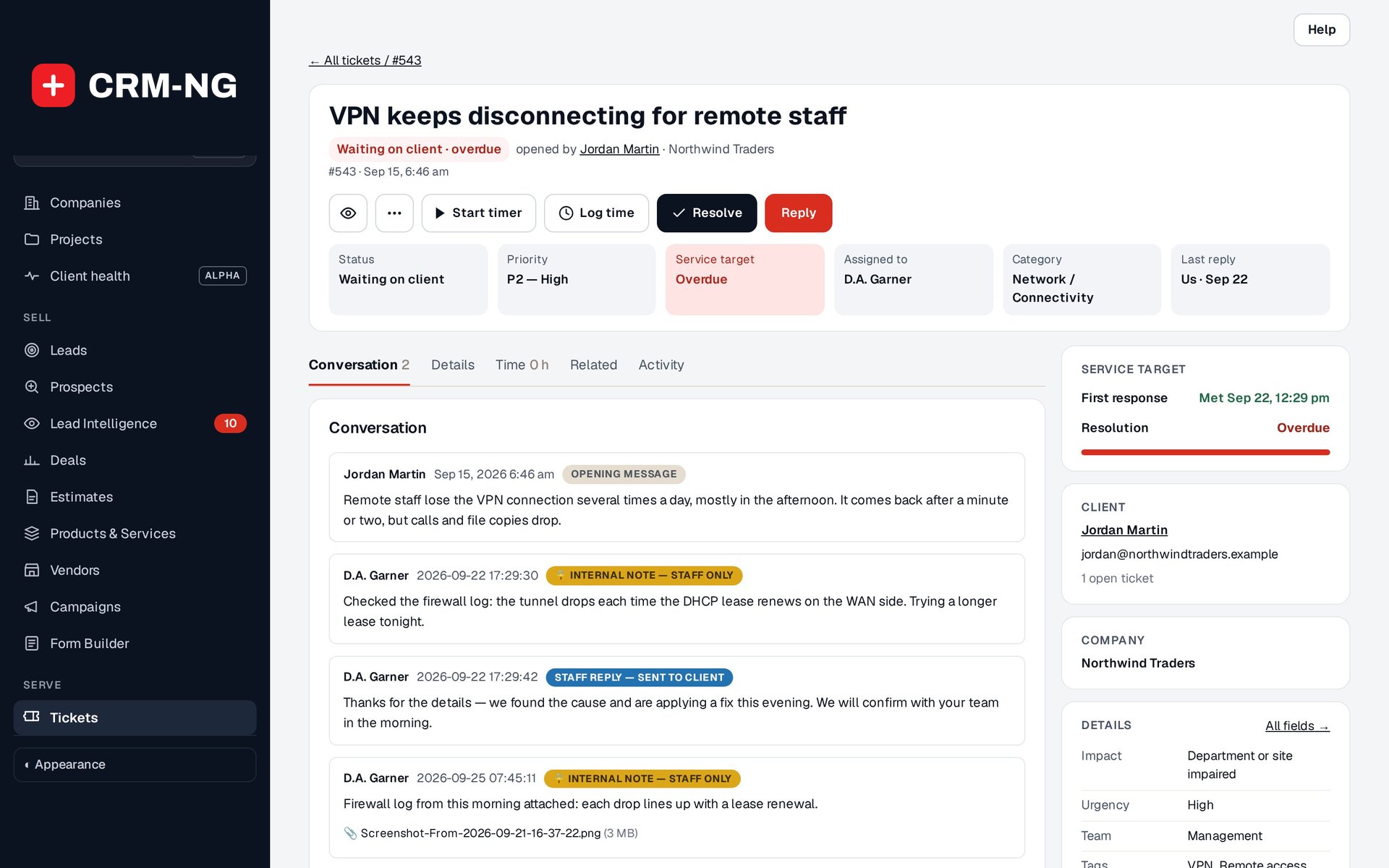
An example ticket shows the customer conversation alongside internal notes, time entries, assets and related work.
The ticket composer offers customer-facing replies and internal staff notes. Choose Public Reply for a message intended for the client, or Internal note for a discussion that should stay with staff. Check this choice before writing, especially when your note contains internal troubleshooting details.
Write and send a reply
- Read the latest messages and check the recipient and CC fields.
- Select Public Reply or Internal note.
- Explain what has changed, what happens next and whether the recipient needs to do anything.
- Add any appropriate attachments within the upload limits shown.
- Review the message and recipients, then submit it.
- Check that it appears in the correct part of the conversation. If email delivery matters, check the mail result as well.
The composer label is the clearest way to confirm the audience. Do not rely only on a color or layout difference when deciding whether a note is private.
Keep colleagues informed
Assignment identifies the person responsible for the work. Watchers receive updates, and mentions can draw a colleague's attention where supported. These are useful for collaboration, but watching a ticket does not make someone its owner.
When handing work over, add an internal note explaining what you tried, what you found and the next step. Saved replies, macros and templates can help with repeated work; review their text, recipients and actions before using them on a different customer's request.
Check attachments and delivery
Open a saved attachment when you need to confirm it uploaded correctly. A message appearing in the ticket confirms that it was saved; it does not confirm the email reached the recipient. This is particularly relevant on staging, where outbound mail may be blocked.
For a reply to several linked requests, follow the parent and child ticket instructions and review the target audience first.