Lead Intelligence and visitor activity
Understand how visitors reached your site and which inquiries came from their activity.
Needs: Lead Intelligence module
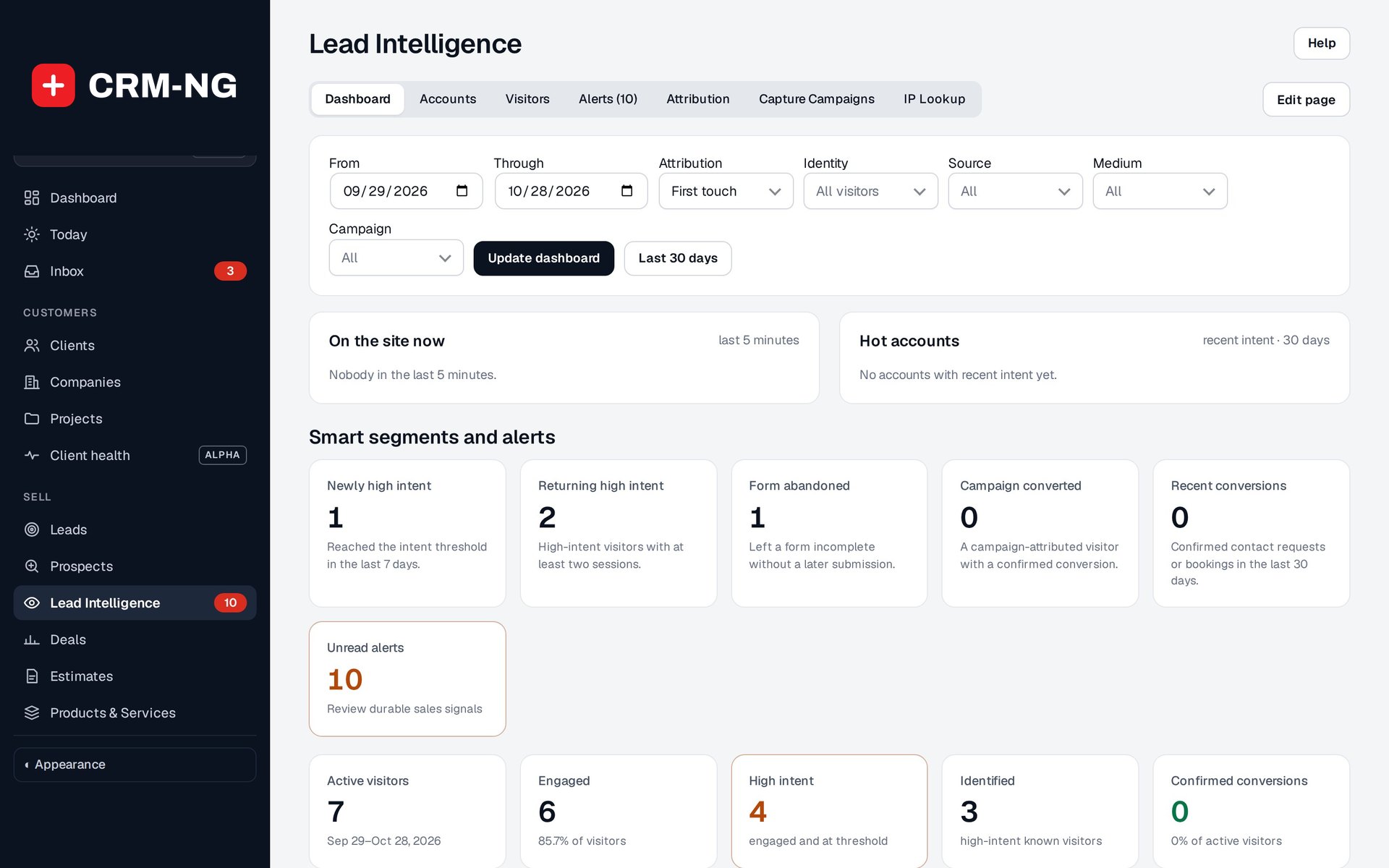
Lead Intelligence shows who is on the site now, hot accounts, and smart segments with their alerts.
Lead Intelligence shows visits, engagement, intent and conversion events. Where consent and identification requirements are met, it can connect a visitor's activity to a lead or client. It does not identify every anonymous person who opens the site.
Read the stages of interest
The available stages include active, engaged, high intent, identified and server-confirmed conversion. An engaged visitor has done more than load a page. An identified visitor has been linked through a supported identity step. A confirmed conversion is supported by an actual event, such as a completed contact or booking result.
Intent scores help staff decide which activity to investigate. Use them alongside the recorded events rather than treating a high score as a promise of a sale.
Explore a visit or campaign
Use Dashboard, Visitors, Alerts, Capture and Campaigns to move from summaries to individual activity or setup. Filter by date, source, medium and campaign where available.
First-touch information describes where the visitor first came from. Latest-touch information describes a later interaction. Comparing the two can help explain why the final inquiry did not come directly from the first campaign the person saw.
Smart segments can find patterns such as returning high-intent visitors, abandoned forms or campaign conversions. Open the matching events before choosing a follow-up; starting a form and submitting it are different actions.
Configure collection and verify a result
Review consent, retention and collection in Settings → Lead Intelligence. Connect the intended lead form or capture experience and check its audience, placement and field mappings.
Submit a controlled test, then confirm the expected lead and conversion event. If information is missing, check the date range, consent choice, campaign parameters, identity link and whether the server-side event actually occurred. There were no visitor events in the period shown in the production screenshot.