Deals and sales forecasts
Record each opportunity, assign the next step and see how the sales pipeline is progressing.
Needs: Core
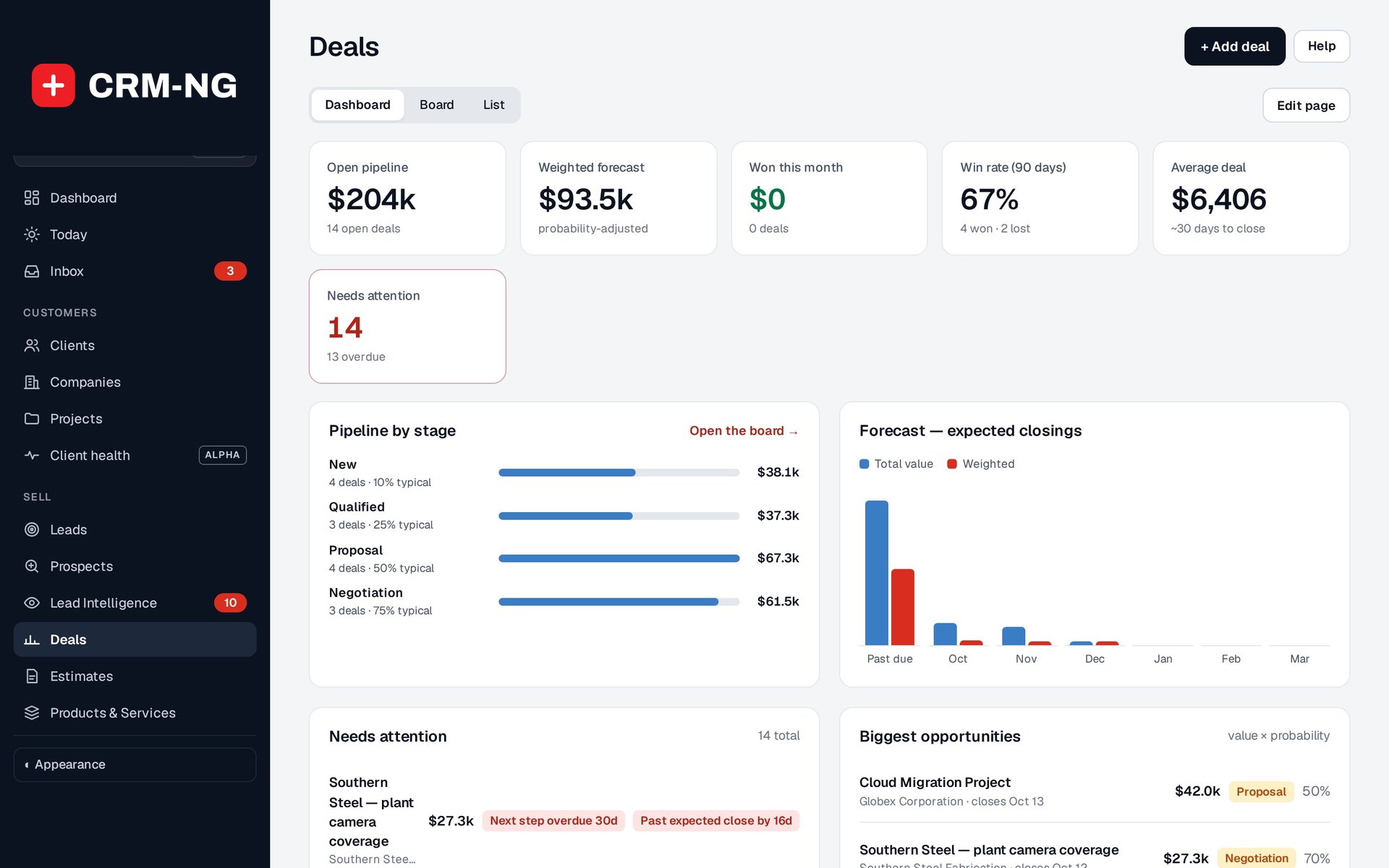
The sales dashboard highlights overdue follow-ups and shows the weighted pipeline alongside won and lost deals.
A deal represents a specific opportunity to sell work. It records the value, owner, stage, probability, expected closing date, source and next action. Use the dashboard for a summary, the board to review stages and the list to compare individual opportunities.
Create and update a deal
- Open Deals and add an opportunity with a name that identifies the proposed work.
- Link the relevant lead, client or company and choose an owner.
- Enter its value, probability and expected closing date.
- Write the next step and set its due date, so the owner knows when to follow up.
- Update the stage as the discussion progresses. Defaults include New, Qualified, Proposal, Negotiation, Won and Lost.
- Record activity and, if the deal is lost, the reason.
The dashboard highlights overdue next steps, missed closing dates and opportunities with little recent activity. Use those indicators to decide where to follow up, then record the result on the deal.
Read the weighted forecast
CRM-NG multiplies a deal's value by its probability. For example, a $10,000 opportunity at 30% contributes $3,000 to the weighted forecast. Changing the probability changes that forecast even when no money has been received.
Deals without an expected closing date may be missing from date-based forecasts. When comparing owners, sources or won/lost results, use the same filters and period. Invoices and payments are reported separately from potential sales.
Hand accepted work to the delivery team
Keep the estimate and relevant sales activity linked to the opportunity. Where the enabled project integration offers it, link a won deal to a project. Check the customer, template, owner and dates before creating the project.
Converting a lead into a client account is a separate decision from winning the deal. For recurring follow-up tasks, consider a workflow rule and test when it should run.