Time, estimates and invoices
Follow the work from the first estimate to the final payment.
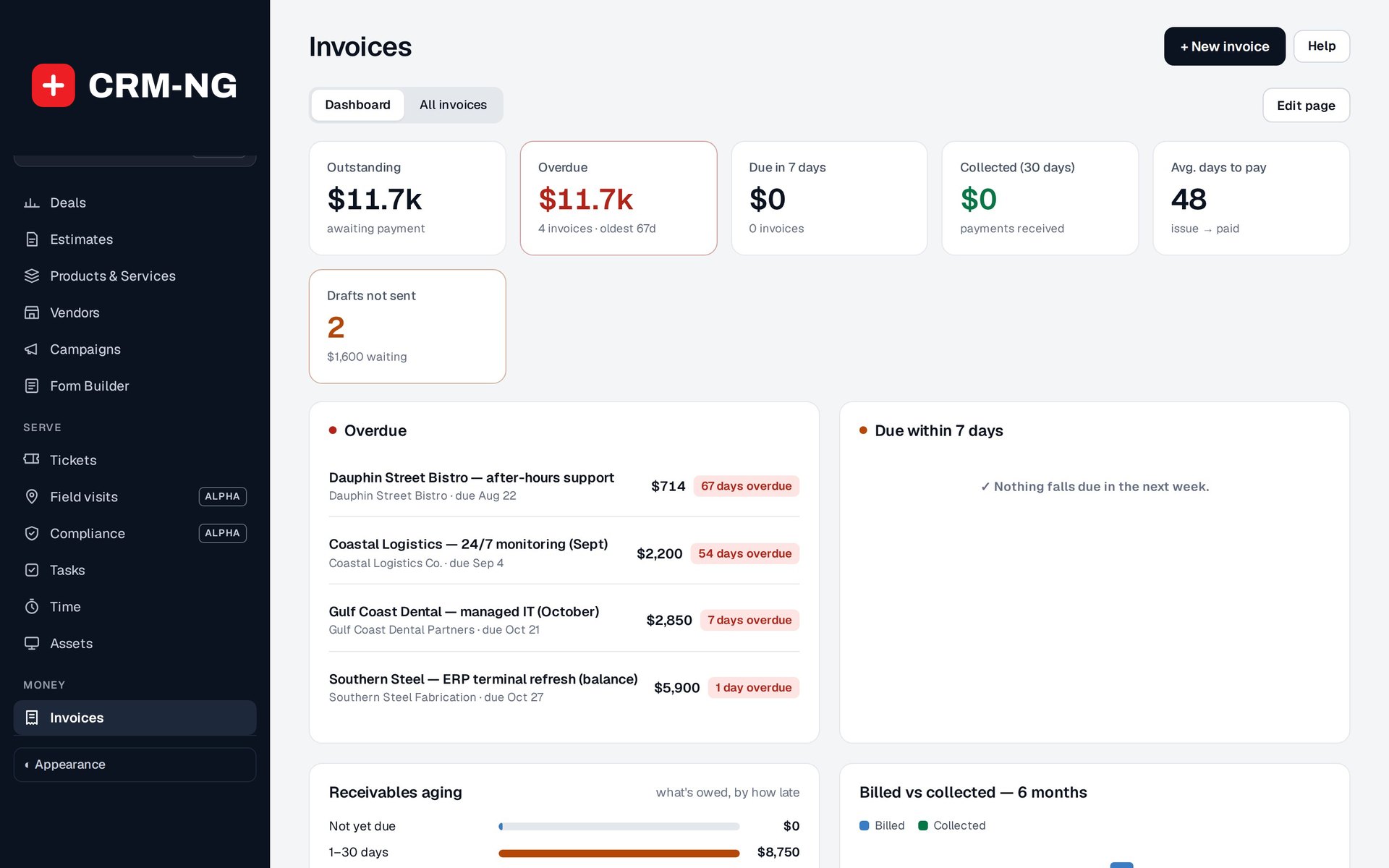
The invoice dashboard separates overdue and outstanding balances from payments already collected.
Billing is easier to explain when you can see where each charge came from. CRM-NG lets staff record time with a timer or manual entry and link it to the customer and relevant work. Eligible time can then be used to prepare an invoice.
Estimates and invoices can use the same catalogue descriptions and prices. Project billing supports hourly work, fixed charges and milestone payments. Eligible expenses can also become customer invoice drafts, giving staff a chance to check the charges before sending them.
Account for included hours before you bill
If a service plan includes a monthly allowance, the included-hours ledger records which entries are waiting for review and which have been approved as covered. Your company can require a manager to make that decision or allow technicians to verify eligible work themselves.
This gives staff a clear point to check the agreement before billing the remaining time. The invoice draft can then be reviewed for the correct customer, descriptions, rates and totals.
After an invoice is issued, payment history shows how much has been received and what remains due. You can record manual receipts or use the optional Stripe checkout integration. Receivables views help staff find overdue balances and follow up with the right information.
Read more: Recording time · Included hours · Invoices · Payments