Your workspace
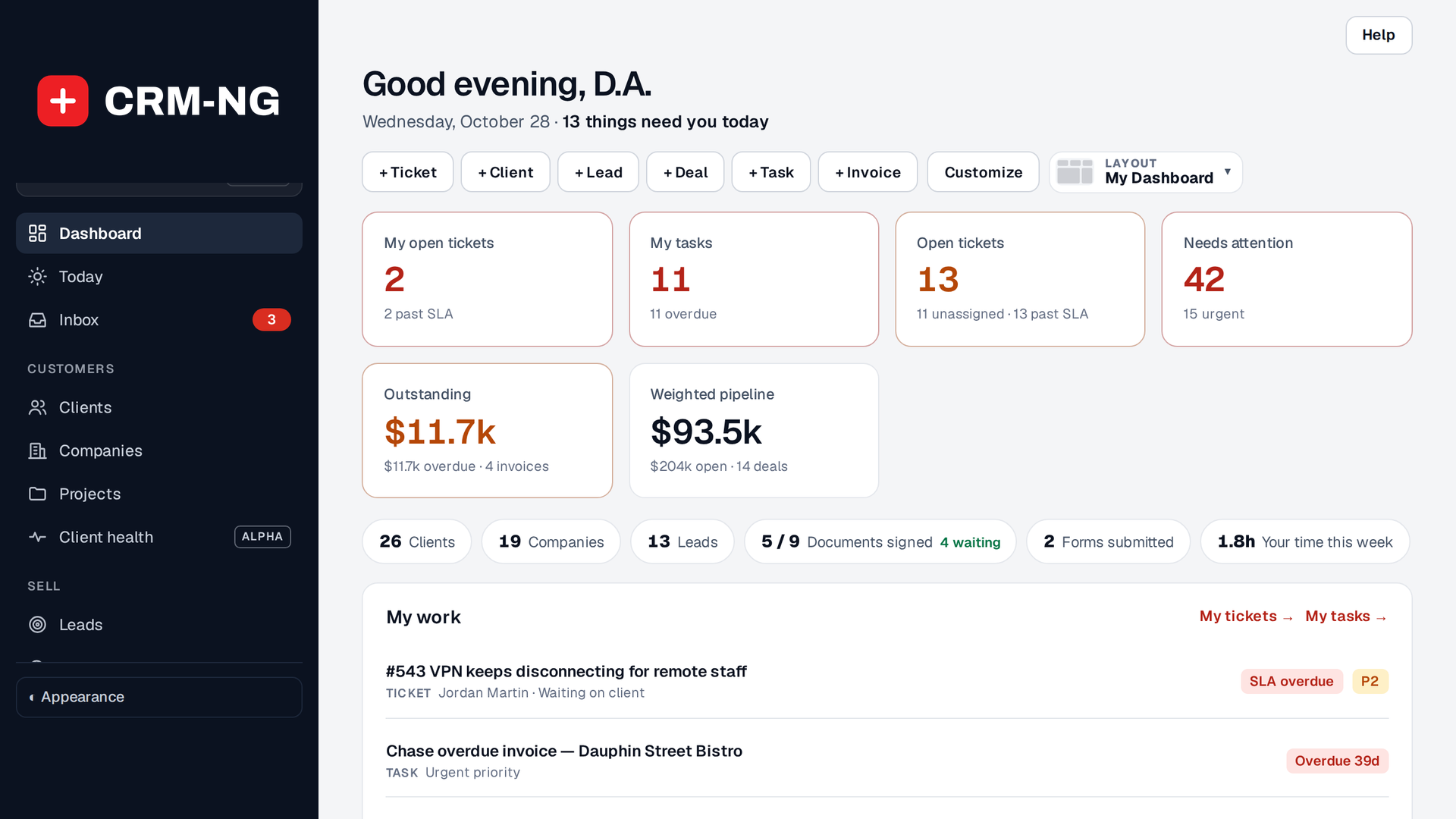
Your workspace is CRM-NG Live: the whole CRM in one full-screen app.
- The sidebar groups everything into Customers, Sell, Serve, Money, Documents, Reference and Company, with a line icon for each section, and shows only the sections your modules and role allow.
- Global search at the top of the menu (Ctrl/⌘+K) finds clients, companies, tickets, invoices and articles from one box.
- Today gathers your day: what needs you, a timeline of what is scheduled and due, the Running timer and what is coming up this week. Inbox collects your notifications and client replies.
- Each page's title row carries its main buttons (+ New … and the like) and Help.
- Attention badges count what needs you, such as overdue tasks and tickets near their target.
- Settings sits at the bottom of the menu, under Company.
The look, light and dark
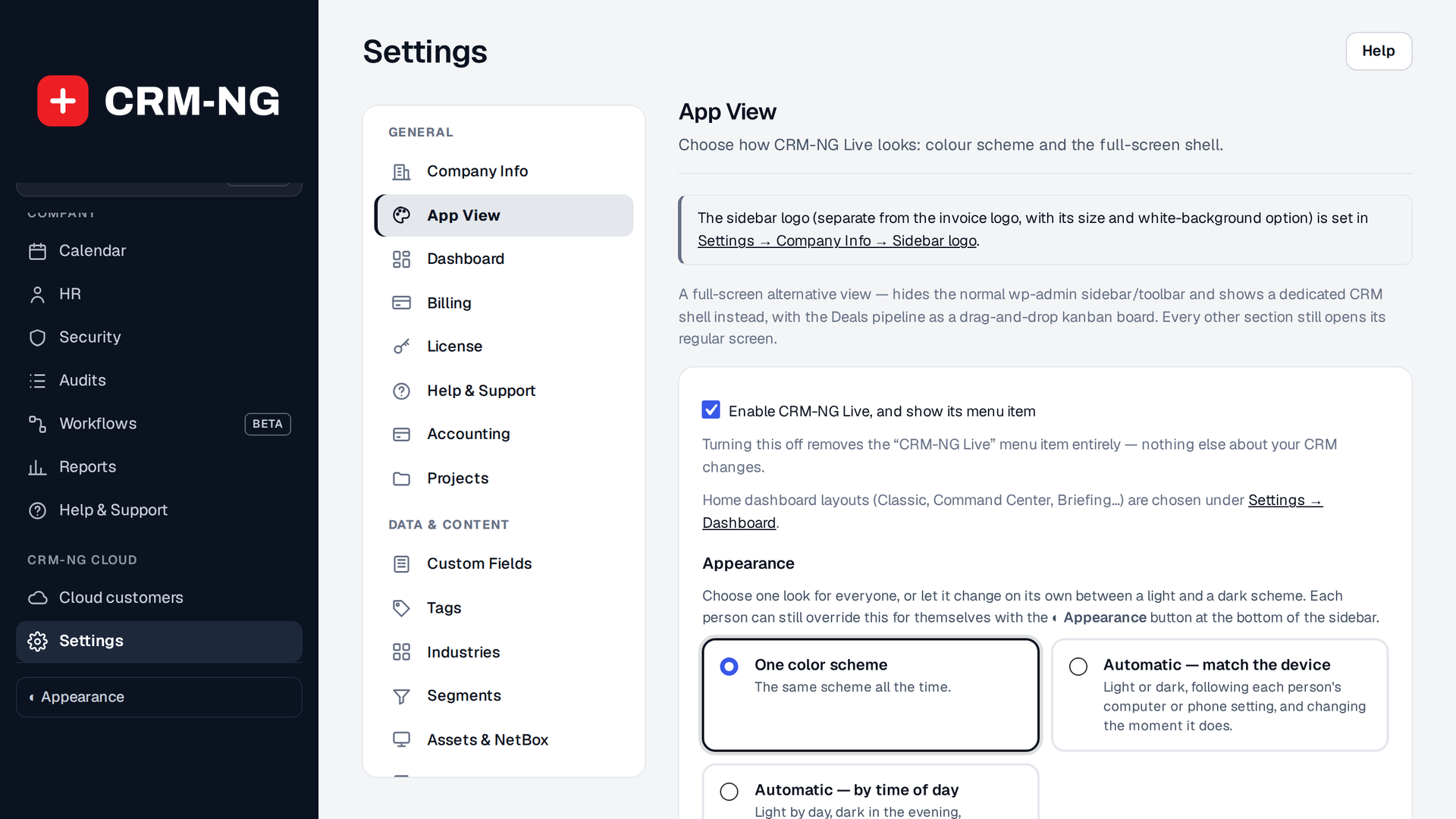
Since release 4.7, Live has one look, Modern: a dark menu, quiet neutral pages, and red kept for what needs you now. Each person chooses light, dark, their device's setting or a schedule under Appearance at the bottom of the menu, and Look there switches only them to Classic, the look before October 2026. Settings → App View sets the default for light and dark, and Settings → Company Info holds the logo shown in the menu.
Your dashboard
Settings → Dashboard chooses the home dashboard's layout and the quick links shown on it. The dashboard always leads with what needs attention: overdue tasks, tickets close to their target, deals that have gone quiet, and pinned records. On My Dashboard, Customize arranges the cards, and its Heat colours switch tints each card from green through yellow to red by how much in it is overdue.