Company records
Bring the people, sales, billing and service records for an organization together.
Needs: Core
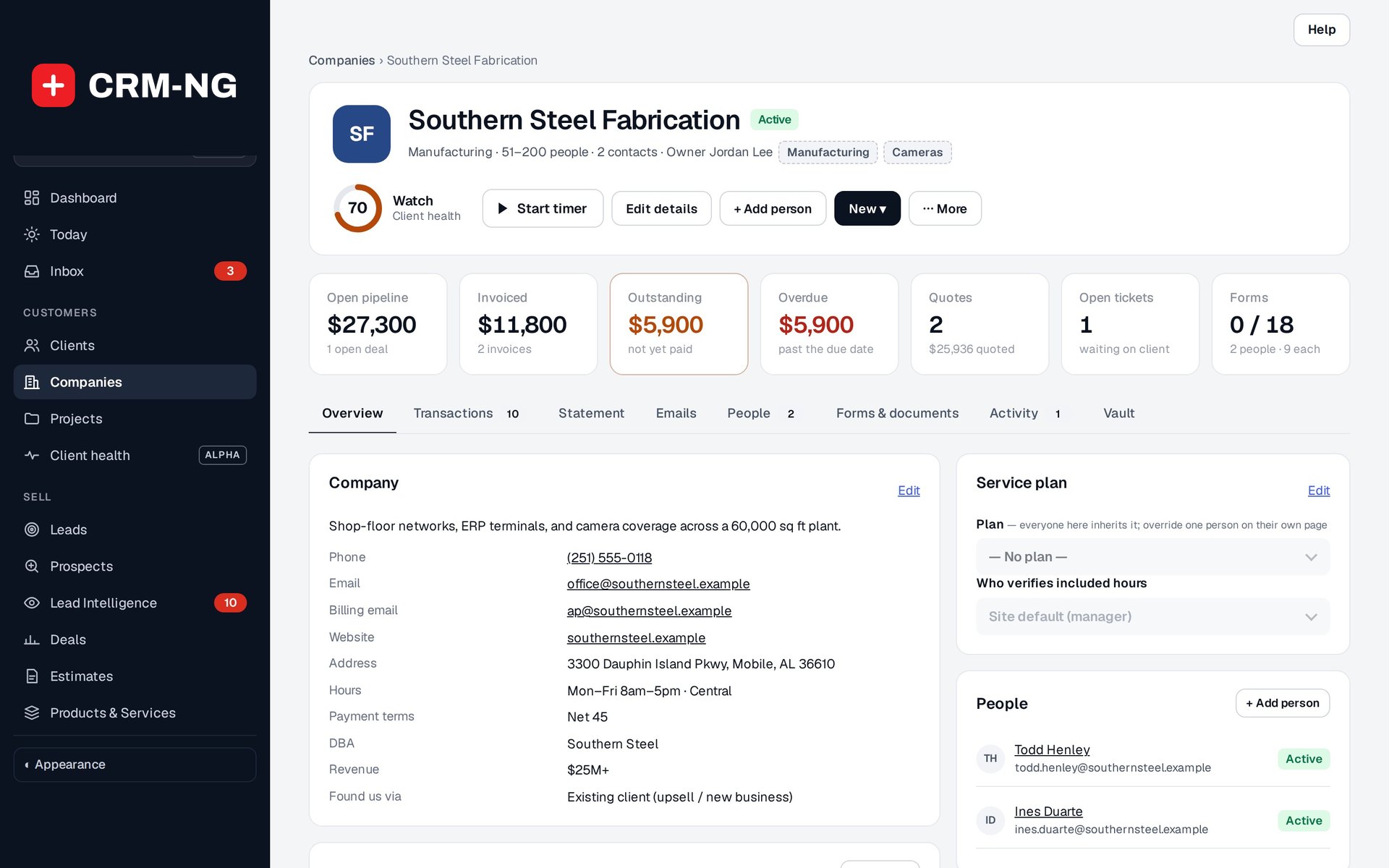
This example company page brings its contacts, deals, billing and service plan into one view.
Use a company record for the organization your contacts belong to. Each company has a permanent identifier, which keeps its related records together even when its name changes.
Add company details
Open Companies, search for the organization and add or edit its record. Enter the details your team needs, such as the company name, DBA, website, phone, address, industry, size, account owner and source.
Billing email, payment terms and revenue information belong to the company record. An individual contact's login email remains a separate account detail.
The company page has Overview, People, Forms & documents and Notes areas. Overview summarizes deals, invoices, balances, estimates, tickets and forms. Open the underlying records when you need to explain a total or follow up on outstanding work.
Add people and service settings
- Open People and link an existing client or add the required person.
- Check that each client's record shows the correct company.
- Set the company's service plan and included-hours verification policy.
- Review any client-level plan overrides. An override may explain why two people at the same company receive different service terms.
- Assign forms and documents to the company or client, then check access as the intended recipient.
A client can access a form assigned directly to them or to their company. Company assignment adds to direct assignments; it does not replace them.
Keep account history understandable
Use internal notes for information colleagues need about the account. Start timers or open linked work from the relevant record so the activity is associated with the right company.
Use the company merge controls to resolve duplicates. Giving two records the same name does not combine their identifiers or history. Before granting broader access to company tickets or documents, review the client portal rules.