Setting up service plans
Define the priority limits, service hours, discounts and portal access included in a customer's agreement.
Needs: Pro · Plans
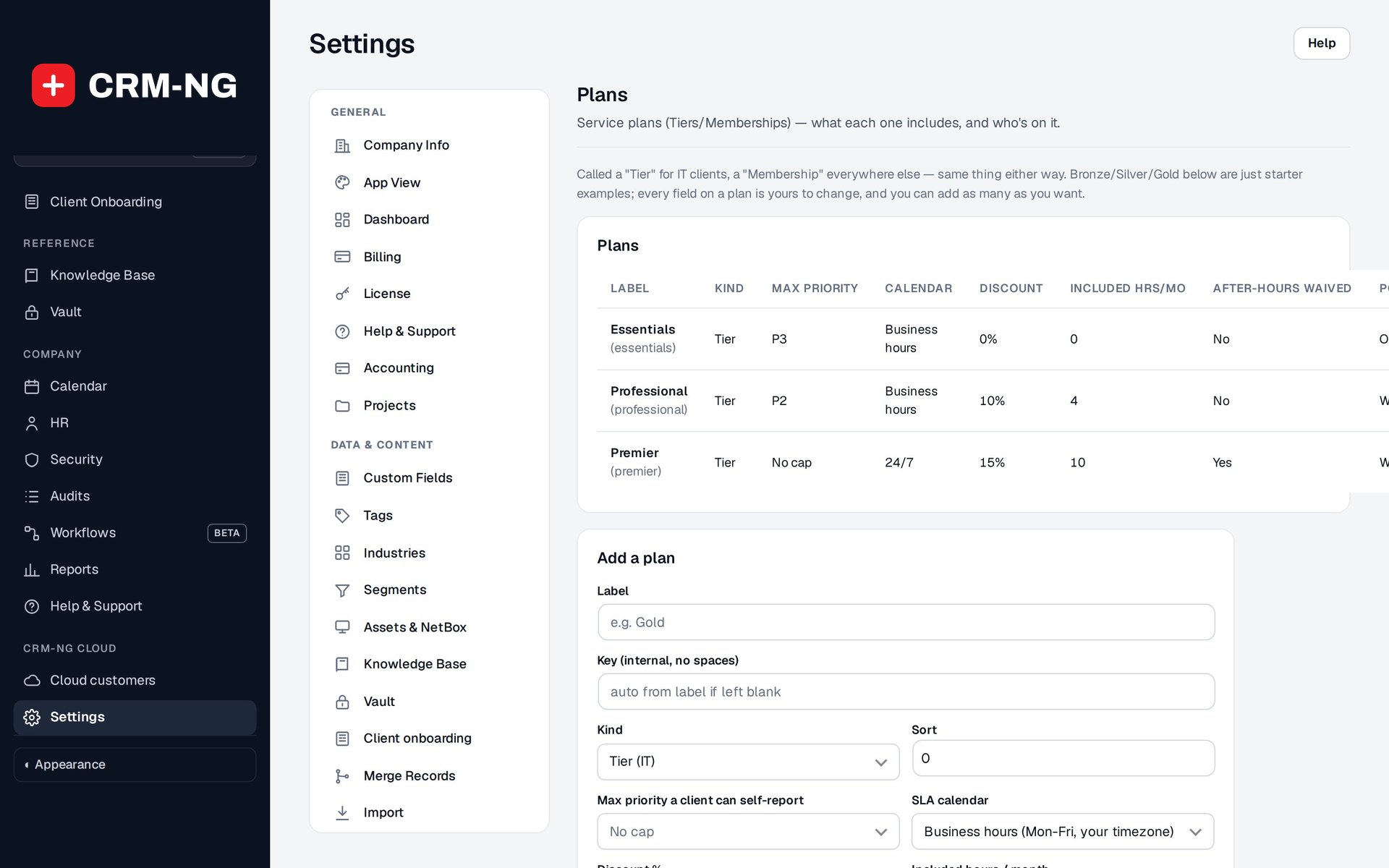
Plans lists each service plan with its priority cap, SLA calendar, discount and included hours, and the form to add another.
A service plan describes the rules that apply when you support a customer. Plans are separate from marketing tags and segments, and from the license used to run CRM-NG. You can choose names that match your own agreements; Bronze, Silver and Gold are only starter examples.
Configure a plan
Open Settings → Plans and review these settings together:
- The priority cap limits the priority a customer can report.
- The SLA calendar chooses business hours or 24/7 timing.
- The discount changes applicable prices.
- Included hours provides the monthly allowance that staff review through the ledger.
- The after-hours waiver determines whether that surcharge is waived.
- Portal visibility controls the ticket scope available through the plan.
Use a clear name, then check that the saved settings match the service you are selling. The name alone does not apply those terms.
Assign the plan
- Set the default plan on the company record.
- Open a client in that company and check the inherited plan.
- Add an individual override only if that person needs different terms.
- Test a demonstration ticket and time entry to check the effective priority, calendar and allowance.
- Sign in as a client to verify portal access, especially when company-wide ticket visibility is enabled.
After changing a plan, review existing work and billing as needed. Historical invoices and approved allowance decisions should not be assumed to recalculate automatically.
Explain the agreement to customers and staff
Document how priorities are assigned, when service hours apply, which work qualifies for included hours and who can approve exceptions. Use SLA settings for response and resolution targets, and the included-hours procedure for reviewing covered time.