Products and services
Maintain the descriptions and prices used in estimates, invoices and service selection.
Needs: Core
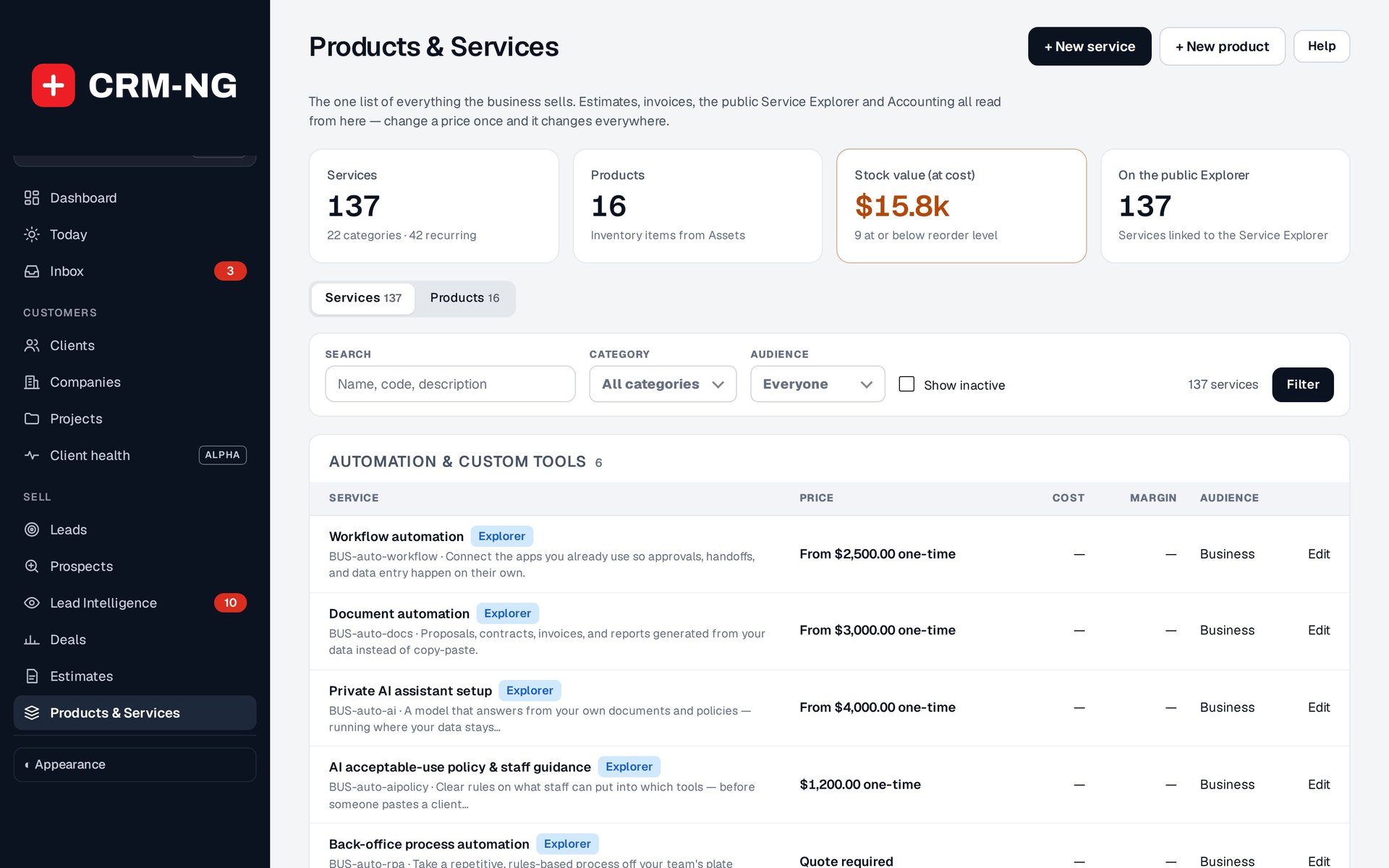
Products & Services holds the offerings used in customer estimates and invoices. The prices shown are for Catalyst Group services, not CRM-NG software.
Products & Services is your shared catalogue. Staff can select an offering when preparing an estimate or invoice instead of retyping the description and price for every customer. The IT services visible in the screenshots are examples in Catalyst Group's catalogue; they are not services performed automatically by CRM-NG.
Start from a price list
Add a starter library offers 17 price lists to start your catalogue: IT services, landscaping, contractors and construction, cleaning, plumbing/HVAC/electrical, professional services, marketing and web agencies, auto repair, salons and spas, fitness, law firms, accounting and bookkeeping, medical/dental/therapy (self-pay), real estate and property management, nonprofits, manufacturing and machine shops, and restaurants and catering. Each adds services you then edit like any other; one already in your catalogue (same code) is not added twice. Prices are typical US starting points to change, not advice.
Add or change a service
Create or open the service and review its name, category, price, cost, tax treatment, audience, recurrence information and visibility. Write the description so it will make sense if copied onto a customer's document.
Mark an offering inactive when it should no longer be available for new work. Before changing a price or description, check how existing estimates and invoices use their saved copies. A change to the catalogue should not be assumed to rewrite previously issued documents.
Recurrence information describes the offering. Automatic recurring billing requires its own configured billing process; a recurrence label alone does not create future invoices.
Use an offering on a document
- Select the product or service when preparing an estimate or invoice.
- Check the copied description, quantity, rate and tax for this particular job.
- Review the currency and total before saving or sending.
- If equipment or stock is involved, check the related asset record and stock model too.
Products connect to the Assets inventory. Accounting can use product and service classifications in sales reports and, when enabled, inventory and cost-of-goods entries.
Prepare services for your website
Customer-facing selection tools use catalogue details such as category, audience and visibility. Review those details before using Service Wizard or Service Explorer. A description that is sufficient for an internal technician may need more explanation for a prospective customer.