
Calendar
Everyone's calendar in one place.
Events, team views, bookings, tasks and time off together, with a feed for your phone. For teams that need to see who is where, and what is due, without checking five different screens.
- Events and team views
- Bookings and visits
- Tasks and time off
- A feed for your phone
- One events record
Why it matters
Meetings are in one calendar, site visits on a whiteboard, holidays in a spreadsheet the office manager keeps, and project deadlines in the project tool. To book a technician for Thursday you check all four, and still find out on Thursday that they were on leave. Deadlines that matter, like a ticket's resolution target or a deal's expected close, are not on anyone's calendar at all.
-
Book people with confidence
See your team's events, visits, bookings and approved leave on the same calendar before you commit someone's time.
-
Deadlines nobody misses
Team calendars bring in what is due across the business, from project milestones and ticket resolution deadlines to deals expected to close, each linked to its record.
-
One calendar, on every device
Work in a calendar that behaves like the one you already know, and subscribe from your phone so the day is with you on site.
How it works
-
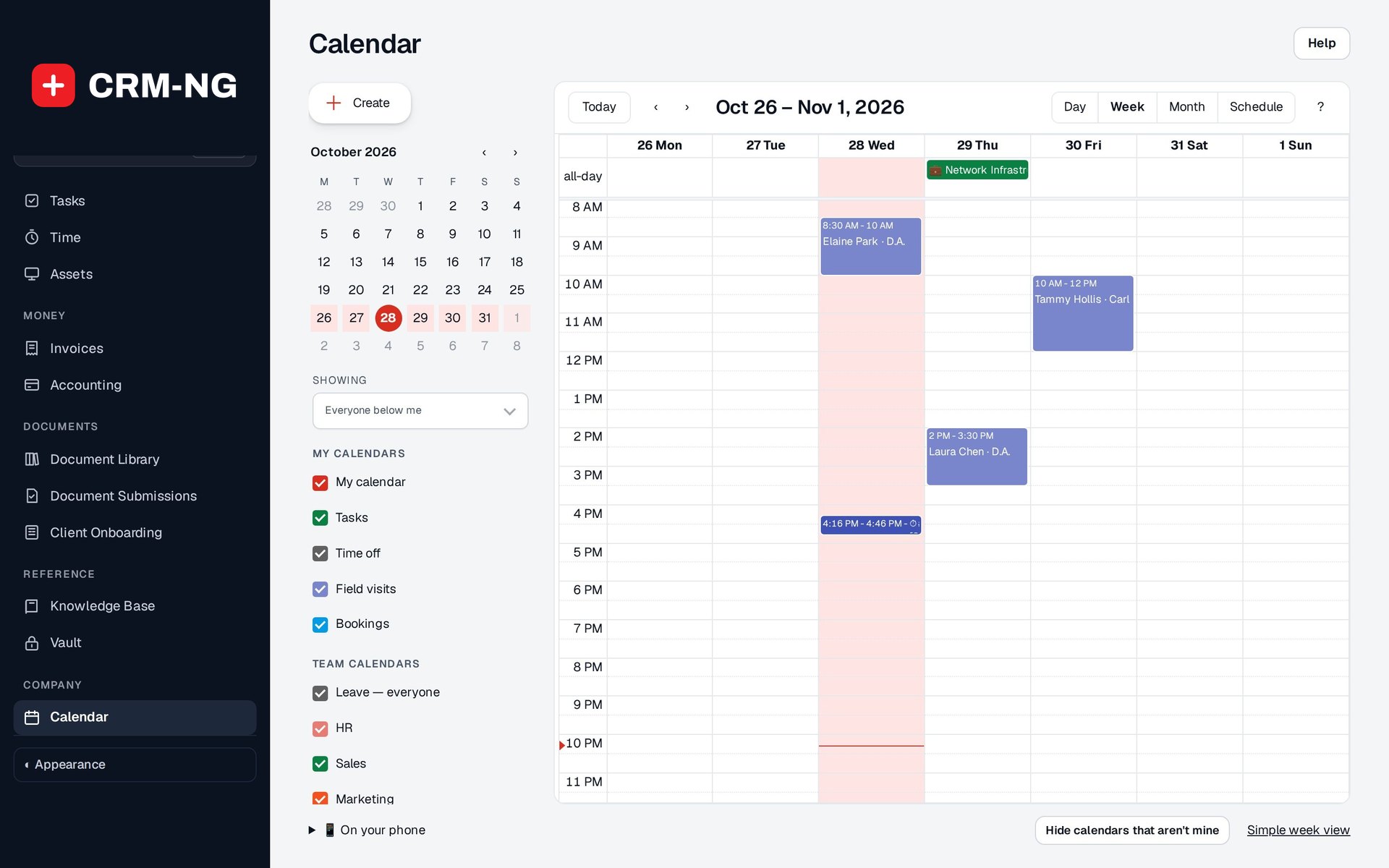
Open your calendar
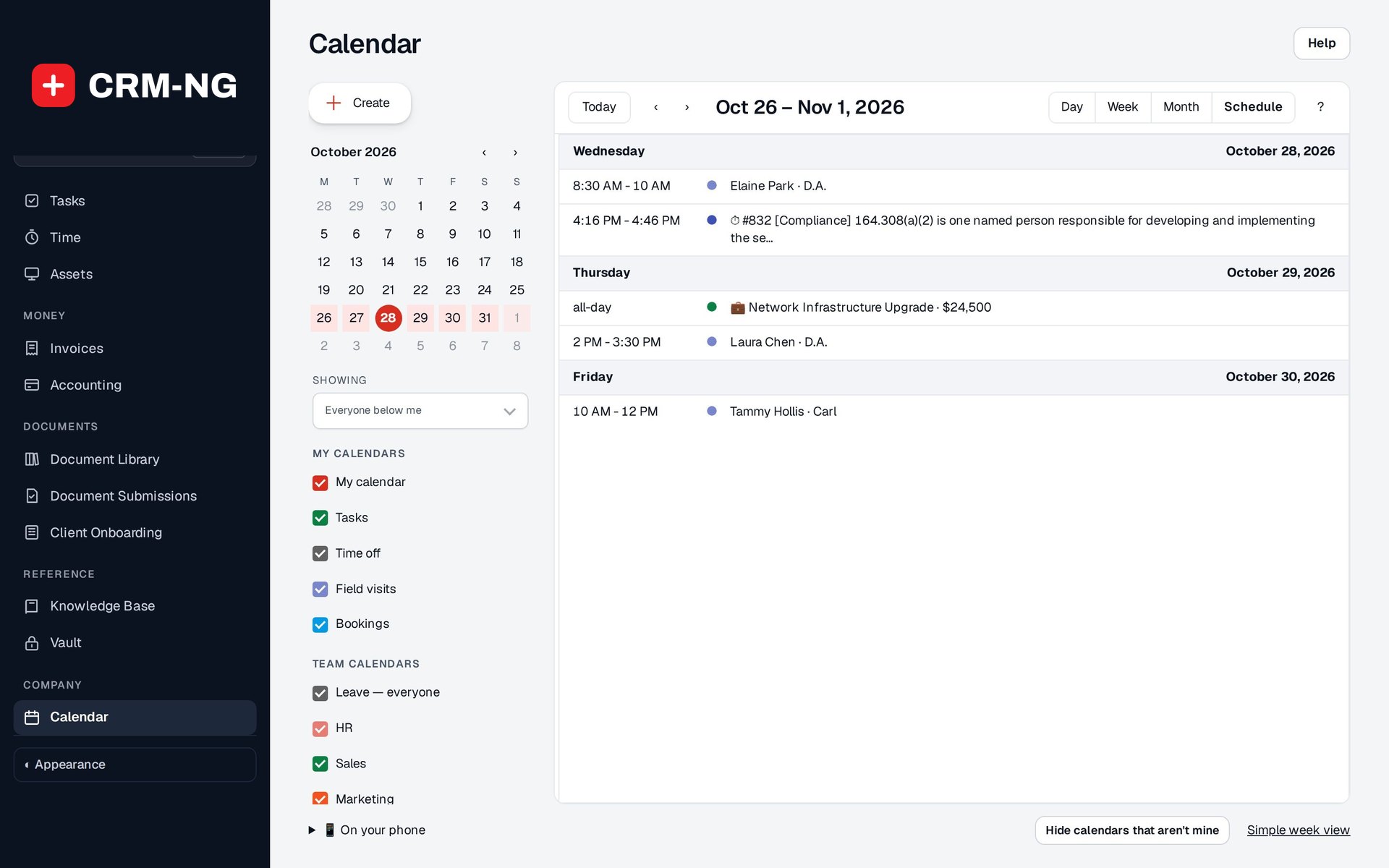
Choose Day, Week, Month or Schedule, and pick whose calendar you are looking at: just yours, your team, your department or everyone below you.
-
Switch on what you need
Tick the layers you want (tasks, time off, field visits, bookings) and the team calendars for Sales, Service desk, Projects, HR and more.
-
Add and move events
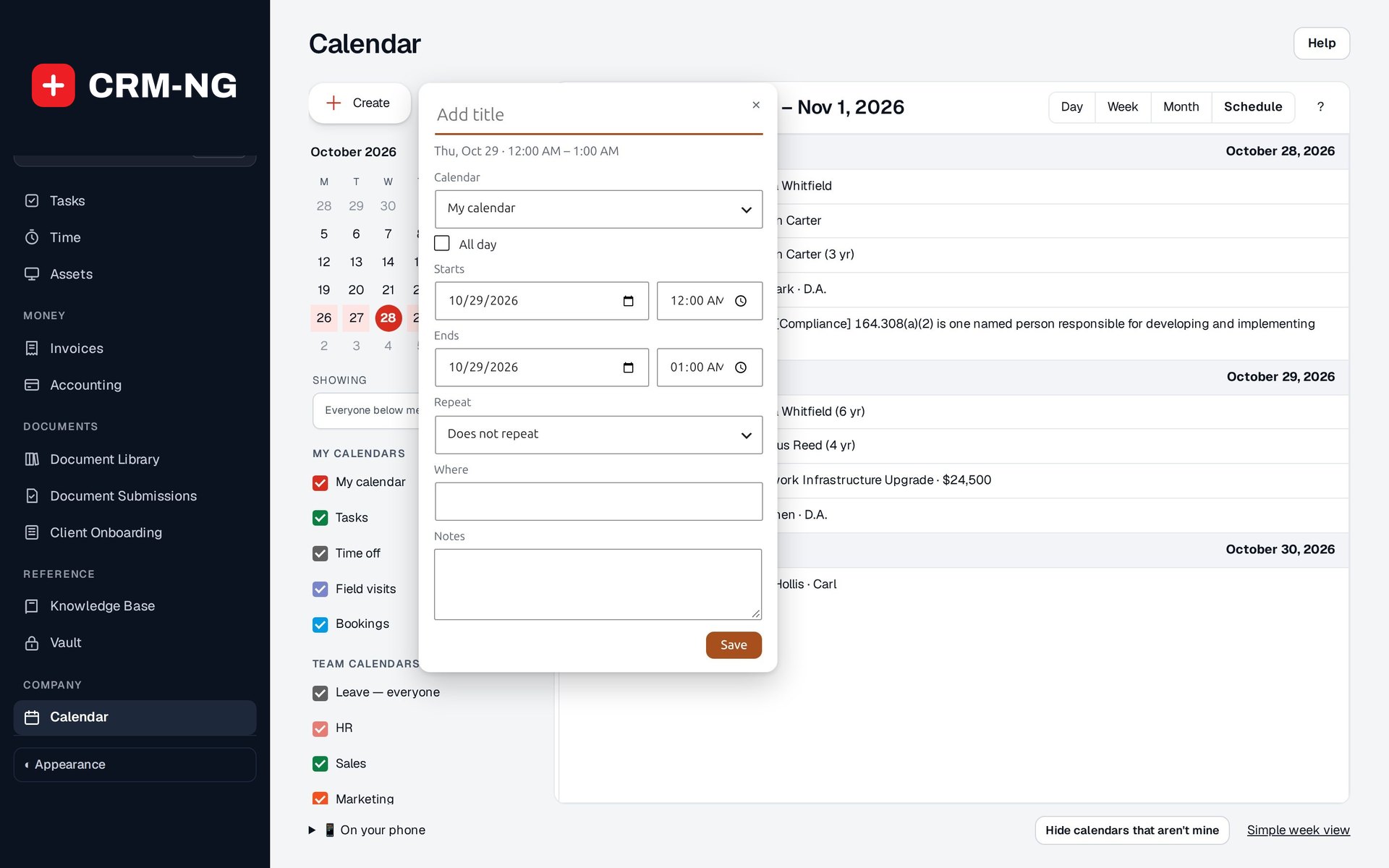
Click or drag on the grid to add an event, drag it to move it, and drag an edge to change its length. Undo is one click away.
-
Take it with you
Copy your private link into iPhone Calendar, Google Calendar or Outlook, and your events and the ones you choose follow you.
What Calendar does
Teams that need to see who is where.
-
One calendar for the team
Switch between your own calendar and team views.
- Showing: Mine, team, department, everyone below me or a named team
- People in the view listed and switchable, each in their own colour
- Colours, hidden layers and your last layout remembered
-
Everything that takes time
Events, online bookings, field visits, tasks and time off appear together.
- My calendars: My calendar, Tasks, Time off, Field visits, Bookings
- Each layer appears when its module is on
- Generated items are read-only and open their record
-
Team calendars
Each part of the business gets its own calendar of what is due.
- Leave, everyone: approved and pending leave, pending marked
- HR: birthdays, work anniversaries and employment end dates
- Sales: expected close dates, estimate expiry and follow-ups
- Marketing campaigns, Service desk resolution deadlines, Projects milestones and due dates
-
Shared team events
Post an event to a team calendar and everyone who sees that calendar sees it.
- Shows who added it
- Changed only by people allowed to post there
- Kept off your own phone feed unless you switch it on
-
Quick to use
Click an hour to add, drag to move, and use the keyboard if you like.
- Quick Add title box, with More options for all day, dates, place and notes
- Drag into the all-day row and back
- Undo after a move or delete
- Shortcuts: C create, T today, D/W/M/A layouts
-
Repeating events
Daily, weekly, monthly, yearly or your own pattern.
- Every weekday, monthly on the date or on the nth or last weekday
- Custom: every N days, weeks, months or years, ending on a date or after N times
- Change This event, This and following events or All events
-
On your phone
Subscribe to your calendar from any calendar app.
- A private link for iPhone Calendar, Google Calendar or Outlook
- Your own events plus the ones you mark On my phone
- One way; ask for a new link and the old one stops working
-
Time off included
Approved leave from HR shows on the right days.
- Time off layer on your calendar
- The leave type shown only to its owner and people who may schedule them
- People away are marked when you pick a technician for a visit
-
Built for the phone screen
On a phone the calendar opens on today, with a floating Create button.
- Your saved desktop layout left untouched
- A simple week view that works without scripts, for older devices
Who it is for
-
An IT provider or MSP
Dispatchers see technicians' site visits, client meetings and leave together, and the Service desk calendar shows which tickets are due for resolution this week.
-
A professional-services firm
Partners and staff see client meetings, booked consultations, follow-ups and who is on holiday, and post firm-wide events to a shared team calendar.
-
A trades or field business
The office plans the week's visits around approved leave, and each technician carries their calendar on their phone.
-
An agency
Project milestones, campaign send dates and deals expected to close appear on their team calendars, so the whole agency sees the month ahead.
Works with the rest of CRM-NG
- HR
Approved and pending leave shows on the calendar, HR dates appear on the HR calendar, and team, department and below-me views come from HR's people and teams.
- Field Service
Scheduled visits show on the Field visits layer, built from the visits themselves.
- Web Integration & Portals
Online bookings appear on the Bookings layer for the people they were booked with; cancelled ones are left off.
- Project Manager
Open milestones, active projects' due dates and open project tasks show on the Projects team calendar.
- Service Desk
Open tickets' resolution deadlines show on the Service desk team calendar.
- Sales
Deals' expected close dates, estimates' valid-until dates and lead and client follow-ups show on the Sales team calendar.
Questions
Does it work without the HR module?
Yes. Without HR you have your own calendar, and administrators can schedule for anyone. HR adds team, department and below-me views and the leave and HR calendars.
Do events I add on my phone come back?
No. The phone link is one way: it sends your calendar to your phone app. Add and change events in CRM-NG.
Who can see my calendar?
Views never go wider than you are allowed: your own calendar, and your team, department or the people below you where HR gives you that access. Leave types are shown only to the person and those who may schedule them.
Can I edit a deadline from the calendar?
Items generated from other records, such as tasks, milestones and ticket deadlines, are read-only on the calendar. Click one to open its record and change it there.
What if my phone link is shared by mistake?
Ask for a new link. The old one stops working straight away.
See Calendar running on your own data.
Every module runs on CRM-NextGen Cloud: we set it up and run it for you. Beta members get the first invites and hear pricing first.