
Service Desk
Sell clear service levels and see every deadline.
Service plans hold the terms you agree with each client; SLA targets turn those terms into a real deadline on every ticket.
Why it matters
Your contracts say Gold clients get a one-hour response, but nothing in your tools knows who is Gold. Technicians guess, the client on the cheapest plan reports everything as critical, and a deadline that should stop at five o'clock on Friday is treated the same as one that runs all weekend.
SLAs & service plans in detail
-
Plans with real terms
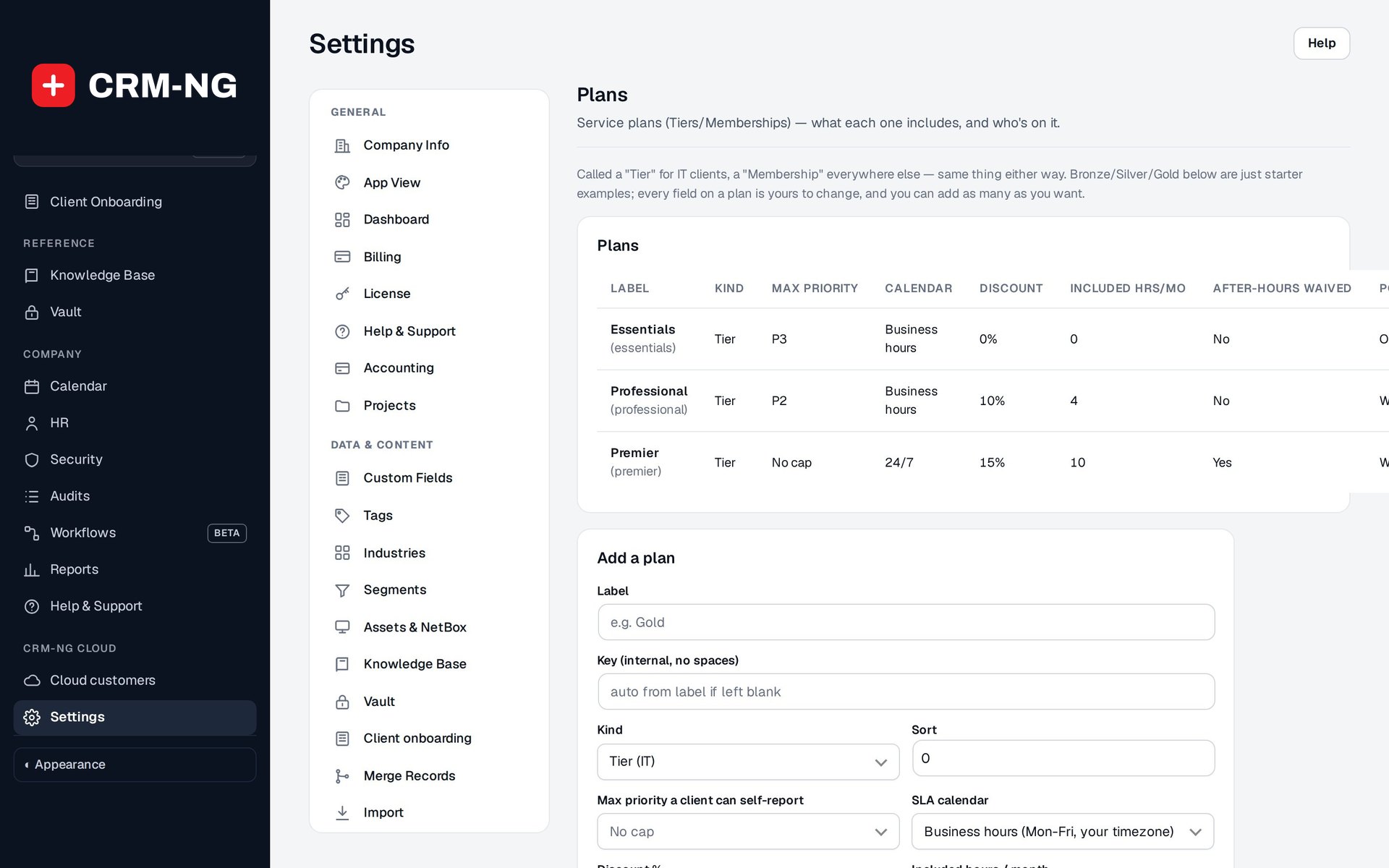
Each plan stores what the client actually bought.
- Max priority a client can self-report
- SLA calendar: business hours or 24/7
- Discount and included hours per month
- After-hours waiver and portal visibility
-
Tier or Membership
The same plan works for an IT provider's support tiers and a non-IT business's memberships.
- Kind: Tier for IT clients, Membership elsewhere
- Bronze, Silver and Gold are starter examples you can rename
- Industry starter packs can add plans that fit your trade
-
Assigned once, inherited everywhere
Give the company its plan and every contact inherits it, with an exception for anyone who needs different terms.
- Default plan on the company record
- Per-client override
- The plan edits in place on the client's Service plan card
-
Business hours and holidays
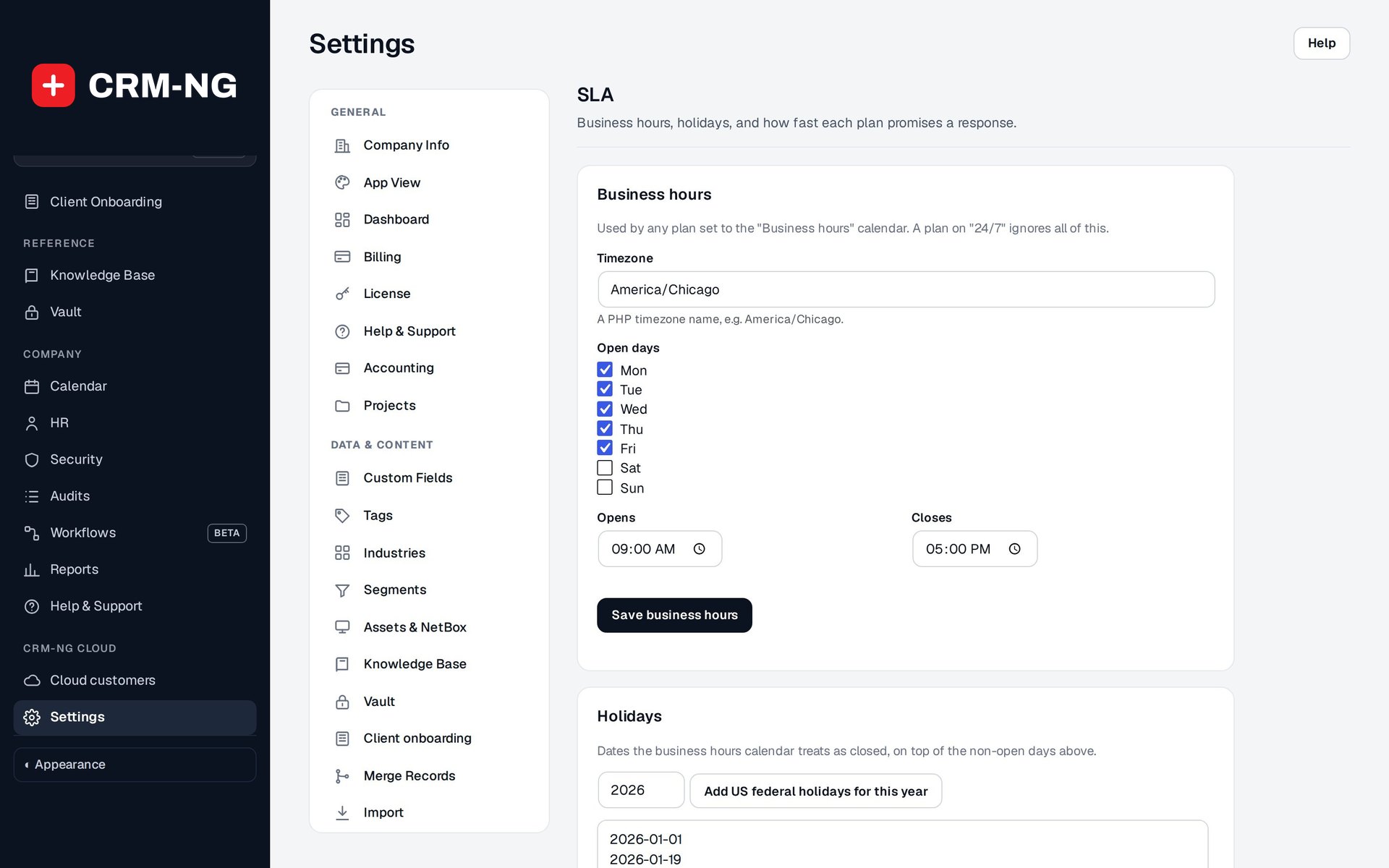
Set when you are open, and business-hours plans count only that time.
- Timezone, open days, opening and closing times
- A holiday list, with a button to add US federal holidays for the year
- 24/7 plans ignore the business-hours calendar
-
An SLA matrix
Response and resolution targets for every plan and priority.
- Targets entered in minutes per plan and priority
- A blank target falls back to your site-wide default
- Change a ticket's priority and its targets follow
-
Results you can show a client
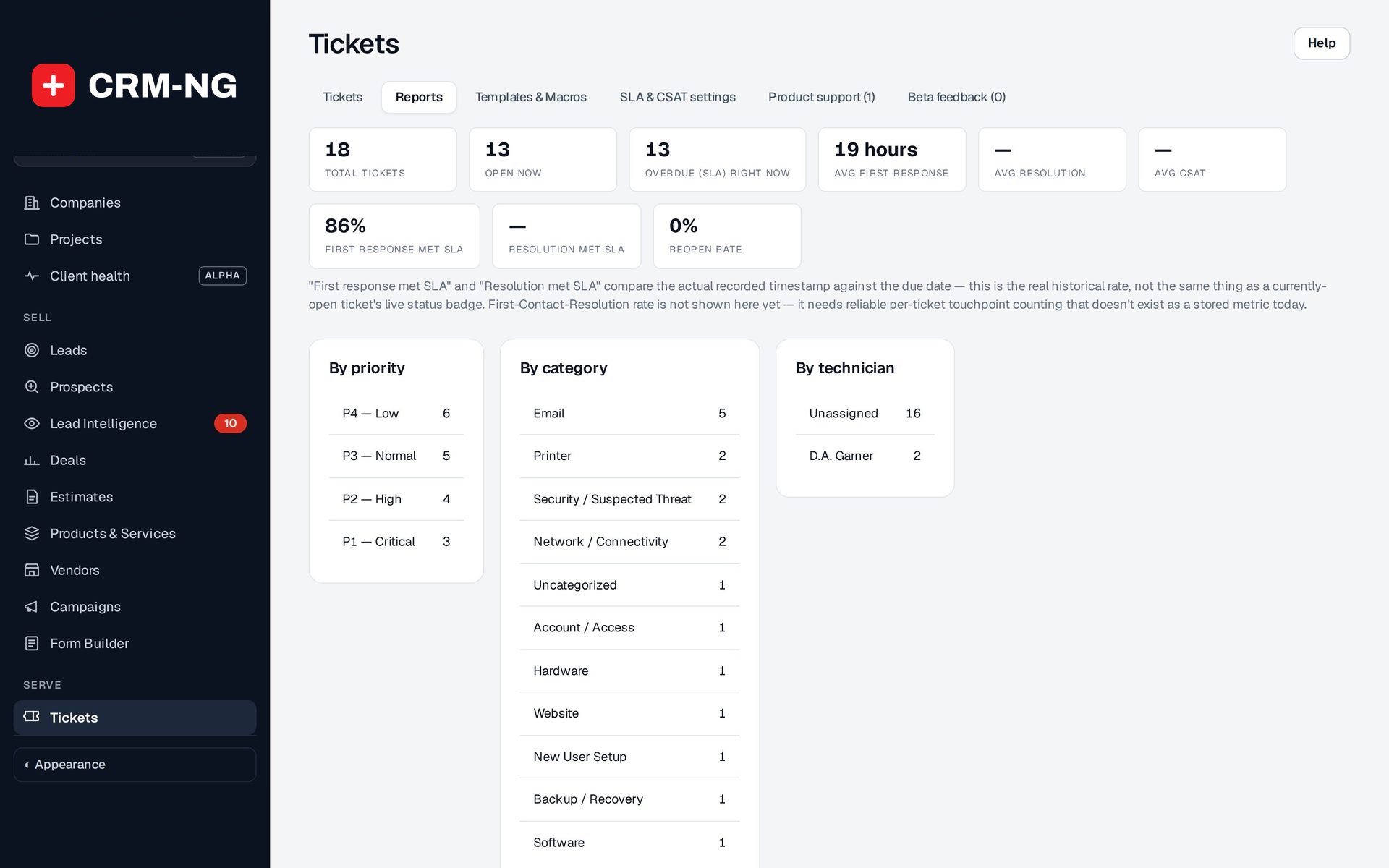
Reports compare the recorded first response and resolution times with their deadlines.
- First response met SLA and Resolution met SLA
- Overdue (SLA) right now
- Split by priority, category and technician
Questions
If I change a plan, do old invoices change?
No. Invoices already issued and included-hours decisions already made stay as they are. Review existing work after changing a plan.
Can one client in a company get better terms than their colleagues?
Yes. The company's plan is the default; an individual override gives one person different terms.
Does a plan control what clients see in the portal?
Yes. A plan's portal visibility decides how much of the company's ticket history a client can see beyond their own tickets.
Is this the same as a marketing segment?
No. Plans are the service terms you agree with a client. Segments are saved audience filters for marketing and reporting, and tags are labels; the three are kept separate.
More about Service Desk
- Tickets & conversations
Queues that show what needs attention, a ticket page with the whole story, and replies that always go to the right audience.
- Time, rates & included hours
A timer on every ticket, rates chosen for you, included hours checked before billing, and draft invoices that link back to the work.
- Service Desk overview
See Service Desk running on your own data.
Every module runs on CRM-NextGen Cloud: we set it up and run it for you. Beta members get the first invites and hear pricing first.