
Service Desk
One place for every request and every reply.
Queues that show what needs attention, a ticket page with the whole story, and replies that always go to the right audience.
Why it matters
When support lives in a shared inbox, two people answer the same email while another sits unread. Notes about what was tried live in someone's head, the client is copied on a message meant for a colleague, and when the person who knows the issue is off, the next one starts from scratch.
Tickets & conversations in detail
-
Queues for every question
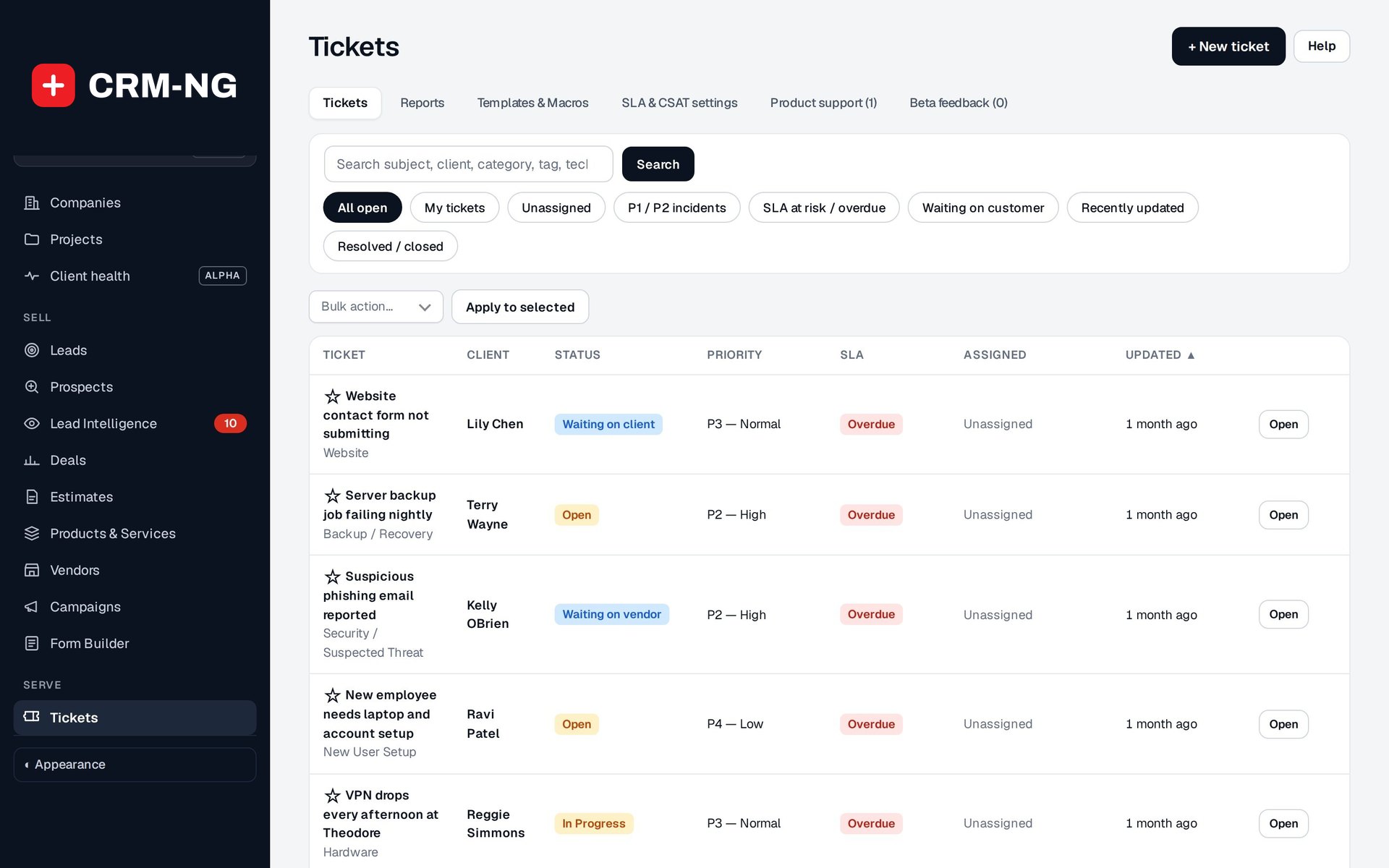
Quick views answer the questions a service manager asks all day: what is mine, what is unclaimed, what is about to breach.
- All open, My tickets and Unassigned
- P1 / P2 incidents and SLA at risk / overdue
- Waiting on customer and Recently updated
- Search by subject, client, category, tag or technician
-
The ticket page
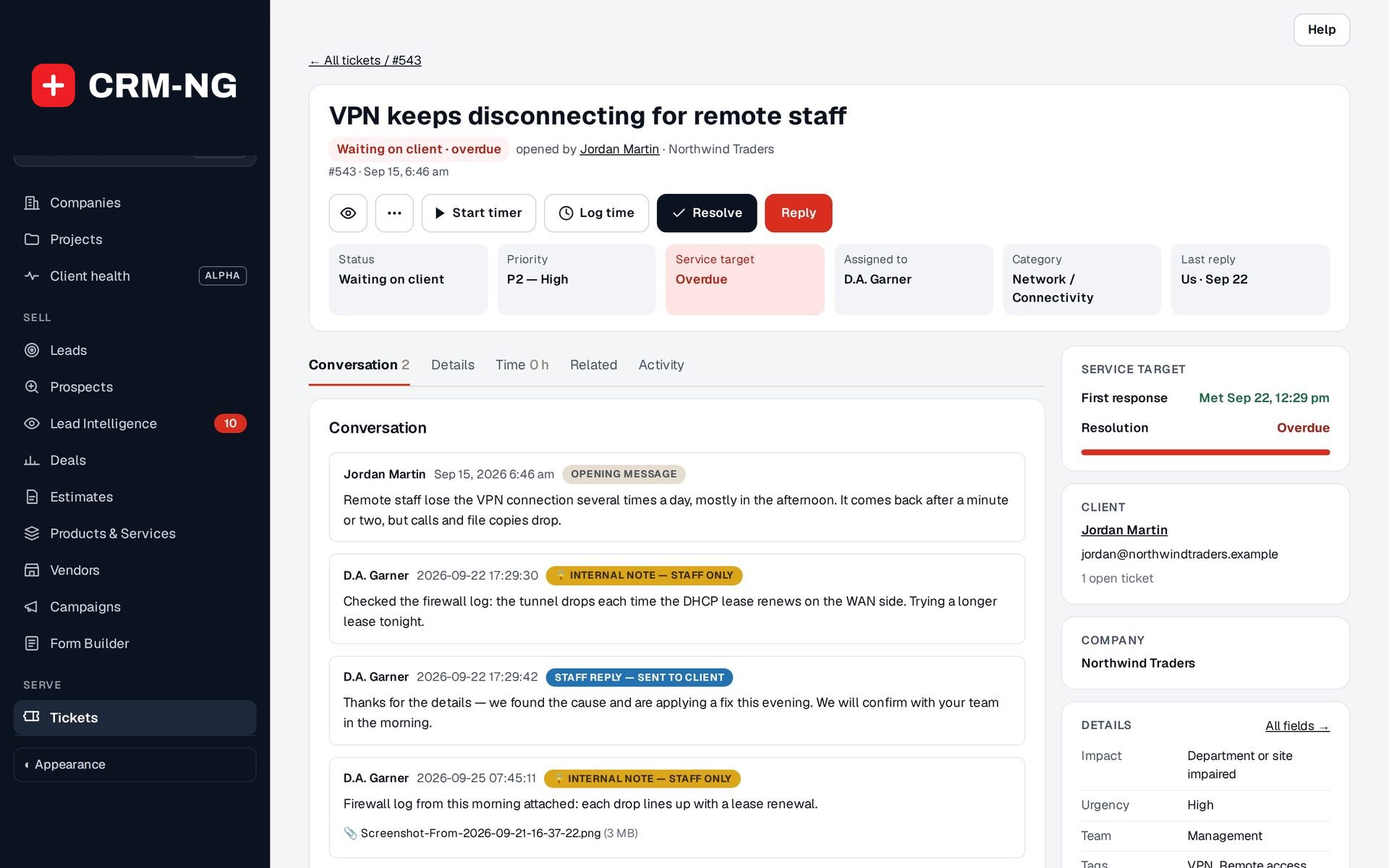
The facts that matter sit at the top, the actions are one click away, and the details are on tabs.
- Status, Priority, Service target, Assigned to, Category and Last reply
- Watch, Start timer, Log time, Resolve and Reply
- Tabs for Conversation, Details, Time, Related and Activity
- Client and company cards beside the conversation
-
Triage that is consistent
Record how many people are affected and how urgent it is, and the ticket suggests a priority.
- Impact from Single user affected to Business outage
- Urgency: Normal, High or Critical
- Category, team and tags for routing and reports
- The client's own equipment can be linked to the ticket
-
Public replies and internal notes
Each message in the thread is labelled with who could see it.
- Staff reply, sent to client
- Internal note, staff only
- Attachments on replies and notes
- Hand-over notes keep the next technician up to speed
-
Templates and macros
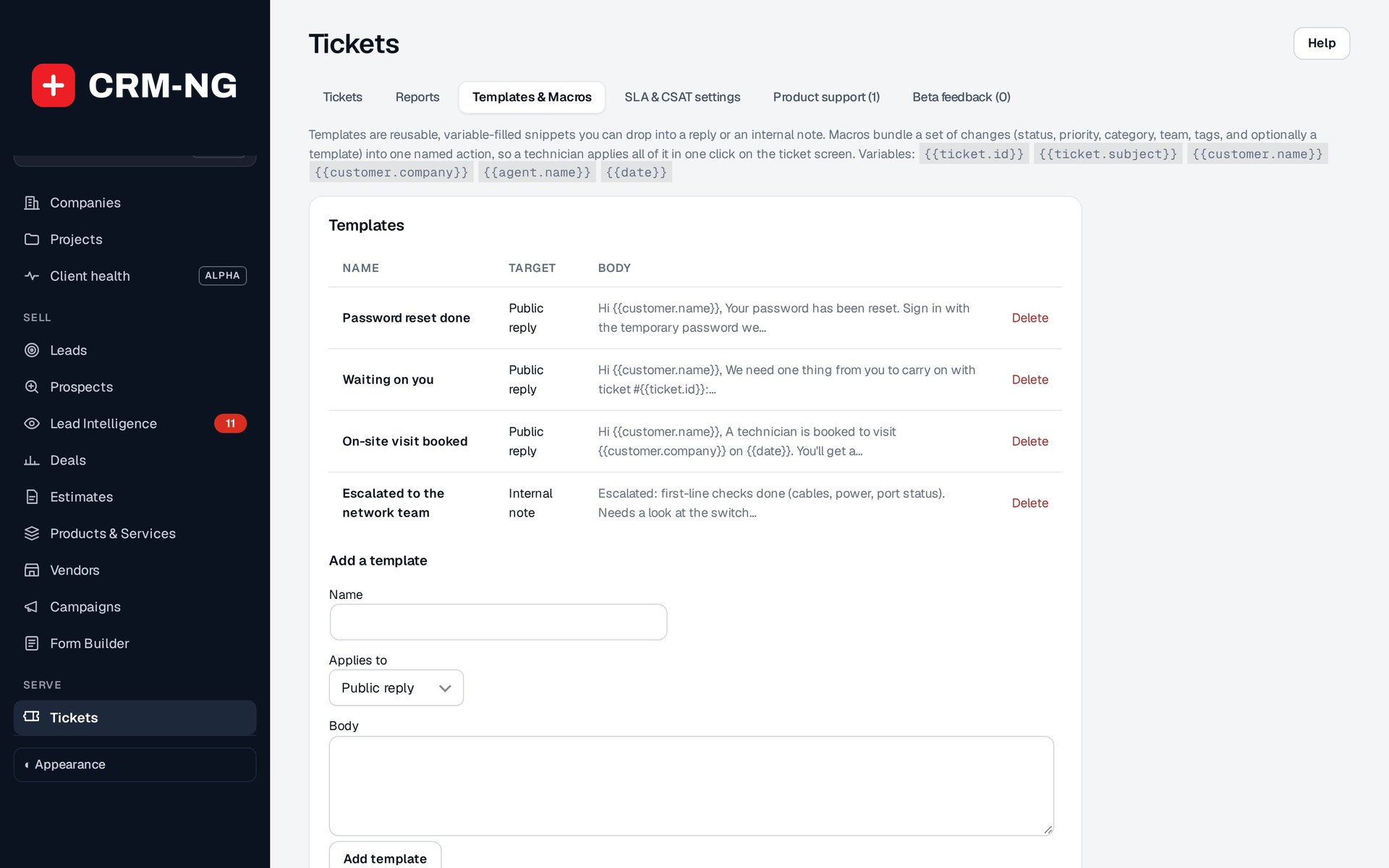
Answer common questions consistently and apply routine changes in one step.
- Reusable replies with fill-in variables
- Macros that change status, priority, category, team and tags
- Reviewed and applied from the ticket
-
Incidents, blockers and duplicates
Link the tickets that belong together and merge the ones that are the same.
- Parent incident with child tickets that keep their own conversations
- Predecessor and dependency links
- Merge a duplicate into the surviving ticket
-
Satisfaction after resolution
Optionally send a short satisfaction survey when a ticket is resolved, and see the average on the Reports tab.
- Sent once per ticket, when it is resolved
- Average CSAT alongside response and resolution results
- Reopen when the client says it is not fixed
Questions
Can one person own a ticket while others follow it?
Yes. The assignee owns the work; watchers receive updates without becoming responsible for it.
What does a waiting status do?
Waiting on client and Waiting on vendor show that the next move belongs to someone outside your team, and the Waiting on customer view gathers those tickets so they can be chased.
Can we log a phone call as a ticket?
Yes. + New ticket opens a quick form where you search for the client (or add a new one) and record the request.
Is there live chat?
No. Conversations happen through tickets, in the portal and by email.
More about Service Desk
- SLAs & service plans
Service plans hold the terms you agree with each client; SLA targets turn those terms into a real deadline on every ticket.
- Time, rates & included hours
A timer on every ticket, rates chosen for you, included hours checked before billing, and draft invoices that link back to the work.
- Service Desk overview
See Service Desk running on your own data.
Every module runs on CRM-NextGen Cloud: we set it up and run it for you. Beta members get the first invites and hear pricing first.