
Marketing
Email campaigns, visitor insight and delivery you can trust.
Send campaigns to the right segment, see who opened and clicked, learn which visitors are ready to buy, and make sure every email actually arrives.
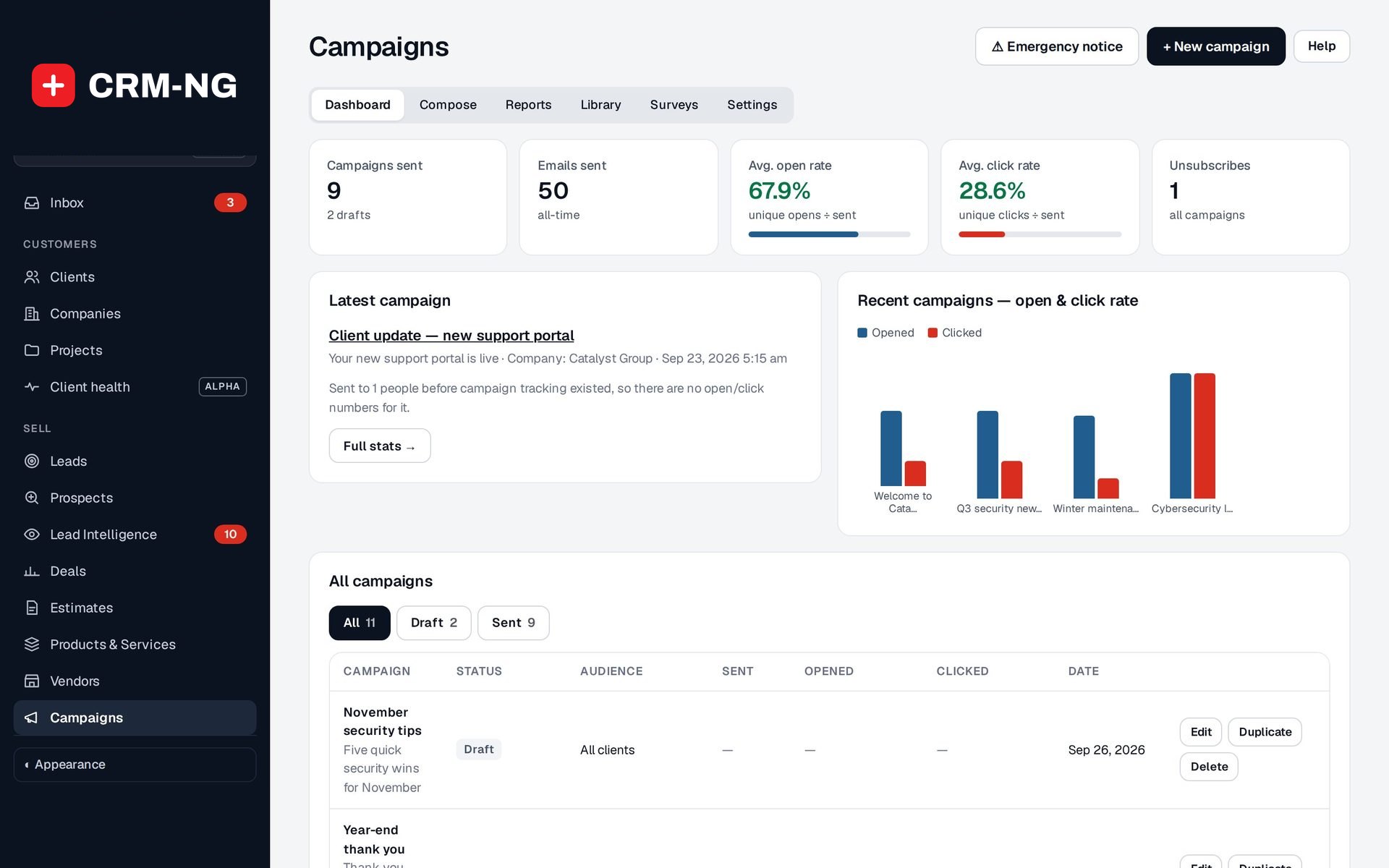
- Campaigns with open and click tracking
- Segments: saved audiences
- Lead Intelligence: consented visitor insight
- NPS surveys and review requests
- Email delivery and address checks
Why it matters
Staying in touch usually means exporting a contact list into a separate newsletter tool, guessing who should get what, and hoping unsubscribes get copied back. Website analytics show traffic but never which client or prospect it was. Outage notices go out from someone's personal inbox, and nobody knows how many emails bounced or landed in spam.
-
Right message, right people
Campaigns go to saved segments built from your live customer data, such as clients with an open ticket or nobody contacted in 90 days, and opt-outs are honoured everywhere.
-
Know who is ready to buy
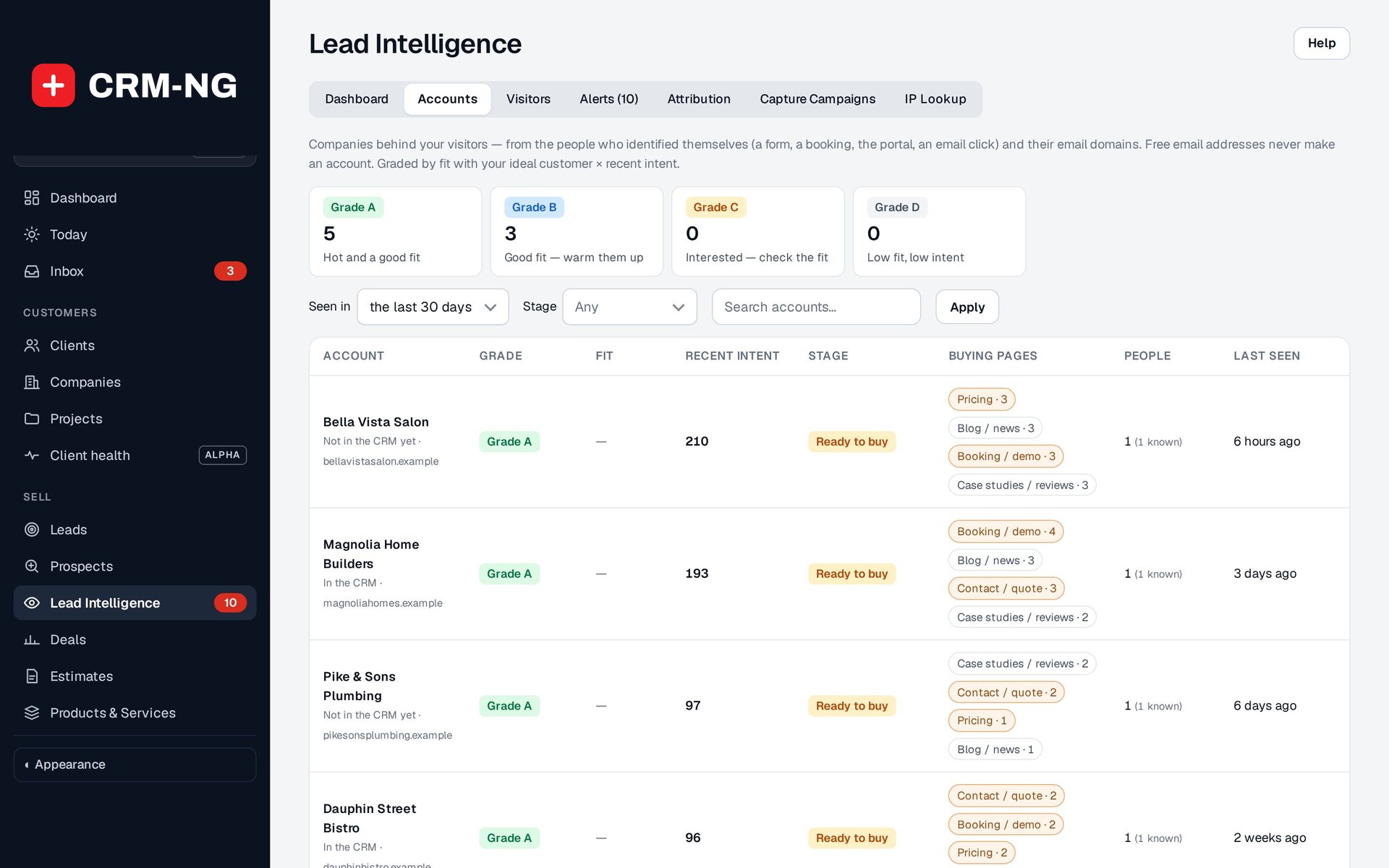
With visitor consent, Lead Intelligence shows which companies are reading your pricing and booking pages and alerts the right person when an account turns hot.
-
Emails that land
Connect your mailbox, check addresses before you send and keep bounced and invalid addresses off your lists, so your messages keep reaching inboxes.
How it works
-
Connect your mailbox
Sign in with Google or Microsoft from the setup wizard, set your sender name and address, and send a test.
-
Choose your audience
Pick clients, a stage, a company or a saved segment. Starter segments are ready, and you can build your own with all or any conditions.
-
Write and send
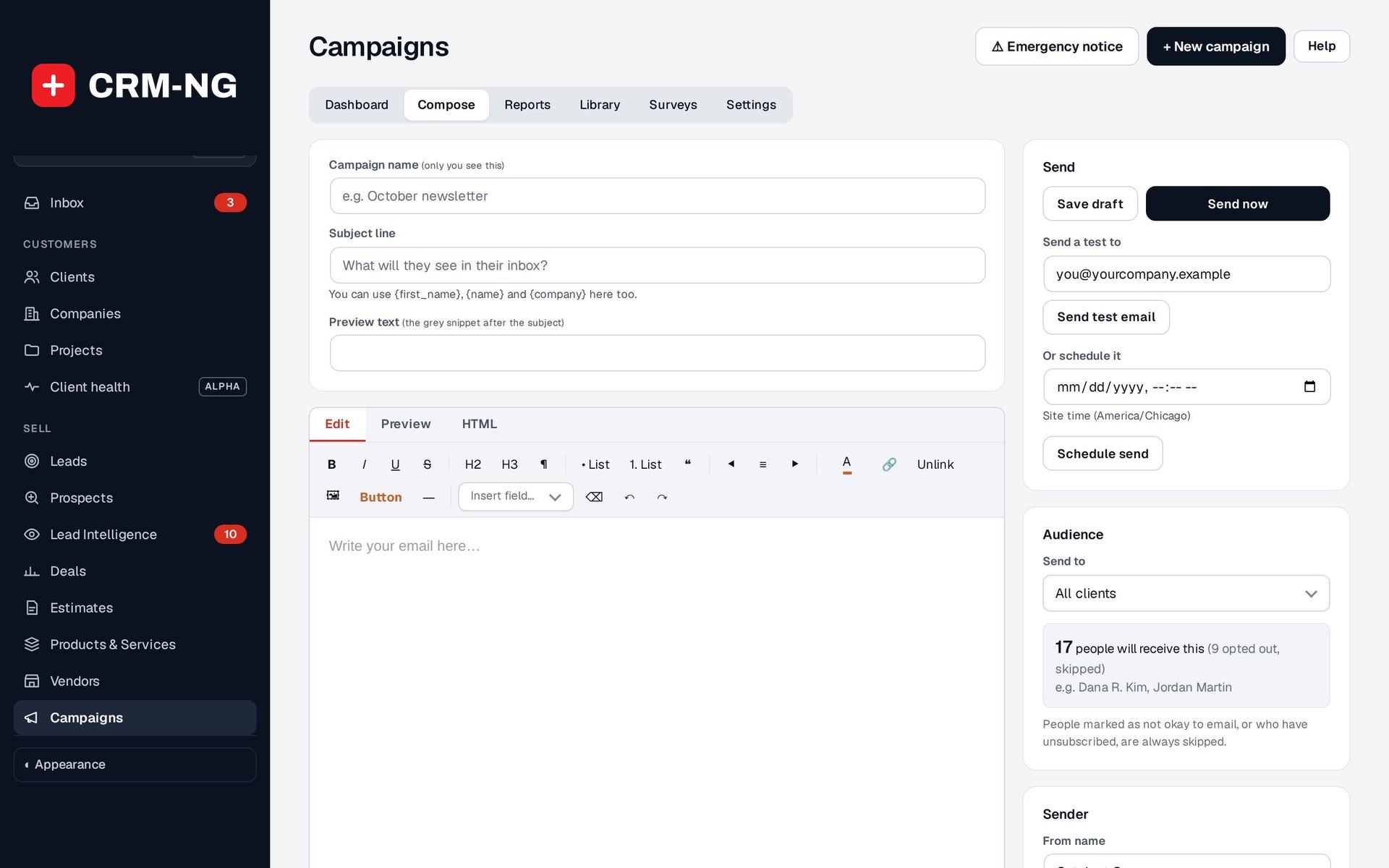
Compose a campaign or start from your Library, preview the personalization, then send now or schedule it.
-
Learn and follow up
Read opens, clicks and unsubscribes, watch which visitors return to your site, and act on the alerts, survey answers and hot accounts that come back.
What Marketing does
Teams that stay in touch with past and present clients.
-
Campaigns that respect consent
Compose or start from your library, send to a segment, and track opens, clicks and unsubscribes. Opt-outs are honoured everywhere.
- Dashboard, Compose, Reports, Library, Surveys and Settings
- Audience by clients, leads, stage, company or segment, with a live recipient count
- Unsubscribe link asks for confirmation, so a link preview cannot unsubscribe anyone
- Each recipient's emails, opens and clicks on their Emails tab
-
Emergency notices
Tell every client about an outage or urgent change, with a full record of who was sent what.
- Reaches clients who opted out of marketing, never a bounced or invalid address
- Administrators only, and audited
-
Segments
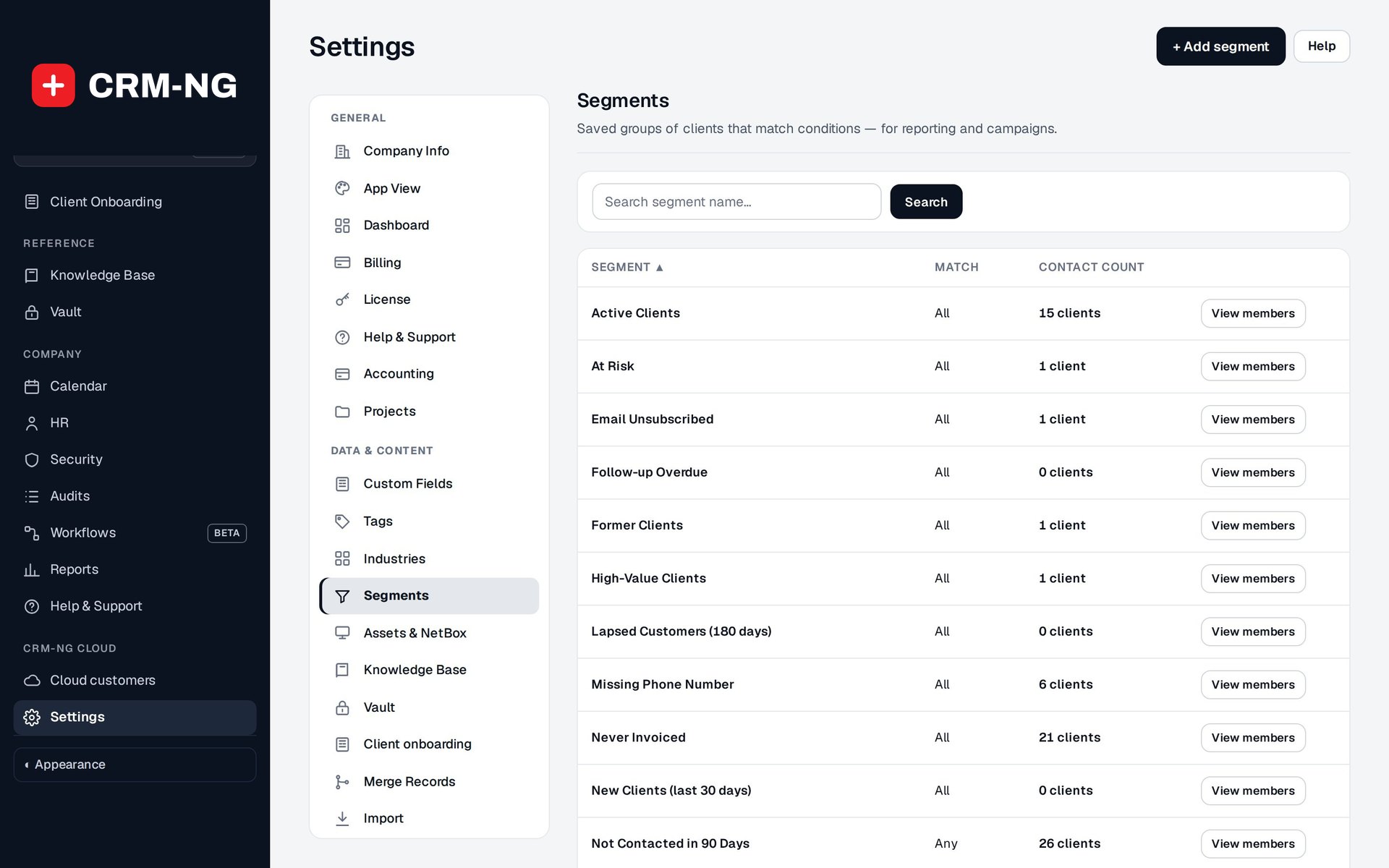
Saved audiences such as active clients, money owed or not contacted in 90 days, reused by campaigns, reports and workflows.
- Starter segments include Outstanding Balance, Lapsed Customers (180 days) and Quoted, Never Invoiced
- Match all or any conditions, with nested groups
- Conditions on tags, follow-ups, invoices, balance, open tickets, referrals and more
- Membership updates as records change
-
Lead Intelligence
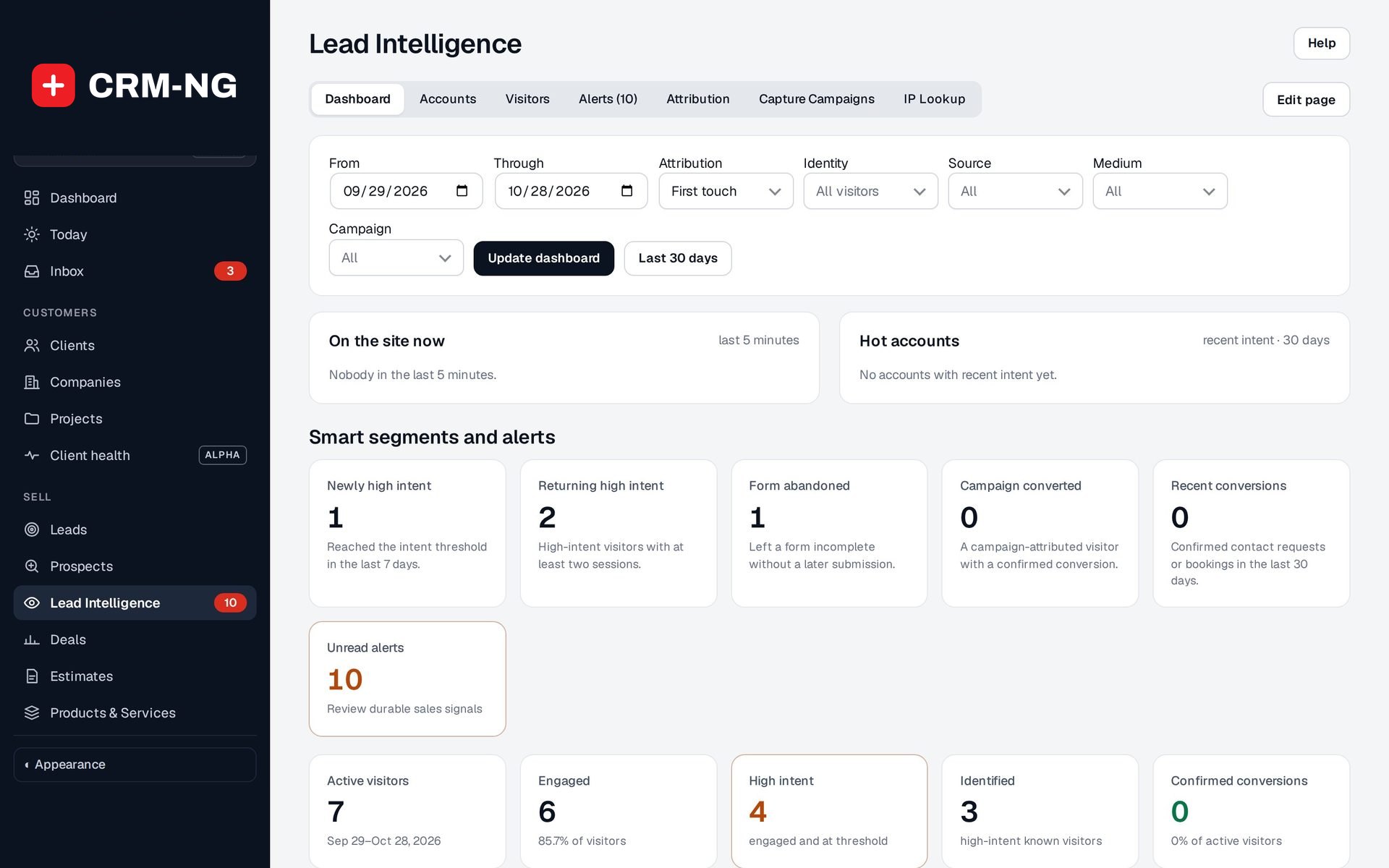
With visitor consent, see which pages people read, score their intent, and get alerts when an account turns hot.
- On the site now and Hot accounts on the dashboard
- Visitors rolled up into company accounts and graded A to D
- Buying stage from the pages they read: Researching, Comparing, Ready to buy
- Revenue by channel with first-touch, last-touch, linear or time-decay credit
-
Nurture sequences
Send tracked follow-up emails as steps in a workflow, and branch on what each person opened, clicked or read on your site.
- Optional second subject line to compare opens
- Sent, opened and clicked shown on each email step
- Never emails someone who unsubscribed
-
NPS surveys and review requests
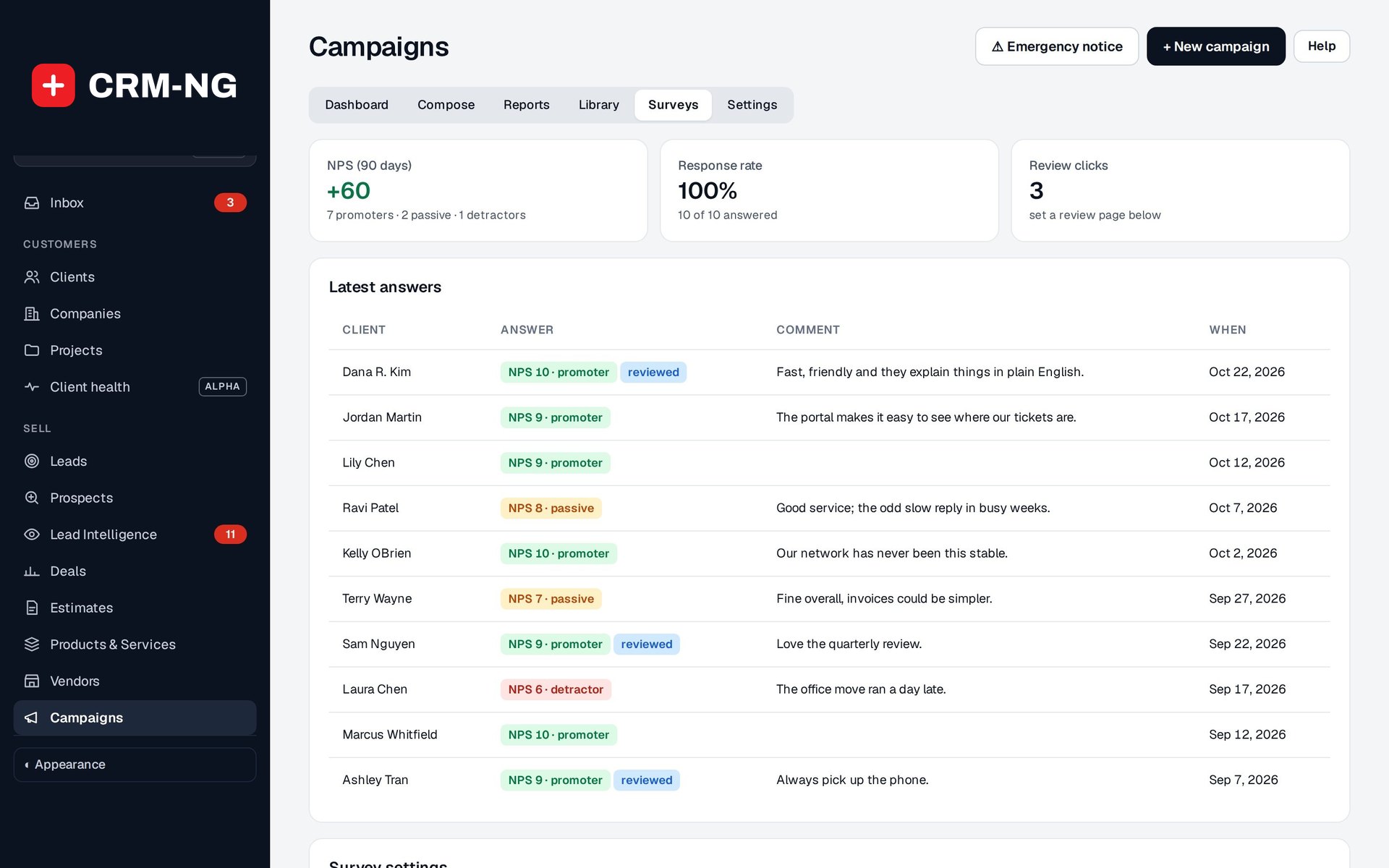
Ask your clients how likely they are to recommend you on a regular schedule, and invite happy clients to leave a public review.
- NPS every 90 days by default to clients of at least a month
- Nothing is recorded until the client presses Send, so mail scanners cannot answer
- Promoters are asked for a review at the address you choose; clicks are counted
- Answers appear on the client page under What they told us
-
Email that arrives
Connect Gmail or Microsoft 365 in one click, check addresses before you send, and keep a do-not-email list.
- Address check: invalid, risky (throw-away, role address, likely typo) or valid
- Suggests the fix for a typo such as gmial.com
- Do-not-email list fills itself from bounces and spam reports; add, search and export it
- A warning bar when sending starts failing
-
Company research
A Research card on company and lead pages reads the business's own website and public DNS records.
- Website details: description, social links, contact page, site platform, HTTPS
- Mail provider behind the domain, such as Microsoft 365 or Google Workspace
- SPF and DMARC records
See it in action
Go deeper
- Lead IntelligenceLead Intelligence turns consented website visits into accounts, intent scores and buying stages, alerts your team when an account turns hot, and shows which channels really bring in revenue.Read more →
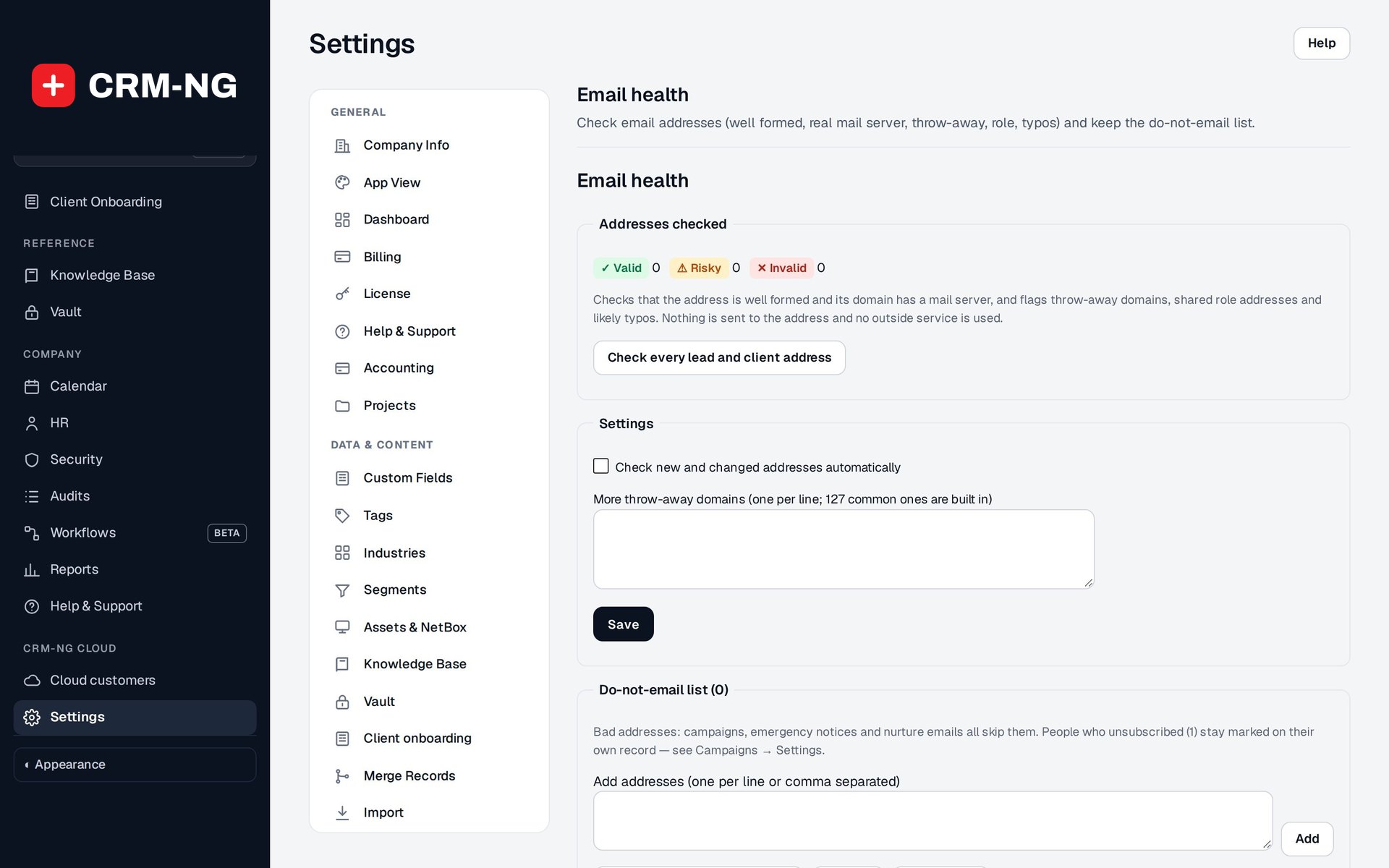 Email delivery and address checksConnect your mailbox, check addresses as they come in, and keep a do-not-email list that every part of CRM-NG respects, from campaigns to nurture emails.Read more →
Who it is for
-
An IT provider or MSP
Send maintenance windows and security tips to the right clients, push an emergency notice during an outage, and see which local businesses are reading your managed-services pages.
-
An accounting or legal firm
Remind clients with an outstanding balance or a lapsed engagement, send seasonal deadline reminders to a segment, and ask satisfied clients for a review.
-
A trades or home-services business
Re-engage customers you have not contacted in 90 days, follow up quotes that were never invoiced, and track which ad campaign actually brought in paying jobs.
-
An agency
Score and route website enquiries, run nurture sequences that react to what prospects open and read, and report revenue by channel against your ad spend.
Works with the rest of CRM-NG
- CRM
Campaigns go to your clients and leads, every campaign email shows on the customer's Emails tab, and unsubscribes are stored once on the person record.
- Sales
Lead Intelligence's ideal-customer profile and website interest feed the prospect score, and won and lost deals suggest better intent-scoring weights.
- Workflow
Workflows can send tracked nurture emails and start when someone opens or clicks, answers the NPS survey or a company account turns hot.
- Service Desk
When a client rates a ticket Good, the thank-you page can ask them for a public review, counted alongside your NPS results.
Questions
Does Lead Intelligence identify every visitor to my site?
No. It only keeps a history for visitors who accept tracking, and it links activity to a lead or client when they identify themselves, for example by submitting a form. An anonymous visit does not reveal who someone is, and visits from your own team are ignored.
How are unsubscribes handled?
Every marketing email has an unsubscribe link that asks the person to confirm. The choice is stored on their record, so every campaign, nurture email and segment respects it, and it carries over when a lead becomes a client.
How accurate are open and click numbers?
Use them to compare campaigns rather than as proof. Opens are detected through an image that some mail apps preload or block, and security scanners may follow links. A send record also does not prove the email reached the inbox.
Can I send an urgent notice to clients who have unsubscribed?
Yes, with Emergency Notice. It is for administrators only, every use is audited, and it still never goes to an address that bounced or is invalid.
Which mail services can I send through?
You can connect a Google or Microsoft mailbox with one-click sign-in from the setup wizard, or use another supported mail service. Always send a test to a known address after connecting.
Are surveys and address checks on straight away?
No. NPS surveys and automatic address checks stay off until you switch them on.
See Marketing running on your own data.
Every module runs on CRM-NextGen Cloud: we set it up and run it for you. Beta members get the first invites and hear pricing first.