
Web Integration & Portals
Turn website visitors into leads and new clients into ready-to-serve accounts.
Lead forms, a guided Service Wizard and online booking bring enquiries into the CRM; onboarding forms collect what you need from new clients.
Why it matters
The contact form on your website sends an email to an inbox, someone copies it into a spreadsheet, and the follow-up depends on who notices. Booking a first call takes a chain of messages, and onboarding a new client means chasing the same details by email every time.
Forms, Service Wizard & booking in detail
-
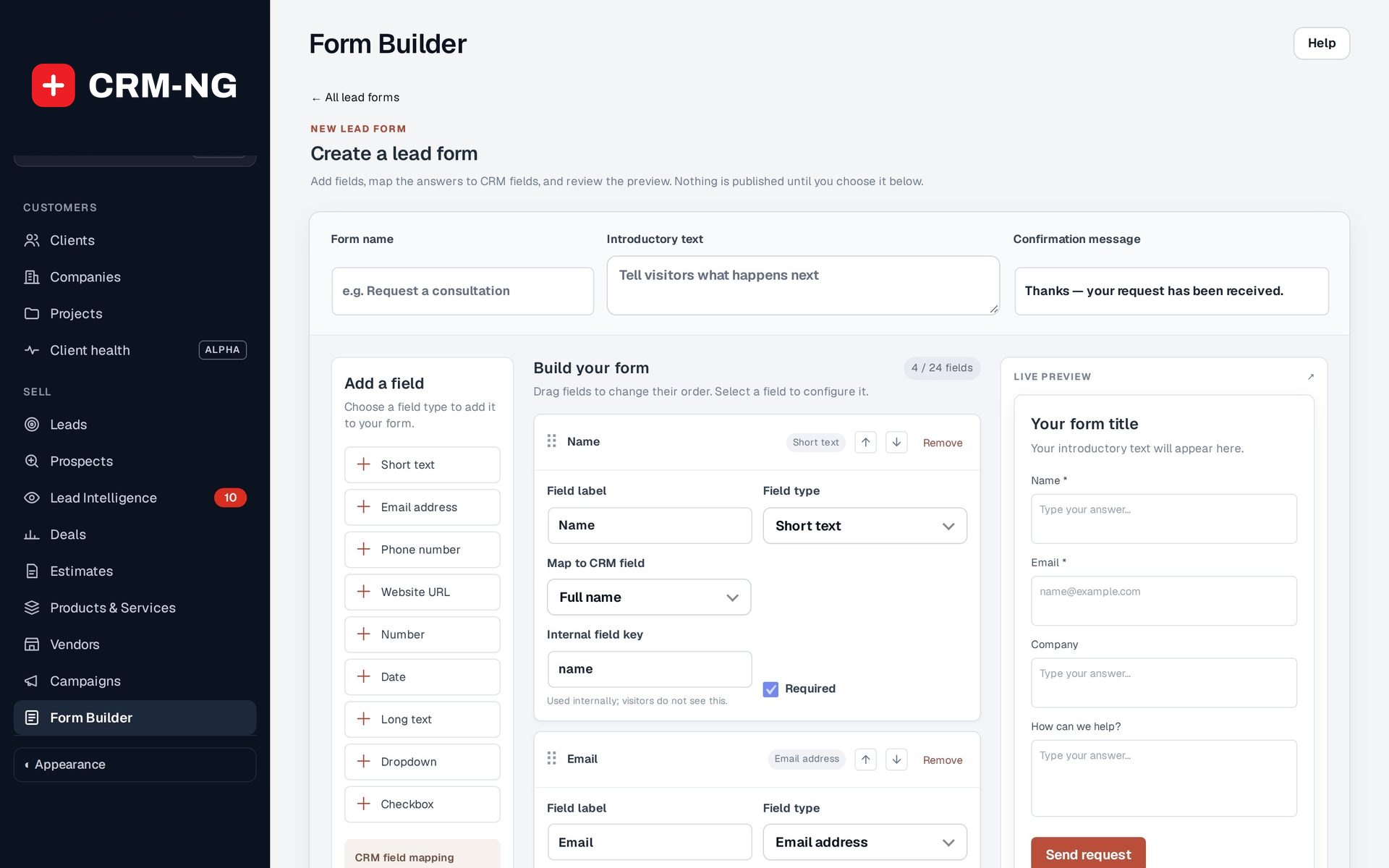
Form Builder
Build a public lead form without code.
- Form name, introductory text and confirmation message
- Drag fields to change their order, mark them required
- Up to 24 fields with a live preview
-
Answers in the right fields
Map each answer to a lead field so nothing is retyped.
- Full name, email, phone, job title, company and address
- Supported custom fields
- Anything unmapped kept as a private note on the lead
-
Service Wizard
A short guided assessment that recommends your services.
- Industry, company size, problems and compliance questions
- Services recommended by rules you set
- Each completion logged and sent to your team
-
Online booking
Visitors pick a service and a time; the booking lands in the CRM.
- A lead or client record with a note and a task for the person booked
- Bookings on the calendar, the client's timeline and an Appointments, next 7 days card
- Staff Google or Microsoft 365 calendars connected by each person
-
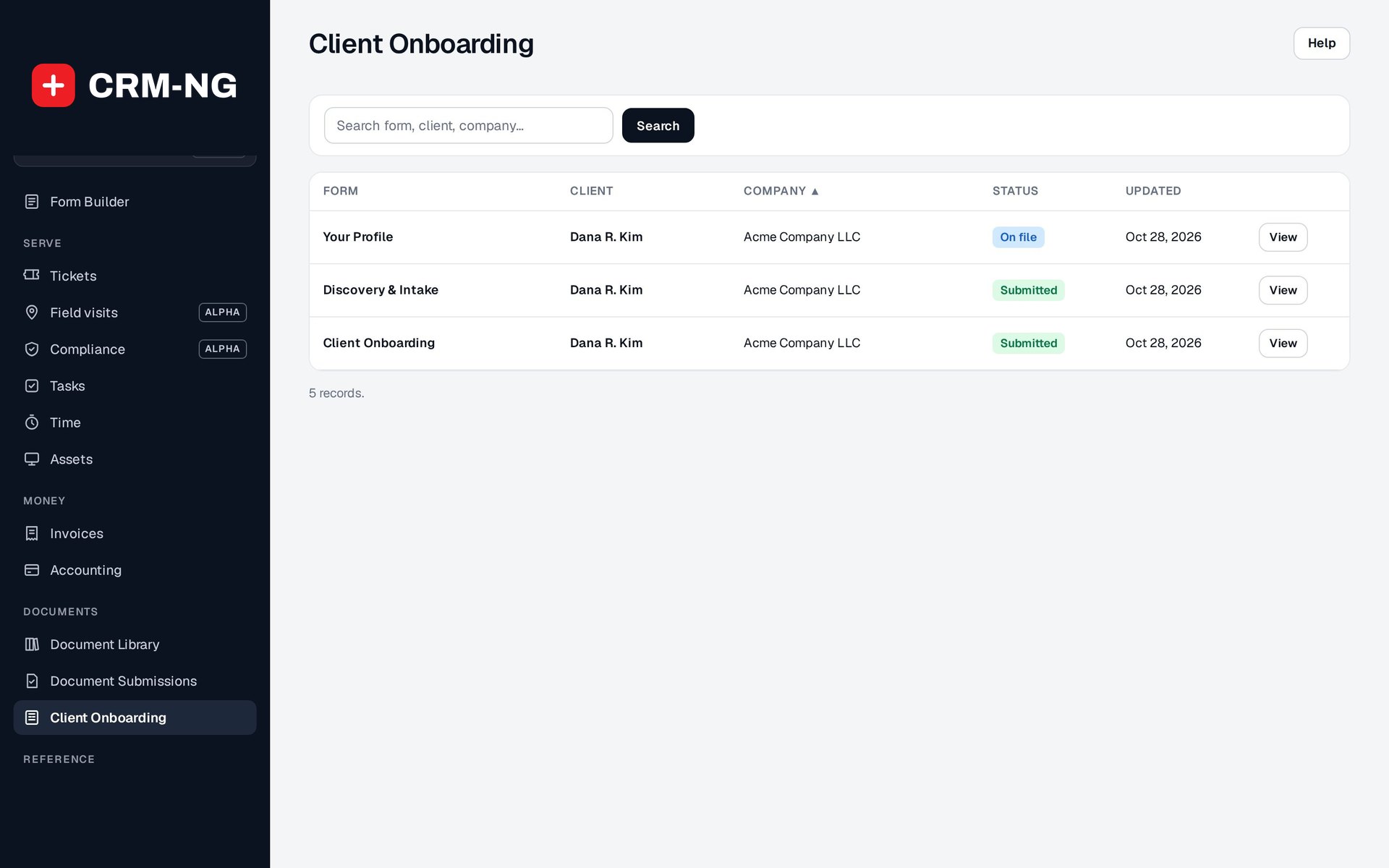
Onboarding forms
Collect a new client's details before you start.
- Assign to a client or a whole company
- Profile, discovery and intake forms
- Track On file and Submitted, and review answers
Questions
What happens if the same person fills in a form twice?
The submission is matched to the existing lead where possible, so you can see the history rather than a stack of duplicates.
Does a booking sync to staff calendars?
Each staff member can connect their own Google or Microsoft 365 calendar. Time they mark busy there can't be booked, and new bookings are added to their calendar.
Can I bring in forms I already have?
Supported forms can be copied in as drafts to edit and map before publishing.
More about Web Integration & Portals
- Client portal
Tickets, invoices, quotes, documents to sign, requests and visits, in a portal that shows each client only what belongs to them.
- Web Integration & Portals overview
See Web Integration & Portals running on your own data.
Every module runs on CRM-NextGen Cloud: we set it up and run it for you. Beta members get the first invites and hear pricing first.