
Web Integration & Portals
One sign-in where clients see everything you do for them.
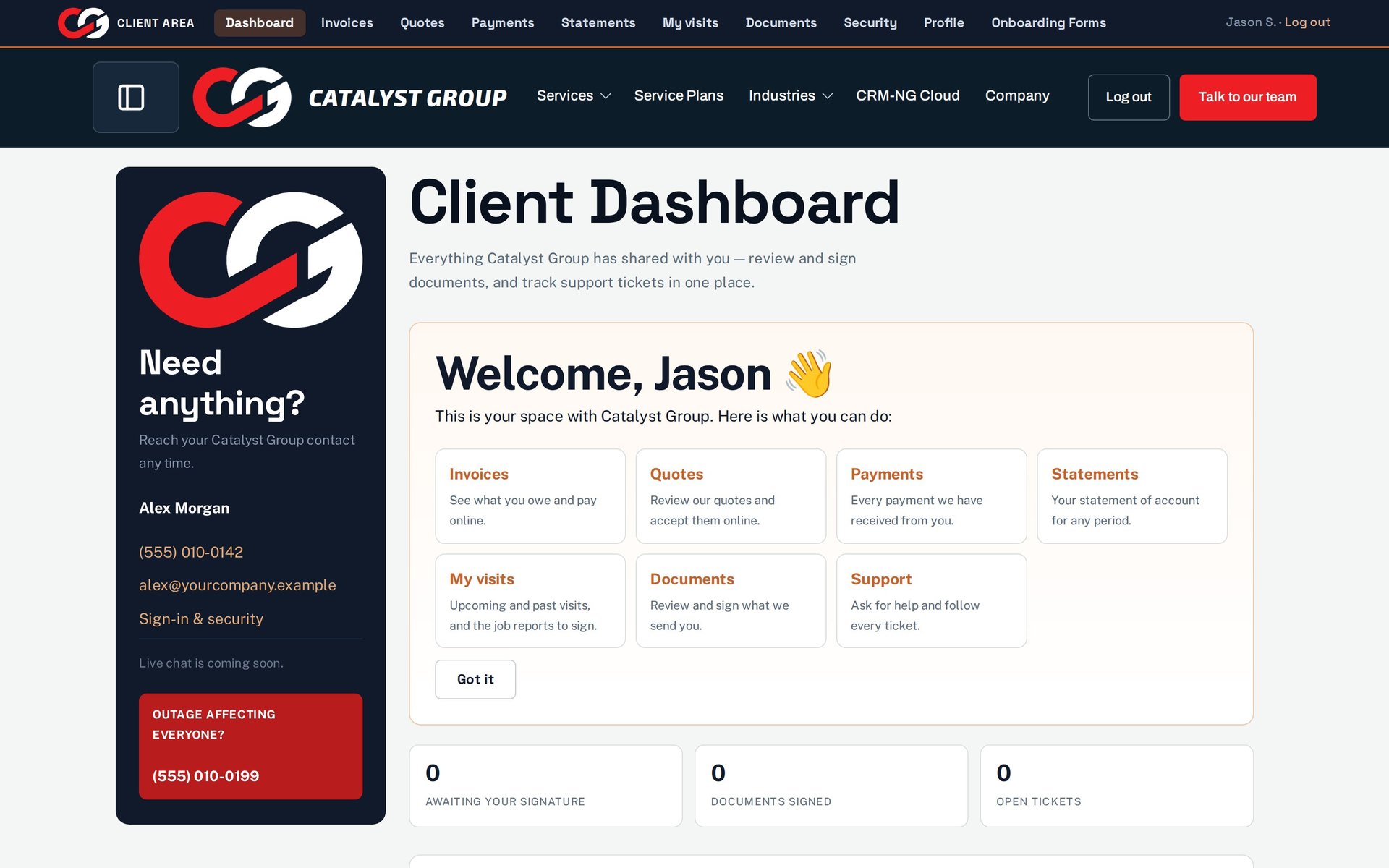
Tickets, invoices, quotes, documents to sign, requests and visits, in a portal that shows each client only what belongs to them.
Why it matters
Your clients' view of your service is their inbox: a ticket confirmation here, an invoice PDF there, a document to sign somewhere else. They email to ask for status, forward attachments to the wrong person, and lose the link to the form you sent last week.
Client portal in detail
-
A dashboard that starts with what needs them
The first screen shows what is waiting on the client.
- Needs attention
- Open tickets and tickets awaiting your reply
- Documents awaiting their signature and documents signed
- Notifications
-
Tickets
Open a ticket, follow it and reply, without email back and forth.
- Submit a new ticket
- Search and filter by status
- Read the public conversation and reply
-
Common requests and approvals
Standard requests in a click, with sign-off from the client's own manager when needed.
- Request this, from your service catalogue
- Requests awaiting your approval, Approve or Deny
-
Invoices, quotes and documents
Money and paperwork in the same place.
- Invoices with Pay now where online payment is set up
- Quotes awaiting a reply
- Documents to open and sign
-
During an outage
Tell everyone at once and give them the number to call.
- An incident banner your team switches on
- An emergency phone number for urgent issues
-
Visits and reports
With Field Service, clients see their technicians' visits and sign the reports.
- Upcoming and past visits
- Sign or query each job report
Questions
How do I test what a client sees?
Sign in as a demonstration client. Staff previewing the portal see a Staff View label, but only a real client account shows the restrictions a customer has.
Can a client change their own email address?
They can ask to. A change to the sign-in email becomes a request for your team to approve rather than changing straight away.
Does the portal show parts we don't use?
No. Tickets, documents, articles, invoices and visits appear only when the module behind them is switched on.
More about Web Integration & Portals
- Forms, Service Wizard & booking
Lead forms, a guided Service Wizard and online booking bring enquiries into the CRM; onboarding forms collect what you need from new clients.
- Web Integration & Portals overview
See Web Integration & Portals running on your own data.
Every module runs on CRM-NextGen Cloud: we set it up and run it for you. Beta members get the first invites and hear pricing first.