
Client Health
Know which clients are drifting before they tell you.
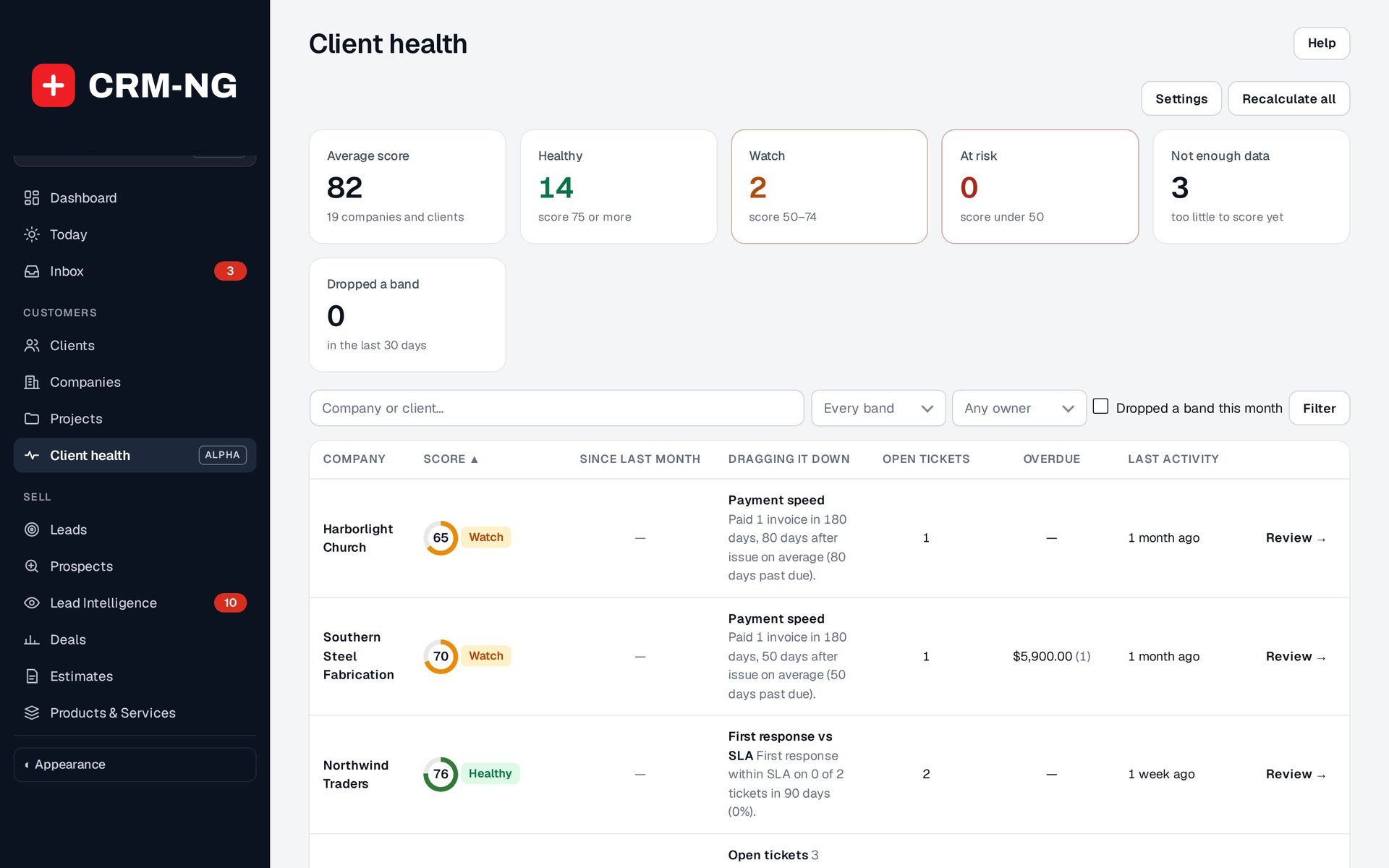
A 0 to 100 health score for every company and client, worked out each day from tickets, response times, payments, activity and compliance.
- A 0-100 score per company and client
- Healthy, Watch and At risk bands
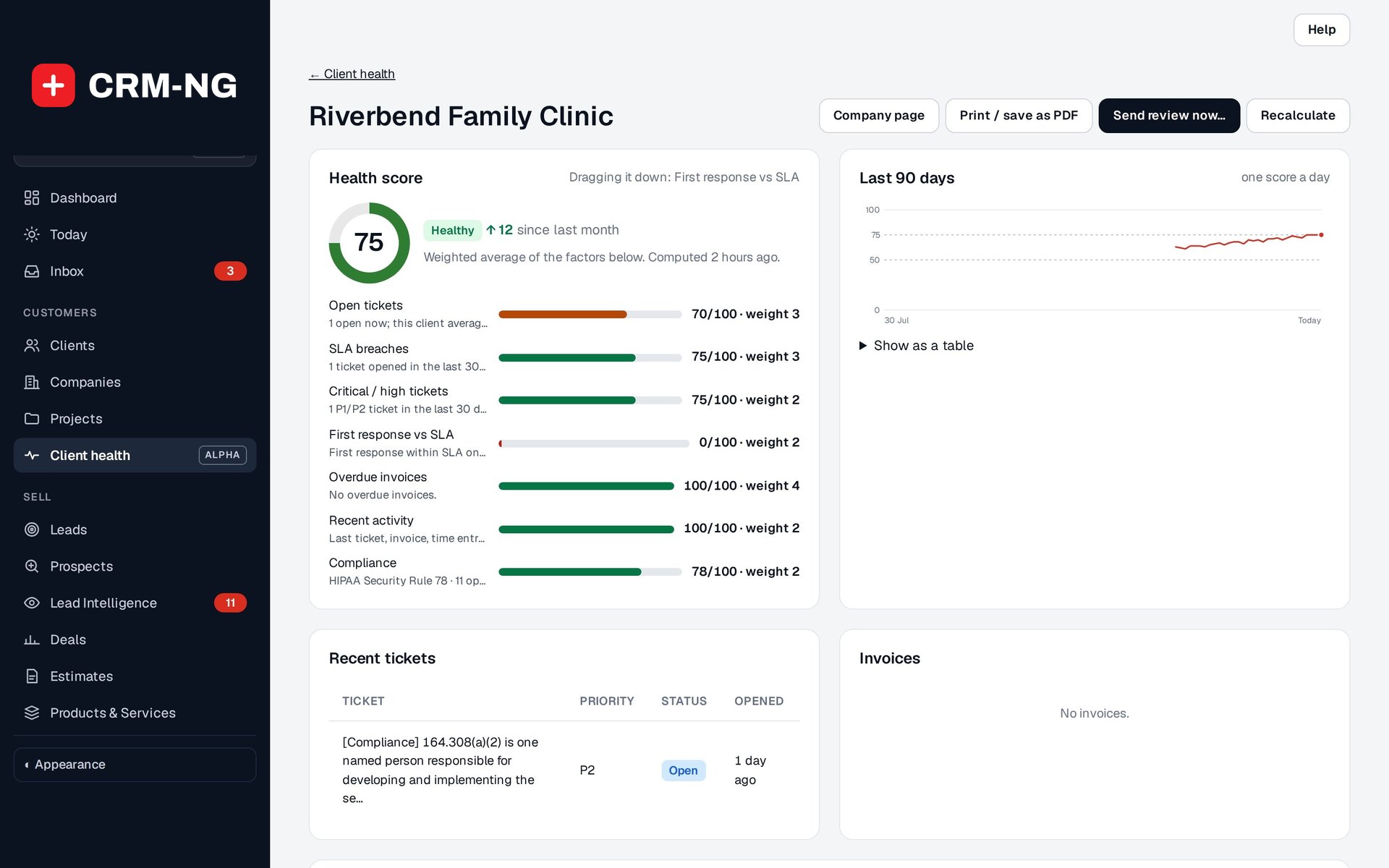
- 90-day trend and change since last month
- Alerts when a client drops a band
- Account reviews emailed on a schedule
Why it matters
Clients rarely announce they are unhappy. The warning signs are there, but spread across systems: a pile of open tickets, a couple of missed response targets, invoices paid later each month, nobody from your side in touch since spring. By the time someone adds it up, the client has already asked a competitor for a quote.
-
Keep the clients you have
Accounts that are slipping show up on Watch or At risk while there is still time to call, fix the problem and rebuild the relationship.
-
Every account owner knows
When a client drops a band, the person responsible gets a notice and an email with the reason, so nothing depends on someone remembering to check a report.
-
Reviews that prove your value
Clients receive a regular account review with their tickets, response times, hours and invoices, showing the work you did for them without anyone building a report by hand.
How it works
-
Choose what counts
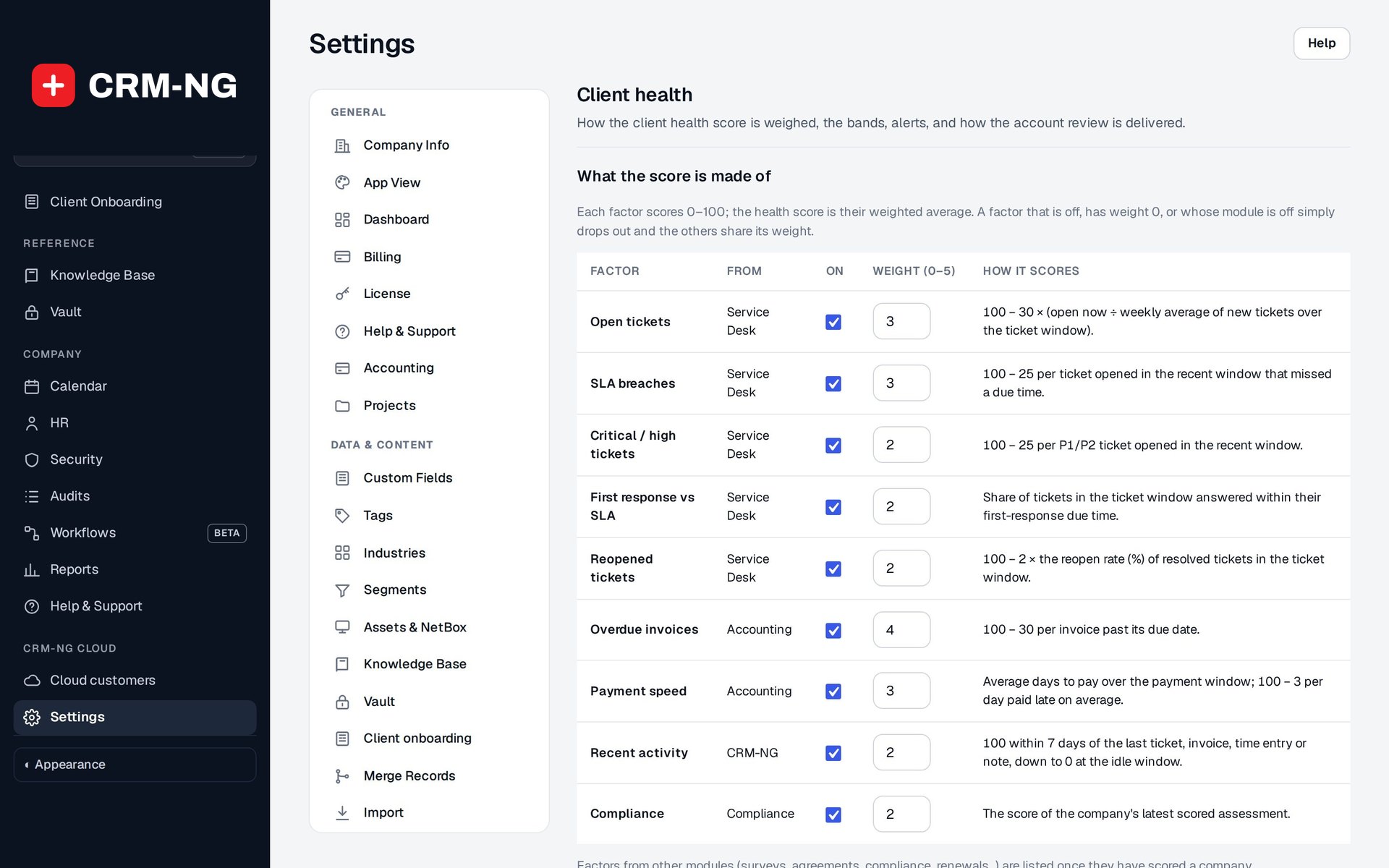
Switch each factor on or off, give it a weight from 0 to 5, and set where Healthy and At risk begin. Sensible defaults work from day one.
-
Scores update every day
Every company and client is scored daily from the records you already keep, and each day's score is saved so you can see the trend.
-
Act on the changes
Open the Client health list worst first, see the factor dragging each one down, and follow the alerts when someone drops a band.
-
Share the review
The account review goes to the client by email with a PDF, quarterly or monthly, or you print it for a meeting.
What Client Health does
Managed service providers and anyone with recurring clients.
-
A score you can explain
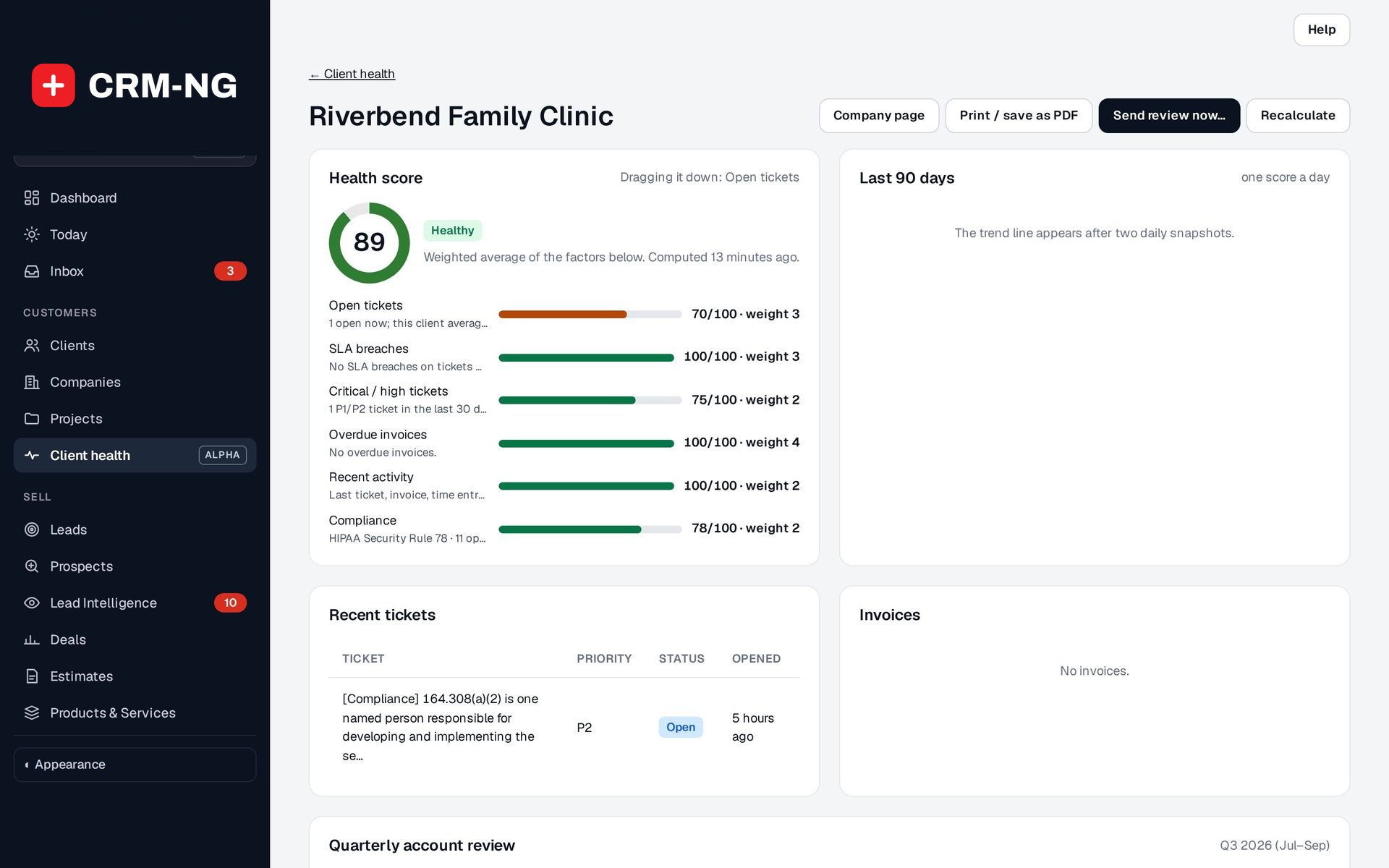
Each factor shows its score and weight, so you can see exactly why a client is on Watch.
- A one-line reason under every factor
- Dragging it down: the factor costing the most points
- Factors from modules you do not use simply drop out and the weights rebalance
-
Factors from every module
Open tickets, SLA breaches, critical incidents, overdue invoices, payment speed, recent activity and compliance results.
- Service desk: open tickets, SLA breaches, critical and high tickets, first response vs SLA, reopened tickets
- Accounting: overdue invoices and payment speed
- Recent activity: the last ticket, invoice, time entry or note
- Compliance: the score of the latest assessment
-
Trends, not snapshots
Daily history, a 90-day chart and the change since last month.
- One score saved per company per day
- Since last month column, sortable, plus the biggest drops and gains
- Dropped a band tile and filter for the last 30 days
-
Alerts that reach the owner
When a client drops a band, the account owner hears about it once, with the reason.
- A notice in CRM-NG and an email
- Companies without an owner alert your CRM administrators
- A workflow trigger on any band change, so you can add your own steps
-
Account reviews
A quarterly review emailed to the client with a PDF, on the schedule you set.
- Quarterly, monthly or sent by hand
- Sections for scores, tickets, hours, invoices and your recommendations
- Preview the email before Send review now
- Reviews sent log on each company
-
Need attention lists
At-risk clients get their own tab in the client and company lists.
- Choose whether it appears on Clients, Companies or both
- Filter the health list by band, owner or search
-
The score wherever you look
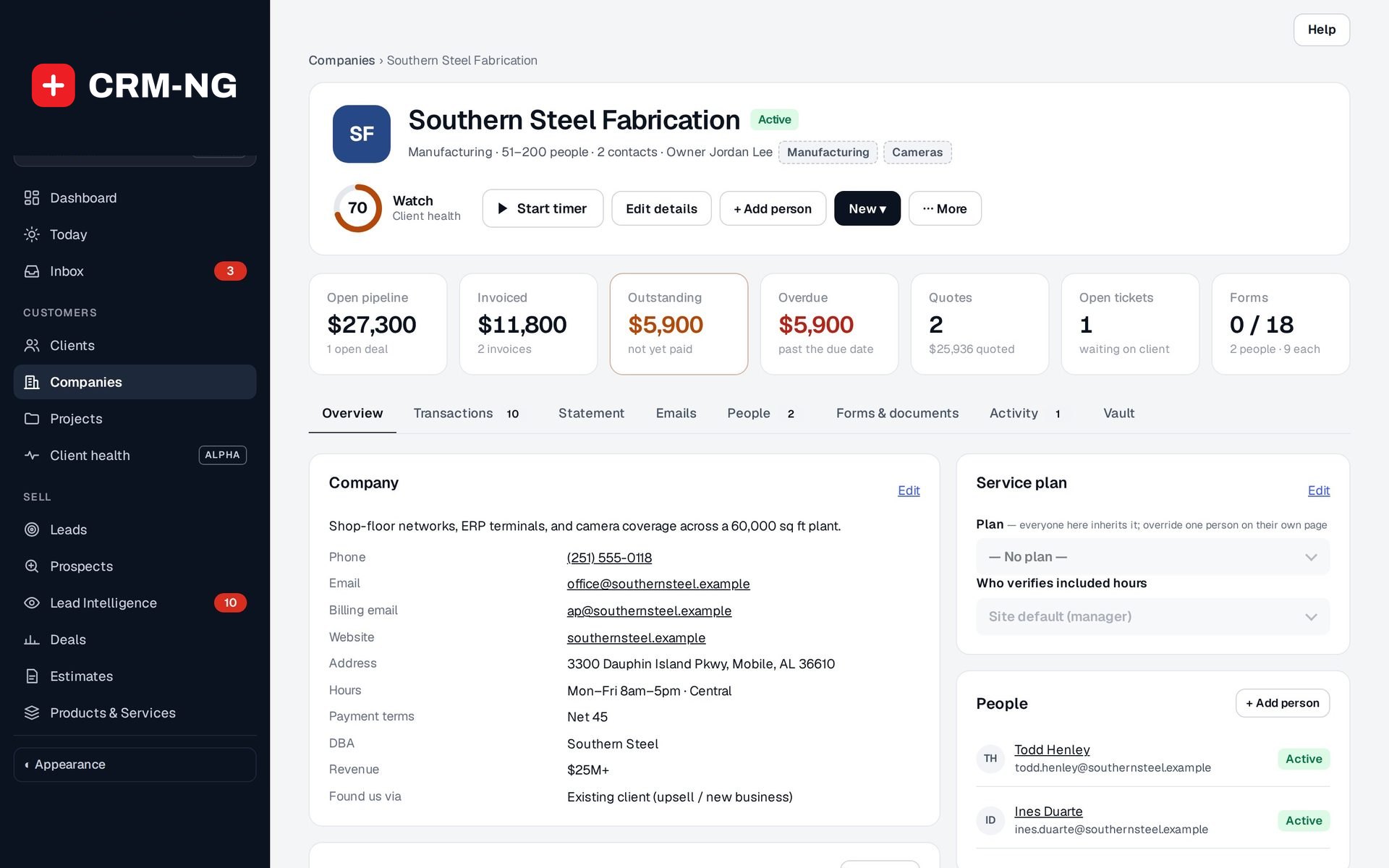
A score ring with its band sits in the header of every company and client page, linked to the full review.
- A Client health card on company and client pages
- An optional card for your dashboard
-
Fair to new clients
A company is only scored once it has enough history, so a brand-new client is not marked At risk for having no tickets.
- Set the minimum number of tickets, invoices, time entries or notes and the period
- Not enough data shown as its own tile
See it in action
Who it is for
-
An IT provider or MSP
Spot the managed client with rising tickets, missed SLA targets and slow payments before renewal, and send every client a quarterly review of the support you delivered.
-
An accounting or bookkeeping firm
See which clients have gone quiet or are paying later and later, and contact them before the relationship lapses.
-
A provider supporting clinics, law firms or other regulated clients
Combine compliance assessment results with support and billing in one score, so a client falling behind on compliance gets attention early.
-
An agency on retainers
Watch activity and payment speed across retainer clients and use the monthly review to show the hours and work delivered.
Works with the rest of CRM-NG
- CRM
Scores are worked out per company (or per client with no company), shown in their page headers, and drive the Need attention tab in the Clients and Companies lists.
- Service Desk
Open tickets, SLA breaches, P1 and P2 tickets, first-response times and reopened tickets each become a factor in the score.
- Accounting
Overdue invoices and how quickly each client pays feed the score, and recent invoices appear on the review.
- Compliance
The score of a company's latest compliance assessment, with its open gaps, is added as a factor.
- Workflow
A band change starts a workflow, so you can create a task, notify a team or start a check-in when a client drops.
Questions
How is the score calculated?
Each factor scores from 0 to 100 and has a weight. The health score is their weighted average. A factor that is switched off, has weight 0, or comes from a module you do not use drops out and the others share its weight.
Can I change the bands and weights?
Yes. An administrator sets each factor's weight from 0 to 5, the score where Healthy starts and the score below which a client is At risk, and the look-back windows. Saving recalculates every score in the background, and Reset to defaults puts everything back.
Do my clients see their score?
Only if you include the scores section in the account review you send them. The section list is yours to choose, and you can preview every review before it goes.
Who gets the account review email?
You choose: the company's primary contact (or its first person) and its billing email, with the account owner and any extra addresses as blind copies. Only scored companies with an address get one, and nobody gets the same period twice.
What if I do not use the service desk or accounting modules?
The score uses whatever you have. Notes on the customer still count as recent activity, and factors from modules you do not use are simply left out.
See Client Health running on your own data.
Every module runs on CRM-NextGen Cloud: we set it up and run it for you. Beta members get the first invites and hear pricing first.