
Accounting
Send the invoice, take the payment, stop chasing.
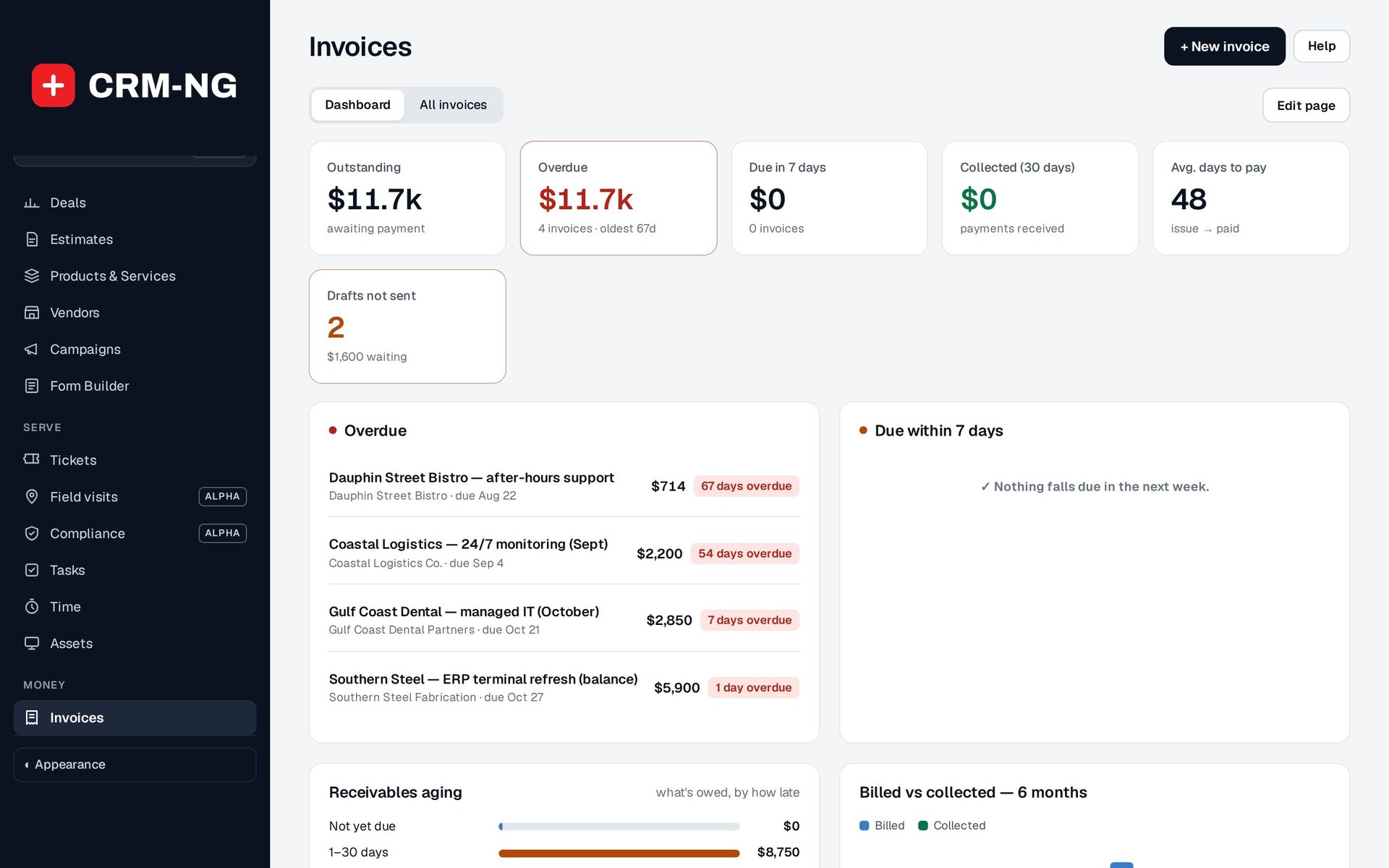
Invoices built from your estimates, time and expenses, emailed with a Pay online link, followed up by automatic reminders and settled through Stripe.
Why it matters
Most late payments are not refusals: the invoice went out late, got buried, or nobody followed up. When invoicing is a separate chore it waits until Friday, and chasing waits until cash is short. Clients phone to ask what they owe, and someone digs through old emails to answer.
Invoicing and payments in detail
-
Draft from the work
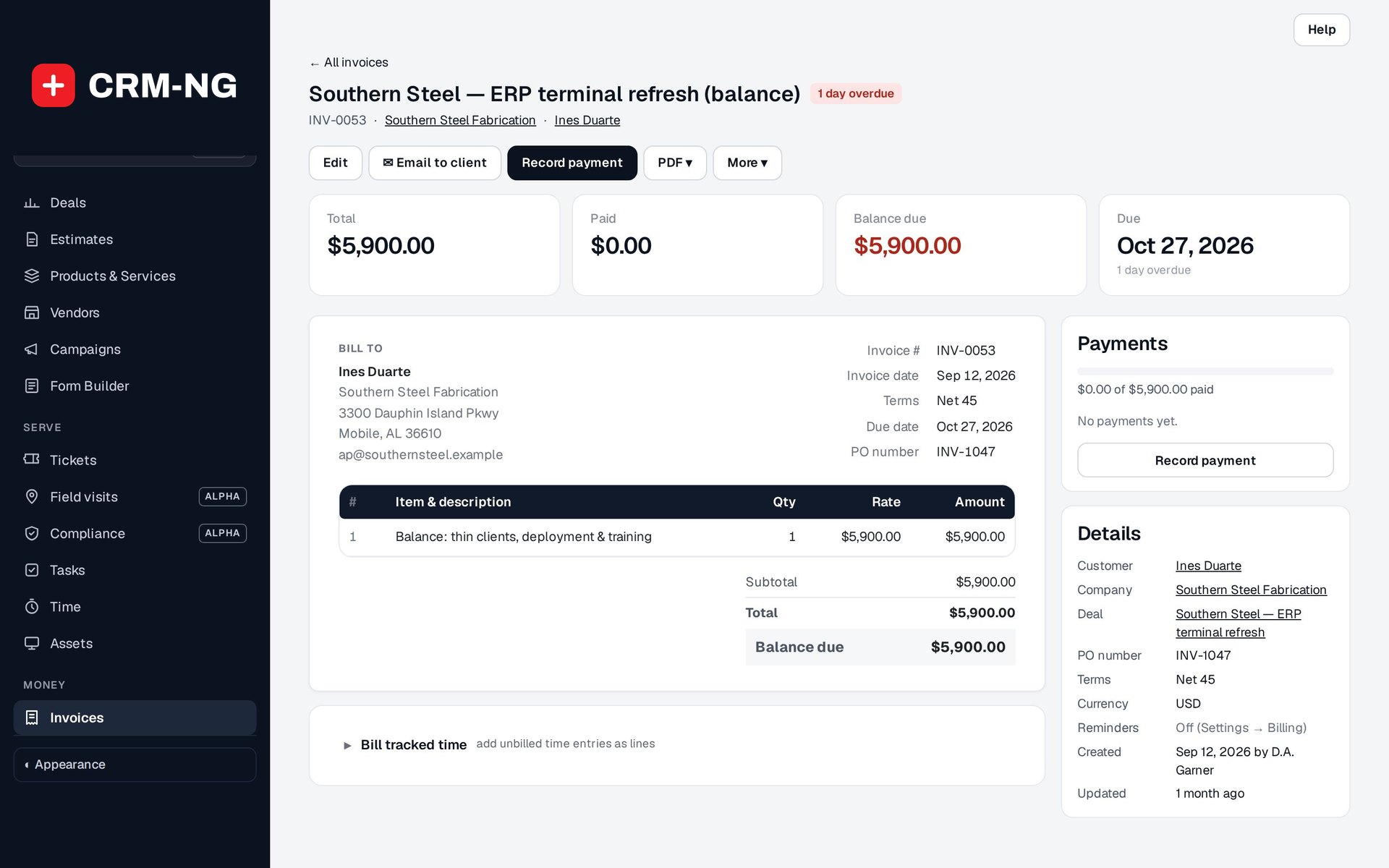
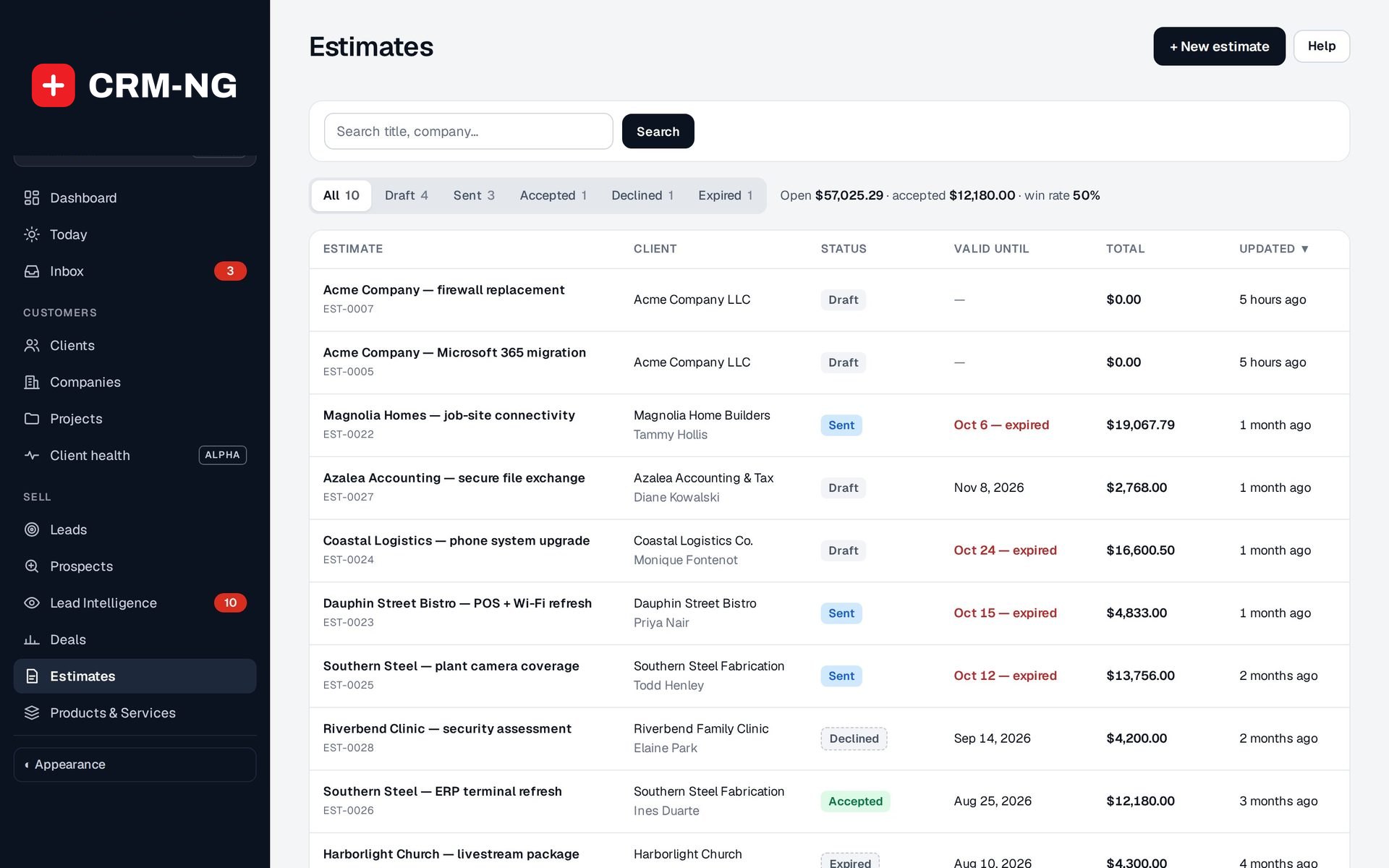
Start an invoice from an accepted estimate, tracked time, a billable expense or a blank page.
- Bill tracked time brings the client's unbilled hours onto the invoice
- Lines are edited in place; paid or void invoices are locked
- Save and send, or save as a draft for review
-
Email it properly
Send the invoice from the system as your business, with the PDF attached.
- Goes to the company's billing email first, then the contact's
- Cc, a copy to yourself and a ready-made message with the amount and due date
- Optional Pay online link through Stripe
-
Reminders on a schedule
Unpaid invoices get the next reminder automatically until they are paid or you stop them.
- You choose the steps, before and after the due date
- Stop reminders for a whole company, one client or one invoice
- Send a payment reminder now from any invoice
-
Payments recorded once
Card payments settle themselves; others are recorded with amount, date, method and reference.
- Unpaid, partly paid and paid balances, with the full payment history
- Each payment method can deposit into its own bank account in the books
-
Statements and self-service
Clients see their own account without calling you.
- Statement of account for any period, as a PDF or by email
- Portal pages for invoices, payments and statements, with a Pay now button
Questions
Can a client pay part of an invoice?
Yes. Record a deposit or part payment and the rest stays outstanding, with the balance shown on the invoice, the statement and the portal.
Will reminders annoy good clients?
You choose the steps and the wording, each step is sent only once per due date, and you can stop reminders for any client or invoice.
Do I need Stripe?
No. Without it you record payments by hand; with it, clients can pay by card and the invoice updates itself.
More about Accounting
- Books, banking and reports
Invoices and payments post automatically; you add purchases, bills and reimbursements, reconcile the bank and run the reports your accountant asks for.
- Accounting overview
See Accounting running on your own data.
Every module runs on CRM-NextGen Cloud: we set it up and run it for you. Beta members get the first invites and hear pricing first.