
Accounting
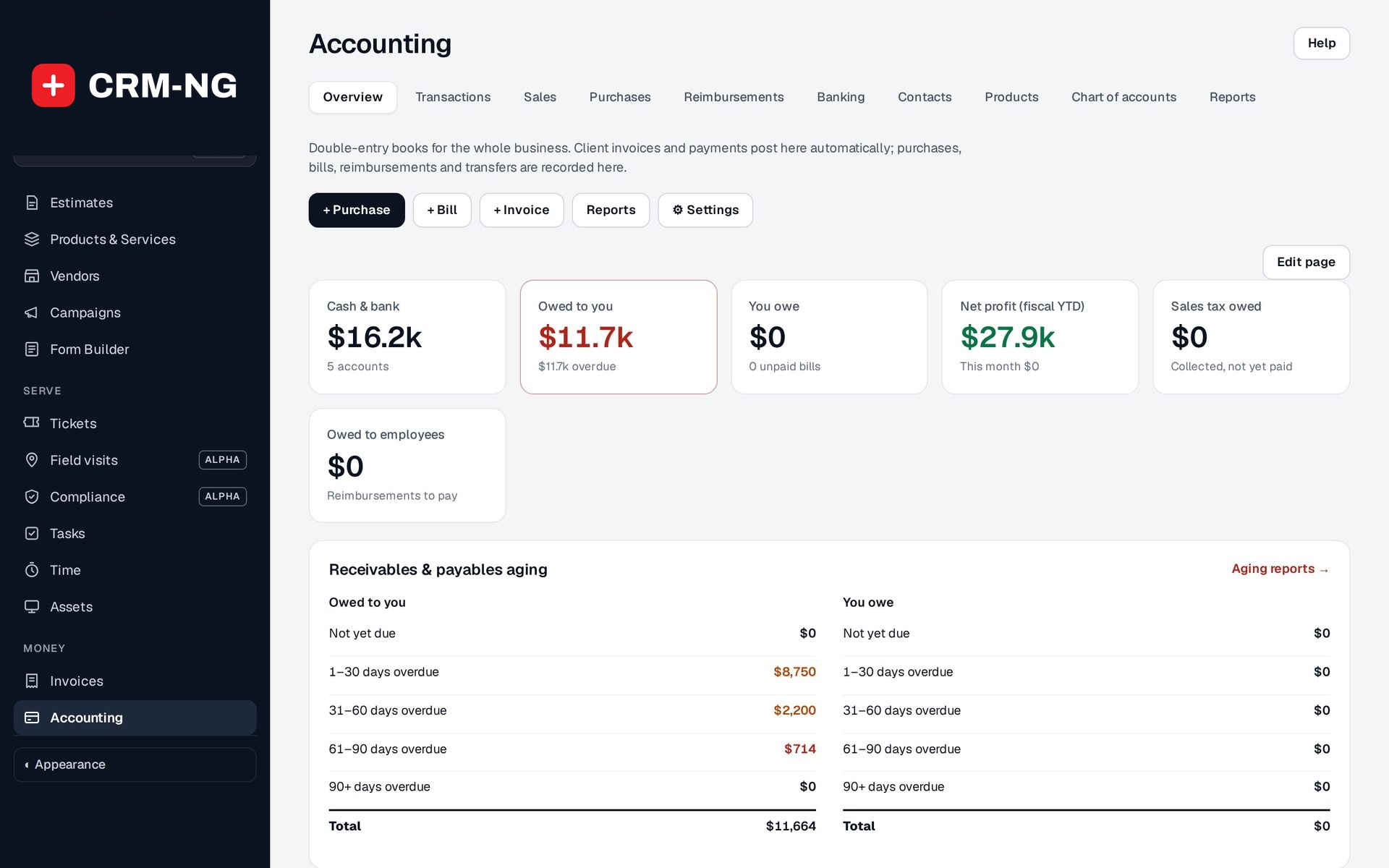
Double-entry books that keep themselves up to date.
Invoices and payments post automatically; you add purchases, bills and reimbursements, reconcile the bank and run the reports your accountant asks for.
Why it matters
When the books are a separate system, someone re-enters every invoice and payment, the bank never quite agrees, and year-end is a scramble to explain the differences. The figures the team sees and the figures the accountant sees are rarely the same.
Books, banking and reports in detail
-
Automatic posting
Issued invoices create receivable, income and tax entries; payments settle them into the right deposit account.
- Each entry is linked to its source so it is never duplicated
- Voiding an invoice removes its posting
-
Chart of accounts and journals
A ready-made chart you can extend, and balanced manual journals for adjustments.
- 47 starting accounts with protected system types
- Deactivate accounts with history instead of deleting them
- Opening balances, transfers and sales-tax payments
-
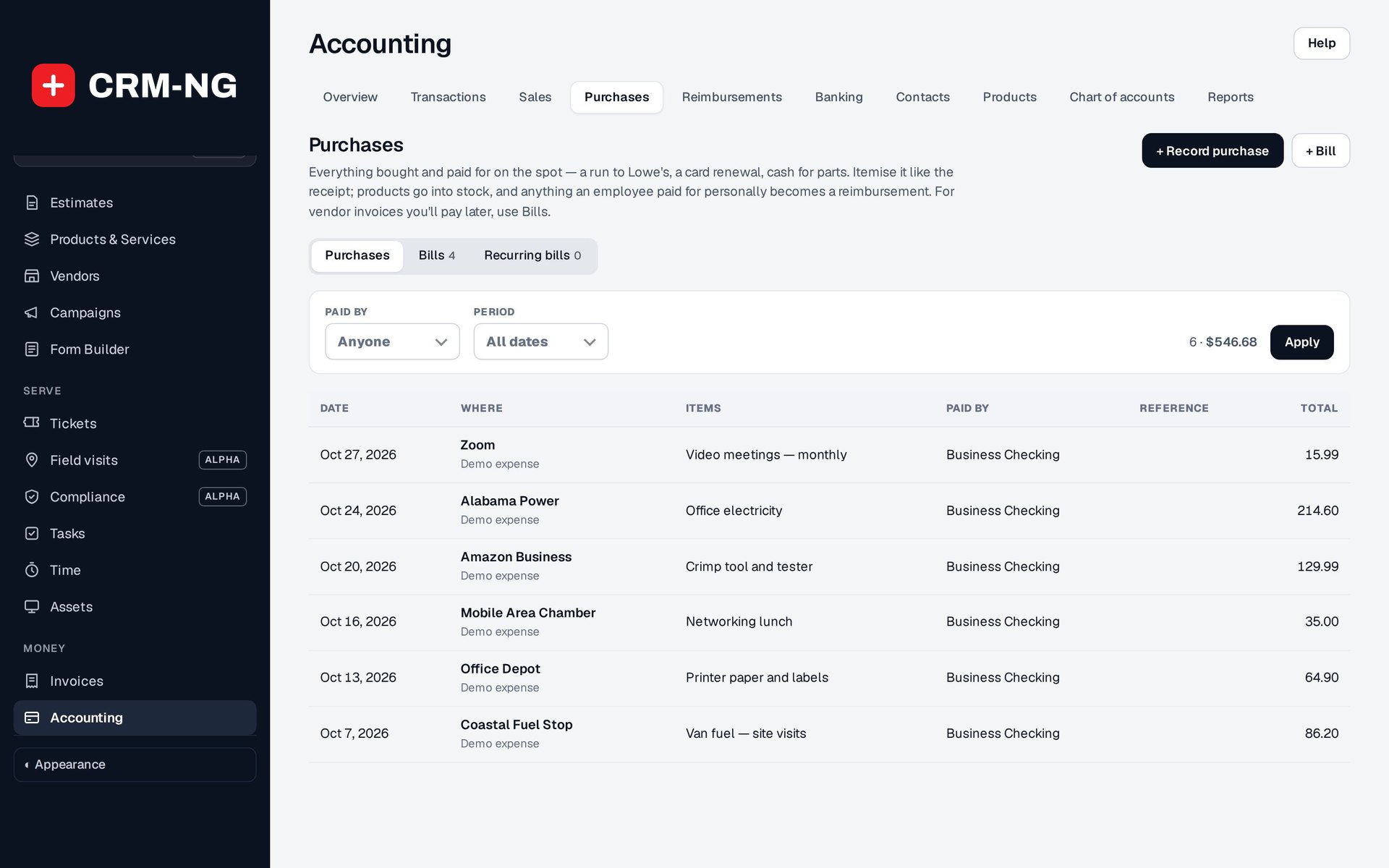
Purchases and bills
Record what you bought, from whom, and whether it is passed on to a client.
- Receipts attached to each purchase
- Bills move from draft to approved, partly paid and paid
- Recurring bills with an end date and Create now
- Buying stocked products can increase stock on hand
-
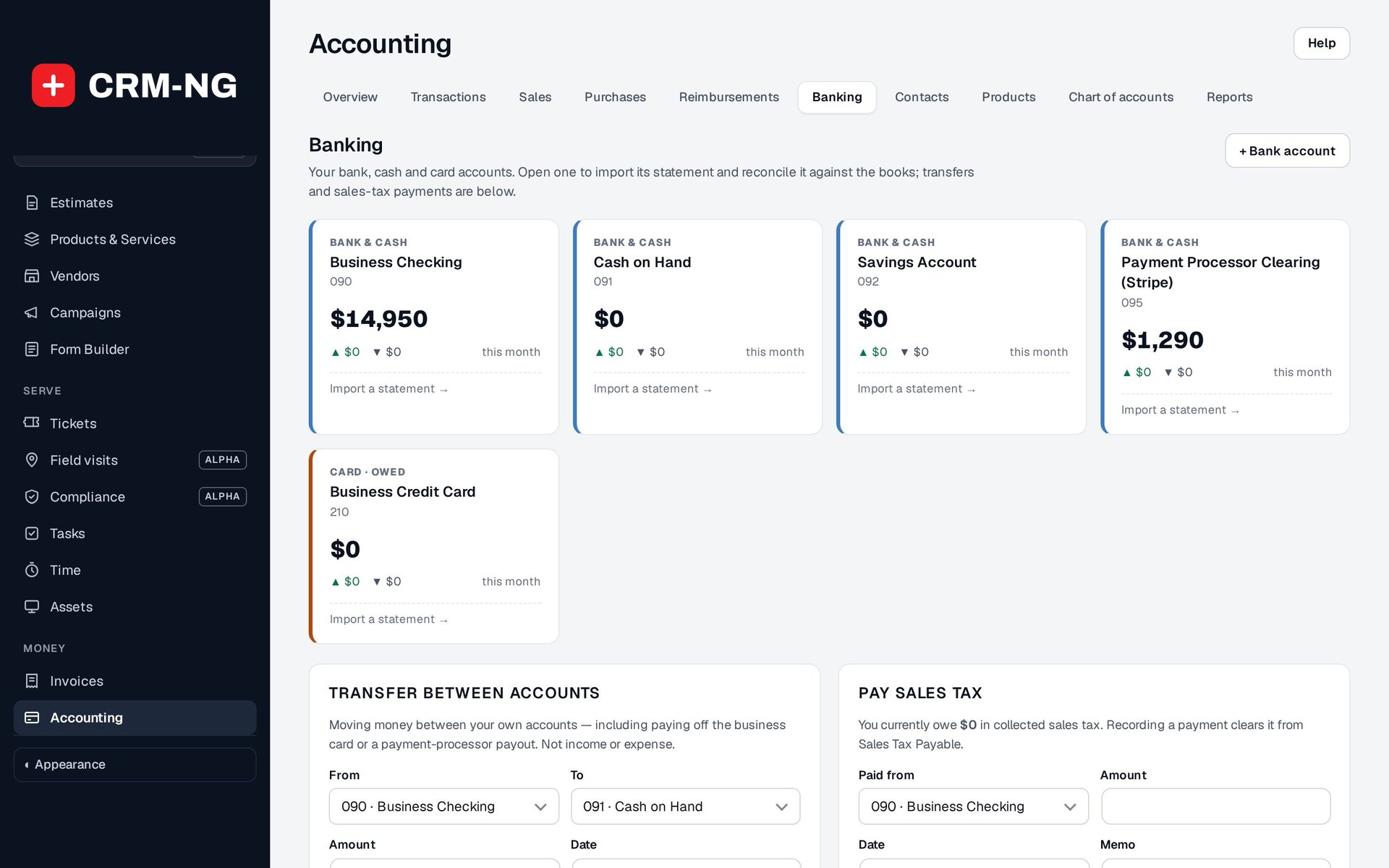
Reconciliation
Match imported bank lines to the books and see what has cleared.
- Match, Add to books, Ignore, Undo or Remove import
- A changed source entry clears its match so it can be checked again
-
Currency, tax and closing
Settings that keep the numbers right across currencies and periods.
- Exchange rates by invoice date and payment date, with gains and losses posted
- Purchase tax as recoverable or part of cost
- A closing date for periods you have reviewed
-
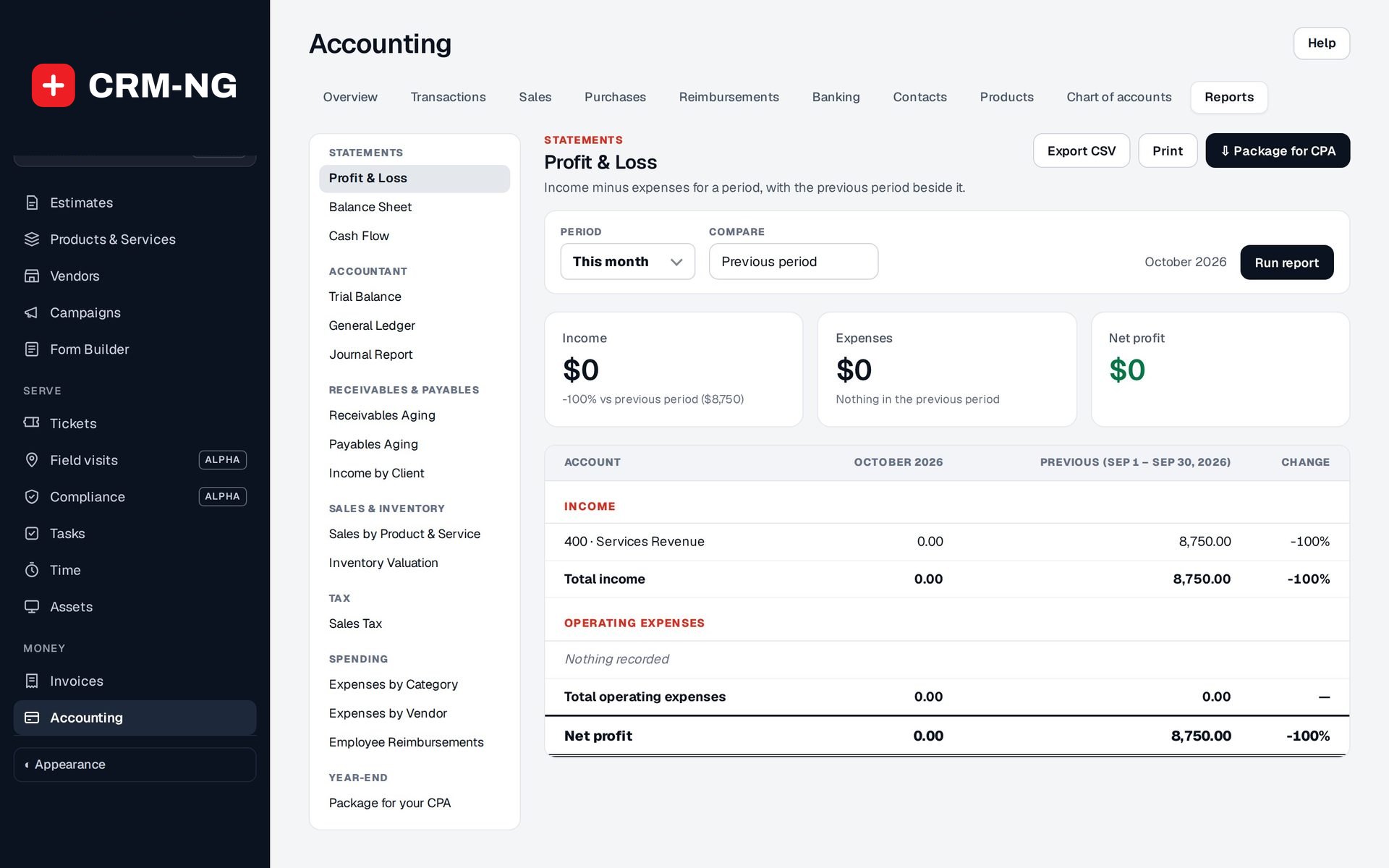
Reports and the CPA package
Fifteen report views and one export for year-end.
- Profit and loss, balance sheet, cash flow and trial balance
- Receivables and payables aging, sales tax, expenses by category and vendor
- Package for CPA with PDFs, CSVs and optional invoice PDFs
See it in action
Questions
Can I lock a period after my accountant has reviewed it?
You can set a closing date that blocks new accounting entries on or before it. Corrections to an invoice or payment can still post, with a warning, so agree with your team how late changes are handled.
Does it handle more than one currency?
Yes. Invoices use the exchange rate for their issue date and payments the rate for the payment date, with any difference posted as an exchange gain or loss.
Does it track stock value?
With inventory accounting switched on, stocked purchases go to inventory, invoices can record the cost of goods sold, and an Inventory Valuation report is included.
More about Accounting
- Invoicing and payments
Invoices built from your estimates, time and expenses, emailed with a Pay online link, followed up by automatic reminders and settled through Stripe.
- Accounting overview
See Accounting running on your own data.
Every module runs on CRM-NextGen Cloud: we set it up and run it for you. Beta members get the first invites and hear pricing first.