
Sales
Turn a raw list of businesses into a ranked call sheet.
Import target businesses without duplicates, let the score rank them, clean the data in a spreadsheet-style table, and see which lists actually turn into leads.
Why it matters
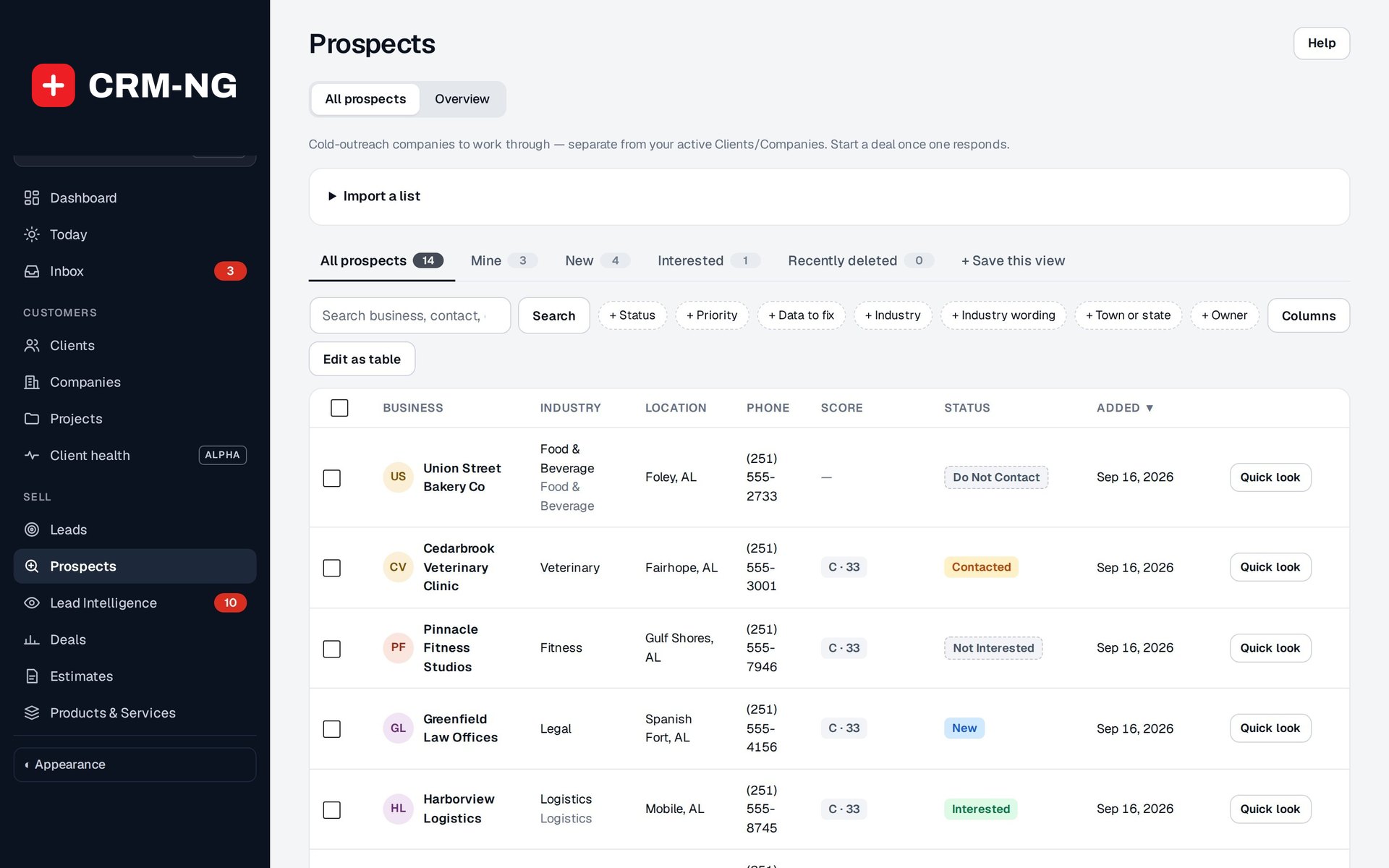
Outreach usually runs from a spreadsheet that grows with every purchased list: the same business three times, missing phone numbers, no record of who called whom. You cannot tell which list is worth the money, and the best prospects are buried somewhere in row 2,000.
Prospects in detail
-
Import that does not duplicate
A guided import matches each row to the prospects you already have and asks you about anything uncertain.
- Steps: Columns, Industries, Check, Import onto a list, Undo
- Matches on earlier ID, phone, website, name and town, then email
- Differences shown side by side; look-alikes can be merged, kept separate or decided later
- Your file's wording is matched to your industry list and remembered
-
A score that ranks the list
Each prospect gets 0 to 100 from fit, reachability, data confidence and interest, banded into A, B or C priority.
- Fit: target industry, service area, size, more than one location
- Reachability: phone, email, named decision maker, real website
- Interest from website visits (with Lead Intelligence)
- A Why this score card on every prospect
-
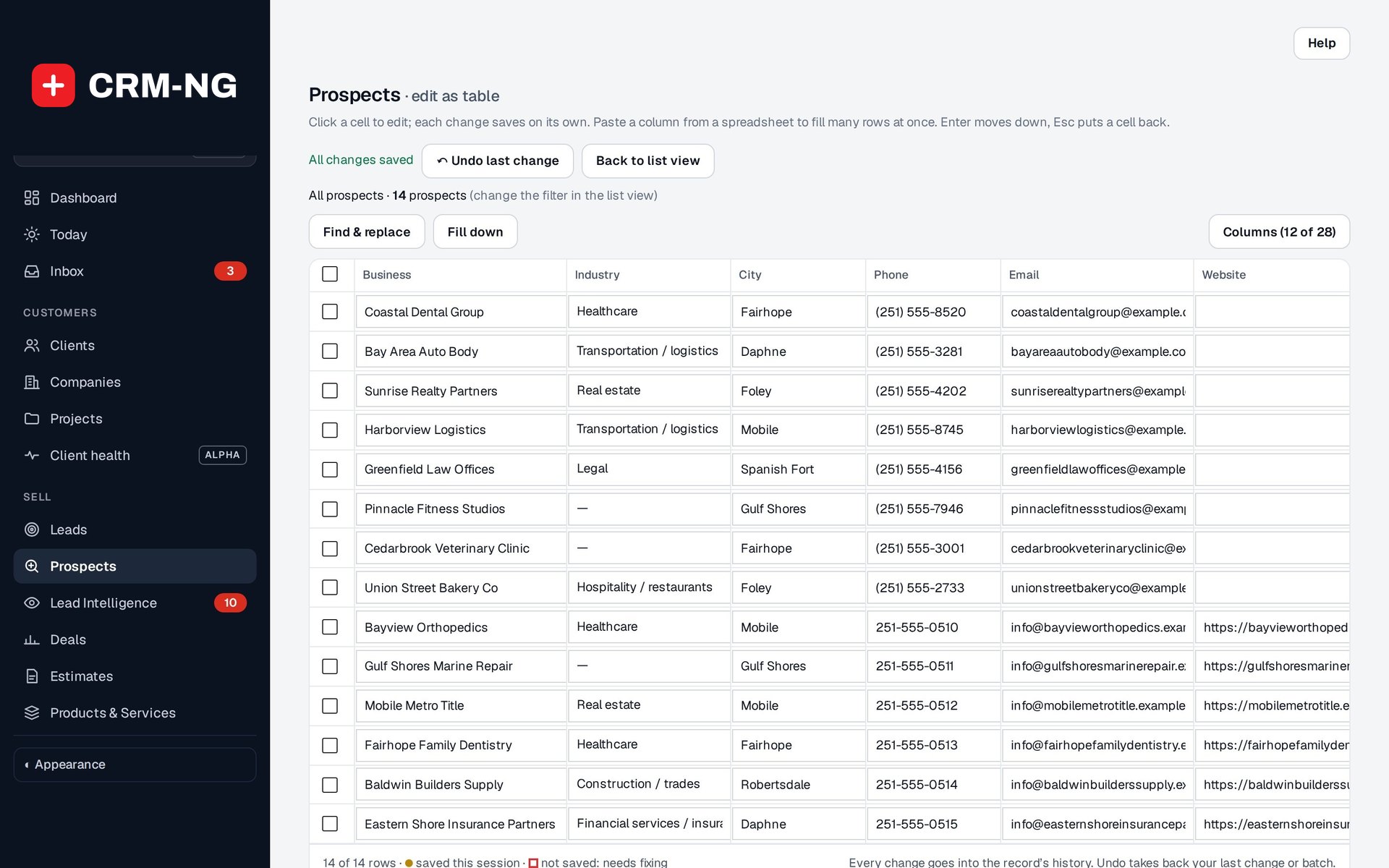
Edit as table
Fix hundreds of rows the way you would in a spreadsheet, with every cell checked as it saves.
- Paste a column from a spreadsheet, fill down, find and replace
- Bulk status, owner, industry or add to a list
- Invalid cells are outlined and not saved
- Undo takes back your last change or batch
-
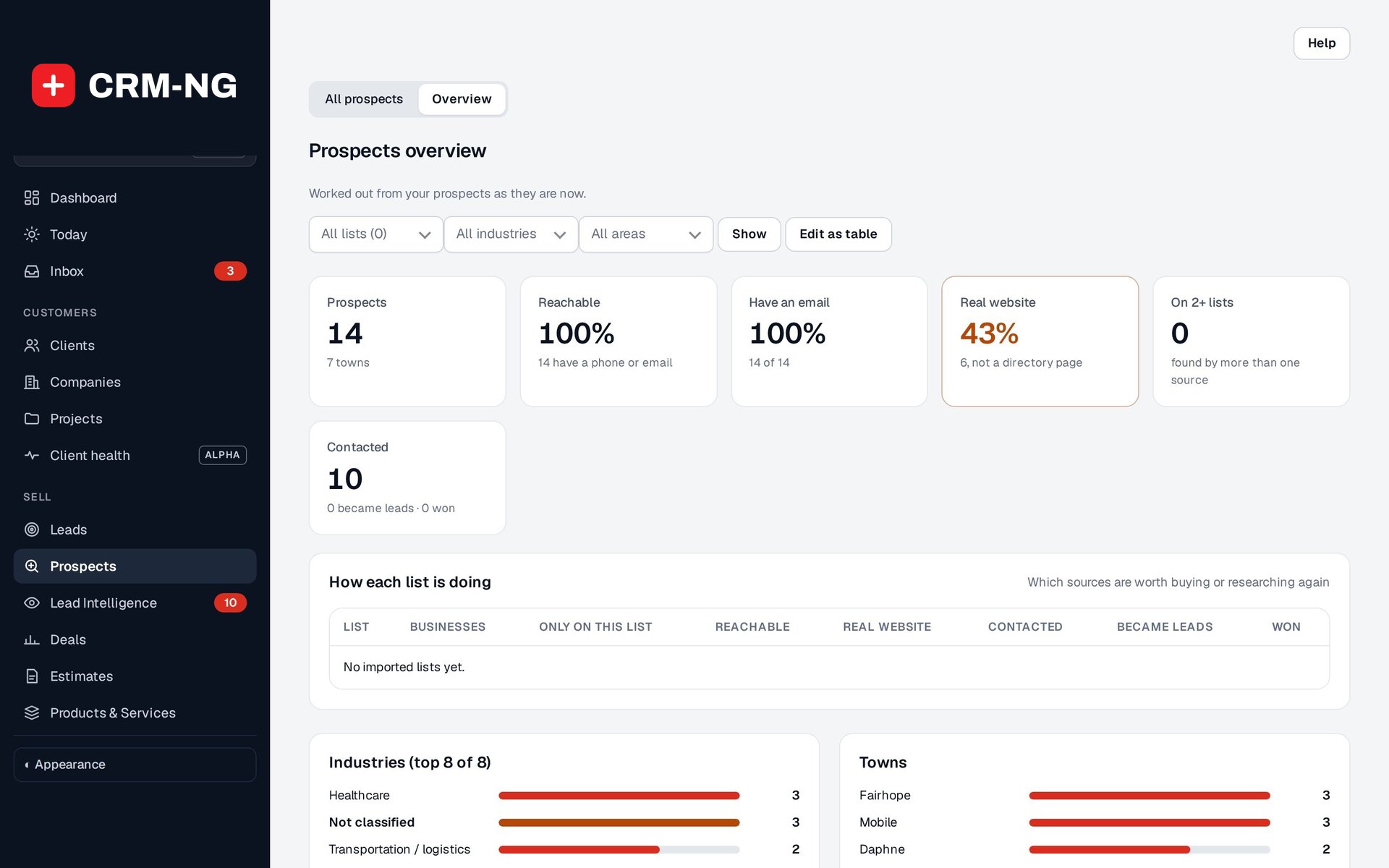
An overview of every list
See how each imported list is doing and where the data needs work.
- Reachable, real website, contacted, became leads and won, per list
- Data to fix, each with a link straight to those rows
- Conversion by score band and suggested weight changes, never applied for you
-
Outreach and hand-off
Record each attempt and move the status along until the business is ready to talk.
- Statuses: New, Attempted, Contacted, Interested, Not Interested, Do Not Contact, Converted
- People under a firm: link and unlink the individuals who work there
- Convert to lead or Start a deal from the prospect's header
Questions
Does importing a list sign people up for marketing emails?
No. Importing contact details does not subscribe anyone to campaigns. Email preferences are handled on the lead and client records.
Who can edit prospects?
Managers. Every edit goes into the record's history, and table edits can be undone.
Can I change how the score is worked out?
Yes. An administrator sets the weights for each part of the score and the cut-offs for A, B and C priority. The overview can suggest changes from which prospects became leads, but it never applies them for you.
More about Sales
- Quotes and estimates
Build an estimate from your price list or a deal, send it as a branded PDF, let the client accept it in the portal and convert it to an invoice with every line intact.
- Sales overview
See Sales running on your own data.
Every module runs on CRM-NextGen Cloud: we set it up and run it for you. Beta members get the first invites and hear pricing first.