
Project Manager
Plan the team's next two weeks from every project at once.
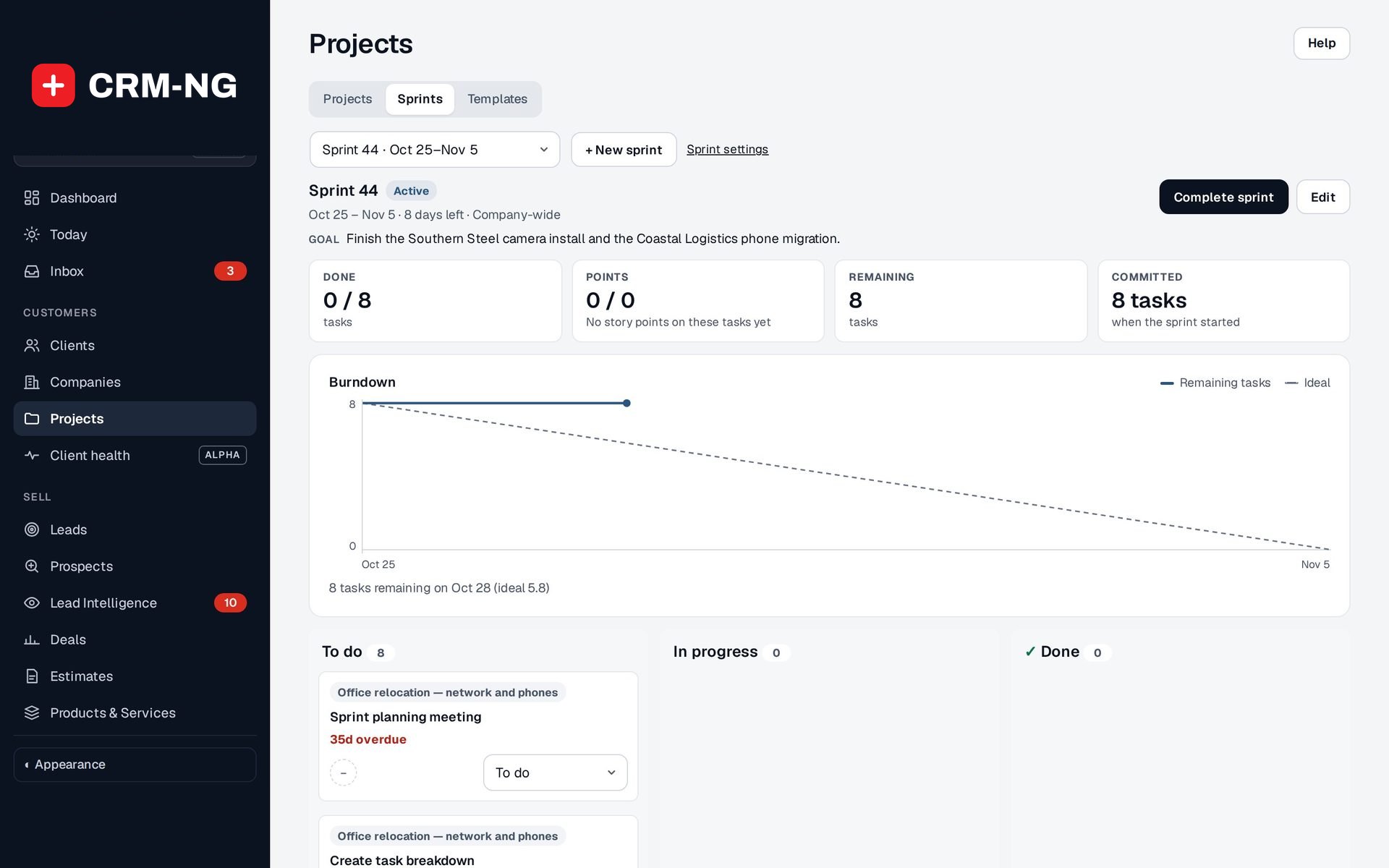
Sprints gather tasks from several projects and the backlog into one period with a goal, a burndown chart and a clear end.
Why it matters
Each project manager plans their own job, and the same technician ends up booked three times over. Nobody can say what the team committed to this fortnight, so nobody can say whether it was delivered, or why the same unfinished tasks keep rolling over.
Sprints in detail
-
One plan across projects
Pick backlog tasks from any project, plus standalone work, for the period.
- Company-wide, department or team scope
- A goal written in plain words
- Planned, then started, then completed
-
Progress you can see
Tiles and a chart show where the sprint stands.
- Done, Points, Remaining and Committed
- Burndown of remaining tasks against the ideal line
- A board of To do, In progress and Done
-
Honest endings
When the sprint ends, unfinished work moves on rather than disappearing.
- Move unfinished tasks to the next sprint or the backlog
- Velocity from the last three completed sprints
-
Your defaults
Set sprint length, the starting weekday and how sprints are named.
- Naming with , , , , , and
- Preview the name and dates before using a new pattern
Questions
Are story points the same as billable hours?
No. Points help the team discuss the size of the work. Billable time is recorded separately with the timer.
Is there an epics feature?
No. Use projects, tasks and sprint scope to group larger pieces of work.
More about Project Manager
- Lists, boards & timelines
Every project has a list, a board, a timeline and a calendar over the same tasks, with milestones and dependencies that show what is holding things up.
- Templates & project billing
Templates turn your best process into a ready plan; Time & billing turns the work into a draft invoice.
- Project Manager overview
See Project Manager running on your own data.
Every module runs on CRM-NextGen Cloud: we set it up and run it for you. Beta members get the first invites and hear pricing first.