
CRM
Keep every enquiry moving until it becomes a client.
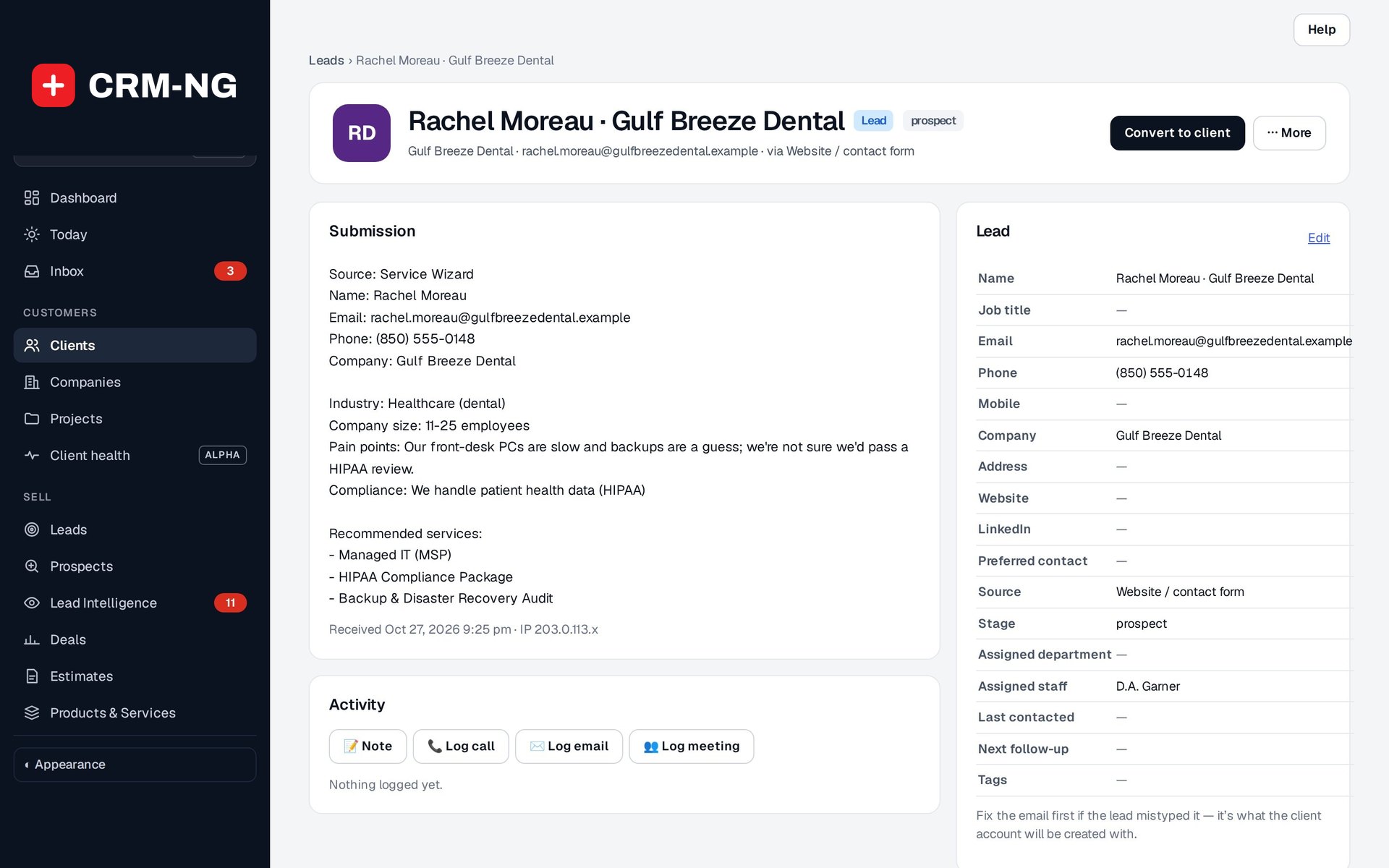
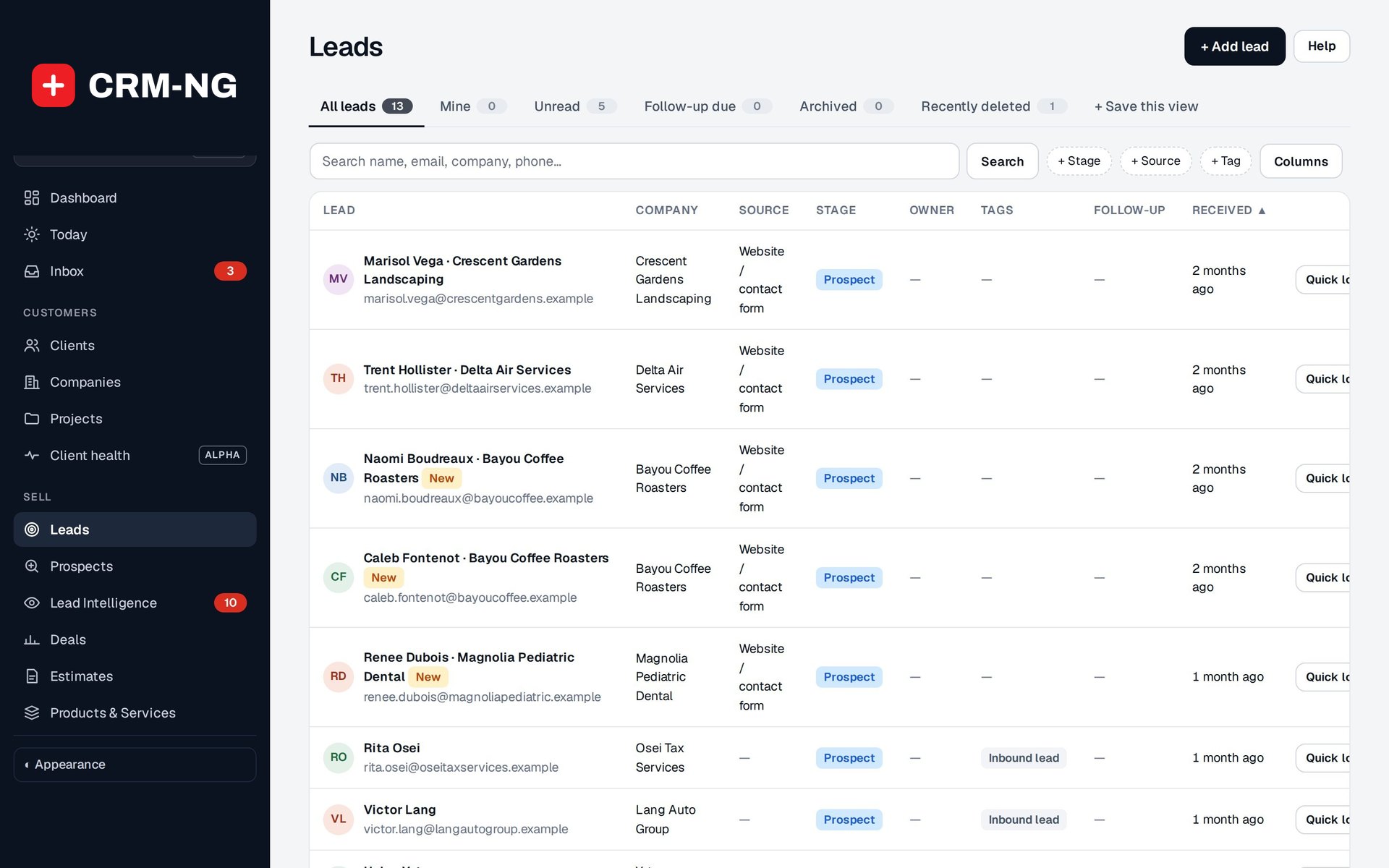
Leads hold the people you are still talking to: where they came from, who owns them, what was said and what happens next. When they are ready, one action gives them a client account.
Why it matters
Enquiries arrive by web form, phone and email and end up on sticky notes or in one person's inbox. Nobody knows who called back, the source of the enquiry is forgotten, and when someone finally signs up their history has to be typed in again.
Leads and conversion in detail
-
A record for every enquiry
Source, contact details, company, owner, stage, tags and follow-up date, plus notes and tasks for the next step.
- Leads tabs: All, Mine, Unread, Follow-up due, Archived, Recently deleted
- Filter chips for stage, source, owner and tag
- Log calls, emails and meetings with a follow-up task
-
Leads from your web forms
A published lead form creates the lead and maps each answer into the right field; answers without a field are kept in a private note.
- An existing client or lead is matched by email instead of making a duplicate
- Website visits can be linked to the lead with the visitor's consent (Lead Intelligence)
-
Convert to client
Give the person a sign-in account when they need one. The lead is archived and its details, custom fields and email preferences carry over.
- Check for an existing account before converting
- No password is ever emailed; invite them to the portal with a secure sign-in link
- An unsubscribe is never lost on conversion
-
Deals alongside the lead
The lead identifies the person; a deal describes the paid work you are discussing, with value, stage and closing date.
- Link a deal to the lead while you talk
- Winning a deal does not force a client login on everyone involved
Questions
Does every lead need a login?
No. Leads never have a sign-in. You convert a lead to a client only when the person needs their own account, for example to use the client portal.
What happens to the lead's information when I convert it?
The client account is created from the lead's details, including its custom fields and email preferences, and the lead is archived so its history stays available.
Can leads be assigned to my team automatically?
Yes, with the Sales module's lead routing switched on: rules by source, region or email domain assign each new lead to one person, take turns, or pick whoever has the fewest open leads.
More about CRM
- Companies and people
A company record holds the organization your contacts work for: its people, billing details, service plan, transactions and history, under a permanent identity that survives renames and merges.
- Switching and clean-up
Import your customers from HubSpot, Salesforce or a spreadsheet, merge the duplicates you already have, and restore anything deleted by mistake.
- CRM overview
See CRM running on your own data.
Every module runs on CRM-NextGen Cloud: we set it up and run it for you. Beta members get the first invites and hear pricing first.