
Workflow
Draw the process once and let it run every time.
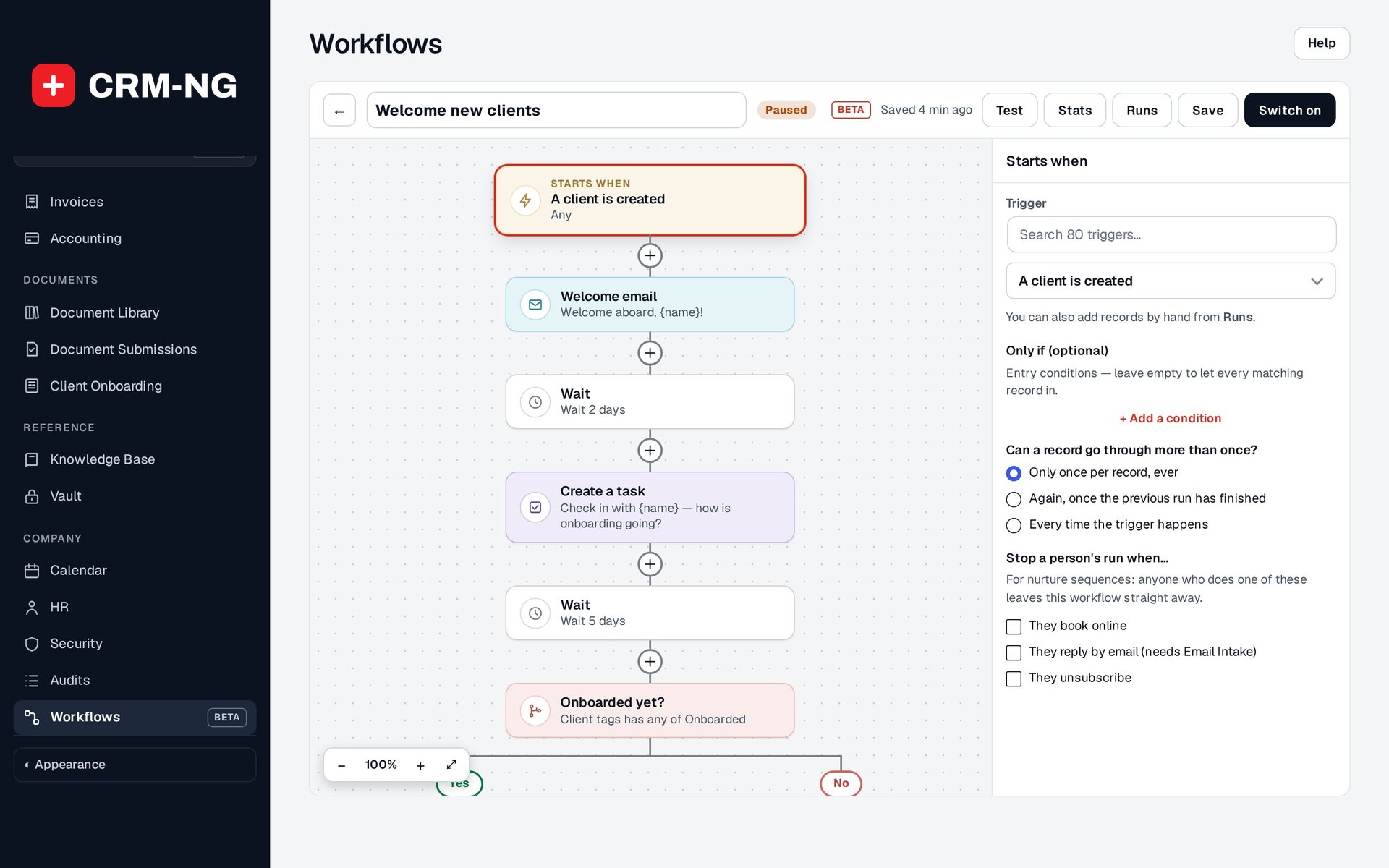
A visual map for multi-step automations: triggers, conditions, waits, branches, actions and goals, with dry-run testing and a record of every run.
Why it matters
Simple rules break down when a process has steps: send the welcome email, wait three days, check whether they replied, then either create a task or move on. Without a builder, those processes end up as sticky notes and calendar reminders.
Workflow Builder in detail
-
The map
Steps connected in order, from the trigger to each ending.
- Trigger, conditions and entry rules at the top
- Notes on the map explain the design to whoever maintains it
- Later steps can use a record created by an earlier step
-
Control steps
Shape the path a record takes.
- Wait, Wait until, If / else, Branch, Split, Goal, Note and End
- Waits can respect business hours or count from a date on the record
-
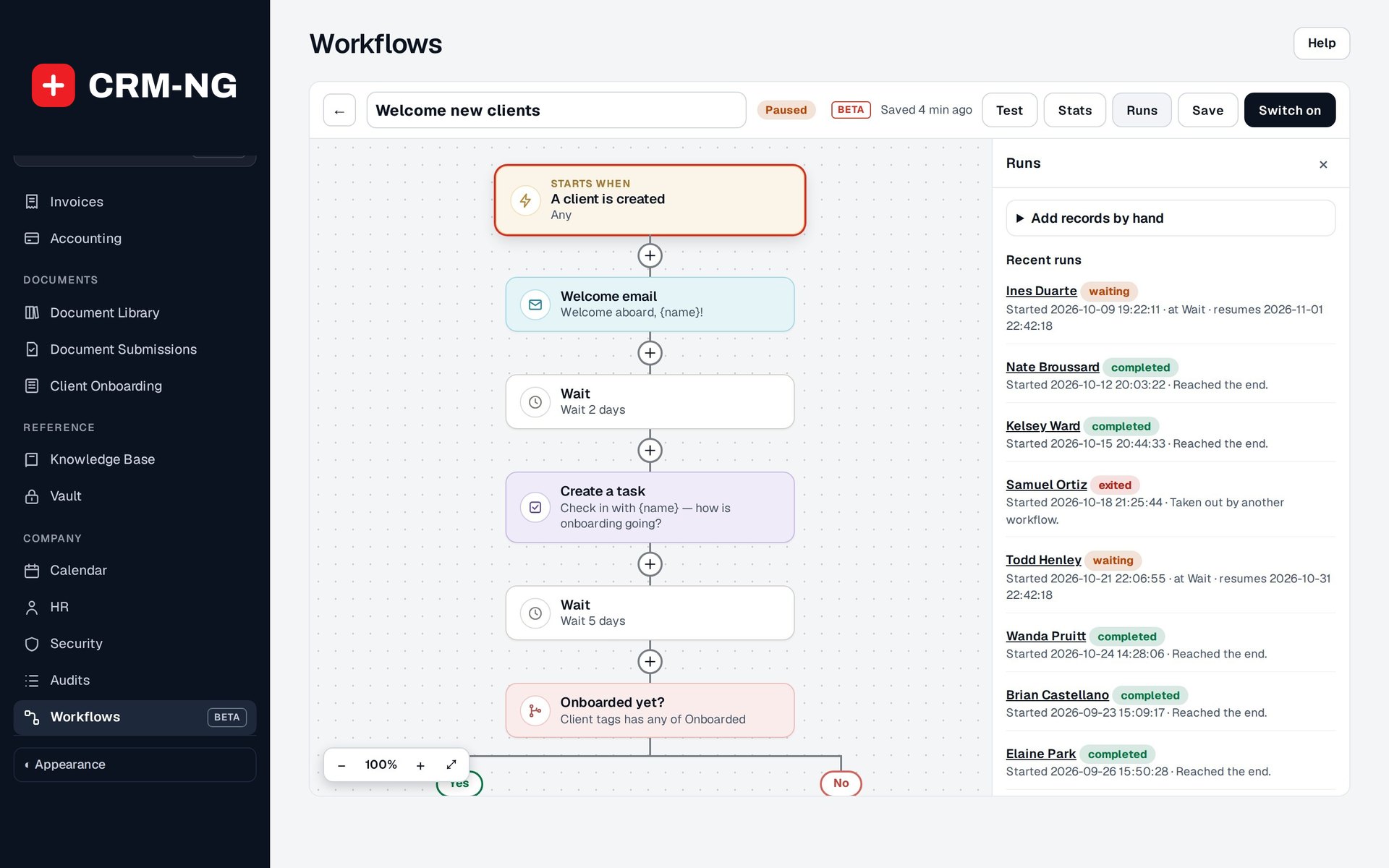
Test, Stats and Runs
Check it works before and after it goes live.
- Dry-run test with decisions and intended actions
- Stats show how records move through the steps
- Runs show each record's path and errors; Add records enrols by hand
-
Webhooks and schedules
Start workflows from outside or on the clock.
- Secret incoming webhook address per workflow, using fields from the payload
- Scheduled workflows with no record attached
Questions
Can I edit a workflow that is already running?
Yes. After editing a live workflow, check the runs already waiting part-way through as well as new ones.
How precise are waits?
Waiting runs are picked up every minute; record scans and some conditions are checked less often.
More about Workflow
- Ready-made library
A library of ready-made workflows for tickets, sales, billing, projects, assets, bookings, HR and marketing, each one switched on in a click or customised first.
- Workflow overview
See Workflow running on your own data.
Every module runs on CRM-NextGen Cloud: we set it up and run it for you. Beta members get the first invites and hear pricing first.