
Field Service
A signed record of every job, with the photos to prove it.
Notes, before and after photos and a completion report the customer signs, kept with the visit and the ticket.
Why it matters
Proof of work usually lives on a technician's personal phone and in their memory. When a customer says the job was not finished, or that something was damaged, you have nothing but your word against theirs, and chasing a signature on a paper job sheet means another trip.
Job records & signed reports in detail
-
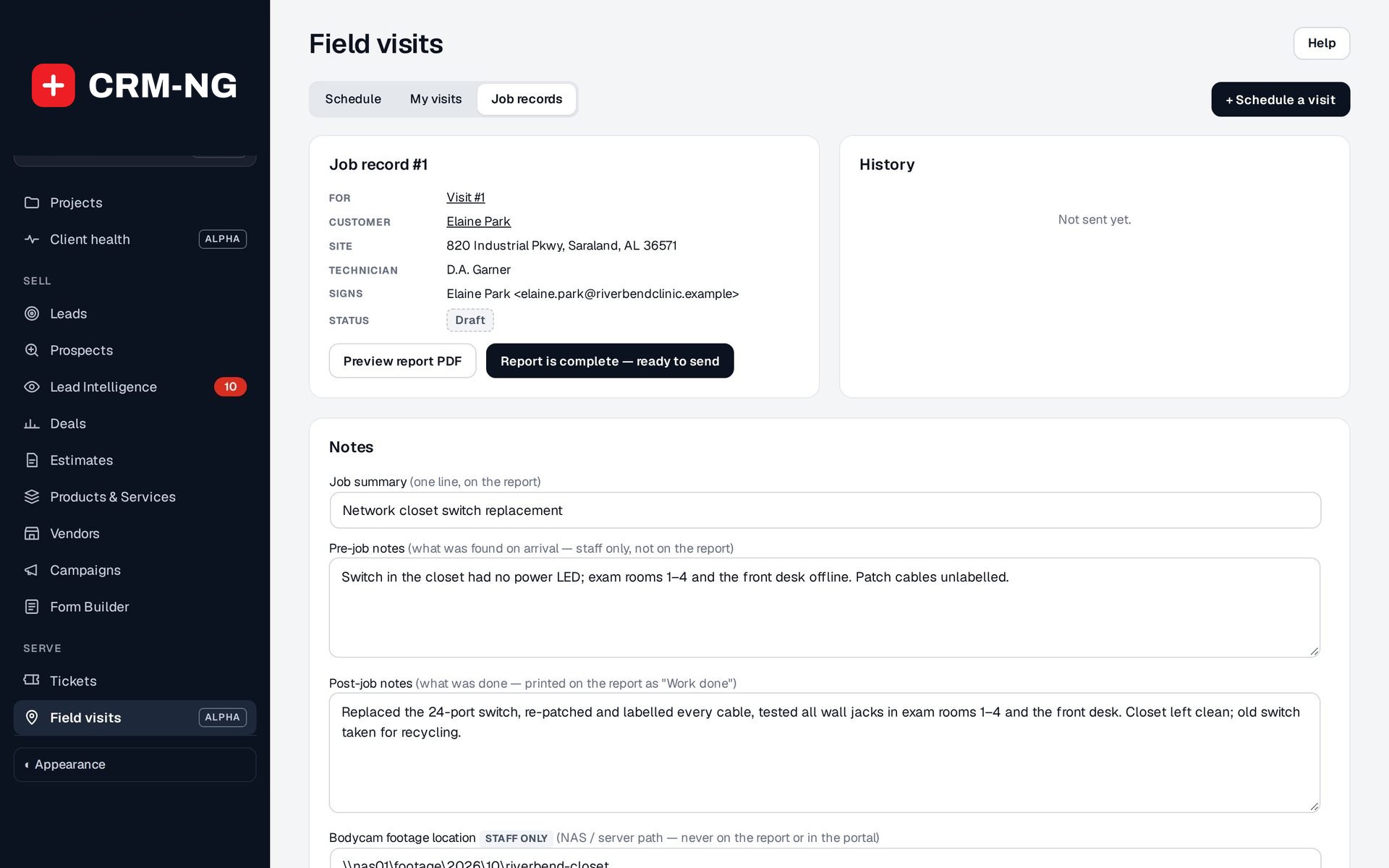
Notes in the right place
Separate fields for what the customer sees and what stays with your team.
- Job summary, one line on the report
- Pre-job notes: what was found on arrival, staff only
- Post-job notes, printed on the report as Work done
- Bodycam footage location, staff only
-
Before and after photos
Take or upload several photos at once, mark them before or after, and caption them.
- Take photos from the phone camera or choose files
- Stored encrypted
- Seen only by staff on the job and, once sent, the customer
-
A professional completion report
Preview the PDF at any time; it is built from the job record.
- Your business name and logo
- Customer, site, date and technician
- Summary, work done, before photos and after photos
-
Signed in the portal
Send the report and the customer signs it from the client portal.
- Signer: the client contact or another person at the same company
- Confirms the work was completed satisfactorily, the photos are accurate and no damage was done
- Someone who has never signed in gets a portal invitation
-
Disputes handled properly
A customer who disagrees reports a problem instead of signing.
- Status moves to Disputed and the comment is kept in the history
- The technician and your company address are emailed
- Revise the record and send a new report
-
One job record per visit
Each visit has its own record, and a ticket can have several.
- Job records card on the ticket
- Job records list under Field visits
- History of when the report was sent and viewed
Questions
What if we don't use e-signatures?
Without the Documents module or the client portal, Send emails the report as a PDF without e-signature.
Does the customer get a copy of what they signed?
Yes. The confirmation email sent after signing carries the signed job report PDF.
Who can start a job record on a ticket?
Someone who works on it: a manager, or the ticket's assigned person.
See Field Service running on your own data.
Every module runs on CRM-NextGen Cloud: we set it up and run it for you. Beta members get the first invites and hear pricing first.